Payroll Module Documentation
- Chapter 1: Getting start with Payroll module
- Chapter 2: Payroll Component
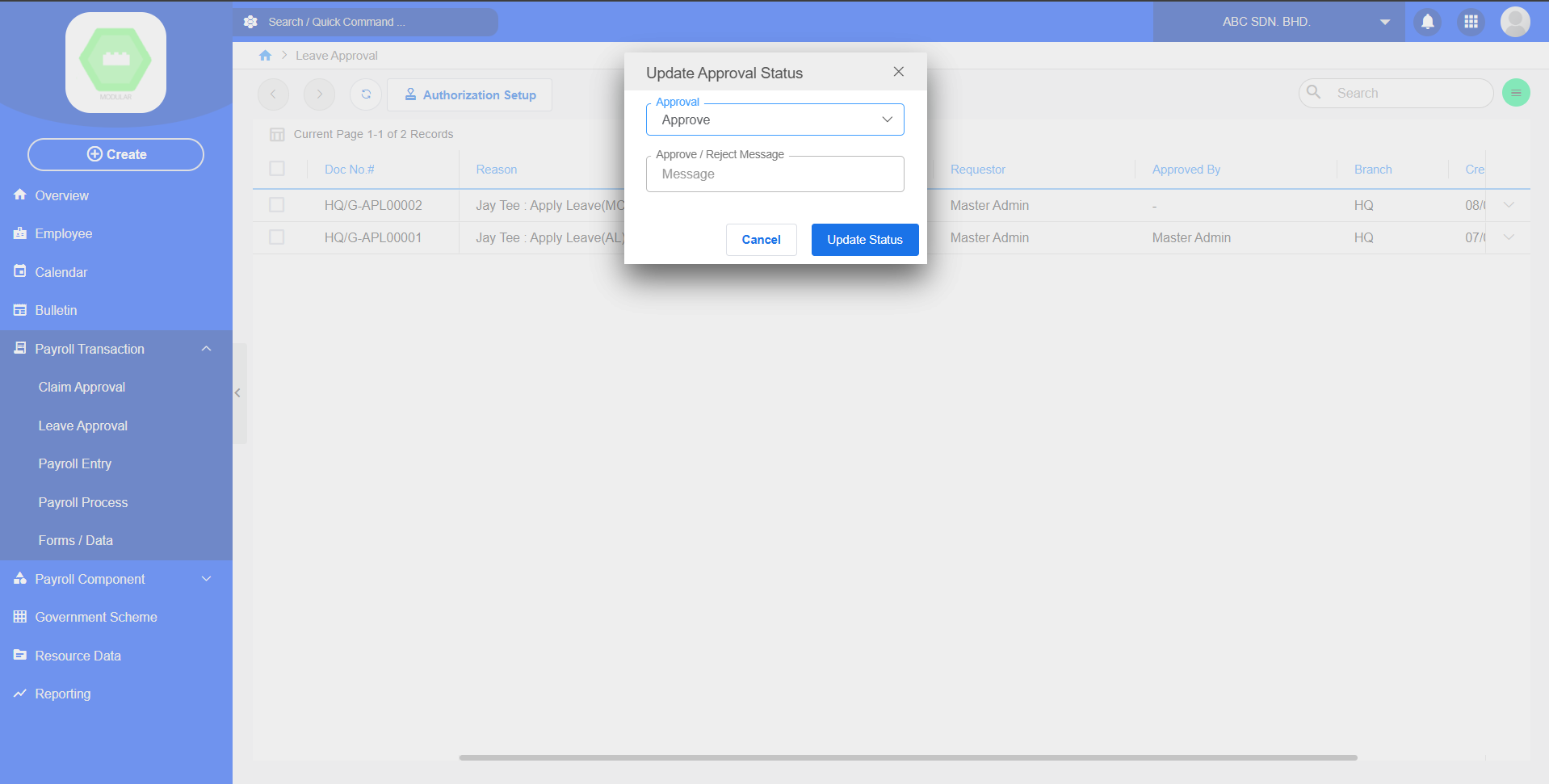
- Chapter 3: Payroll Transaction
- Payroll print payslip
- Apply Employee Leave
- Chapter 4:
Chapter 1: Getting start with Payroll module
1.1 Payroll Quick Start
Overview
The Quick Start Guide provides the minimum setup required before using the Payroll Module.
Prerequisites
Before starting, ensure:
- Core Module has been installed.
- User has Payroll access permission.
- Company profile has been configured.
Navigation
PayrollSetup Workflow
Setup HR Profile
│
▼
Setup Payroll Components
│
▼
Configure Statutory Data
│
▼
Register Employee
│
▼
Setup Account Posting
│
▼
Assign Leave & Claim Approver
│
▼
Ready to Process PayrollQuick Start Checklist
| Step | Description |
|---|---|
| 1 | Setup HR Profile |
| 2 | Setup Payroll Components |
| 3 | Setup Statutory Data |
| 4 | Register Employee |
| 5 | Setup Account Posting |
| 6 | Setup Leave & Claim Approver |
Expected Result
After completing all setup steps, the Payroll Module is ready for payroll processing.
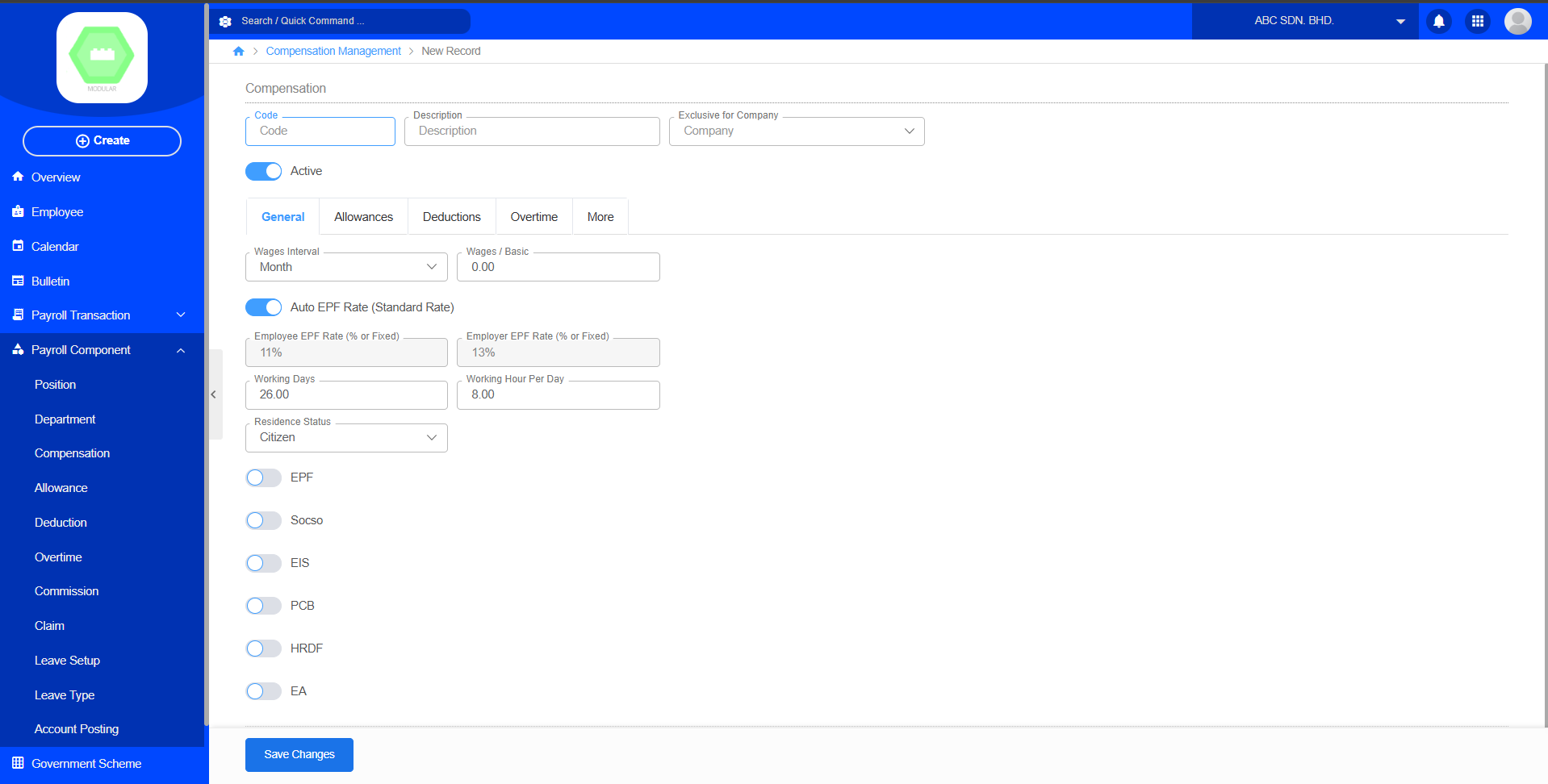
1.2 Setup Compensation Data
Purpose
Configure government-required payroll deductions.
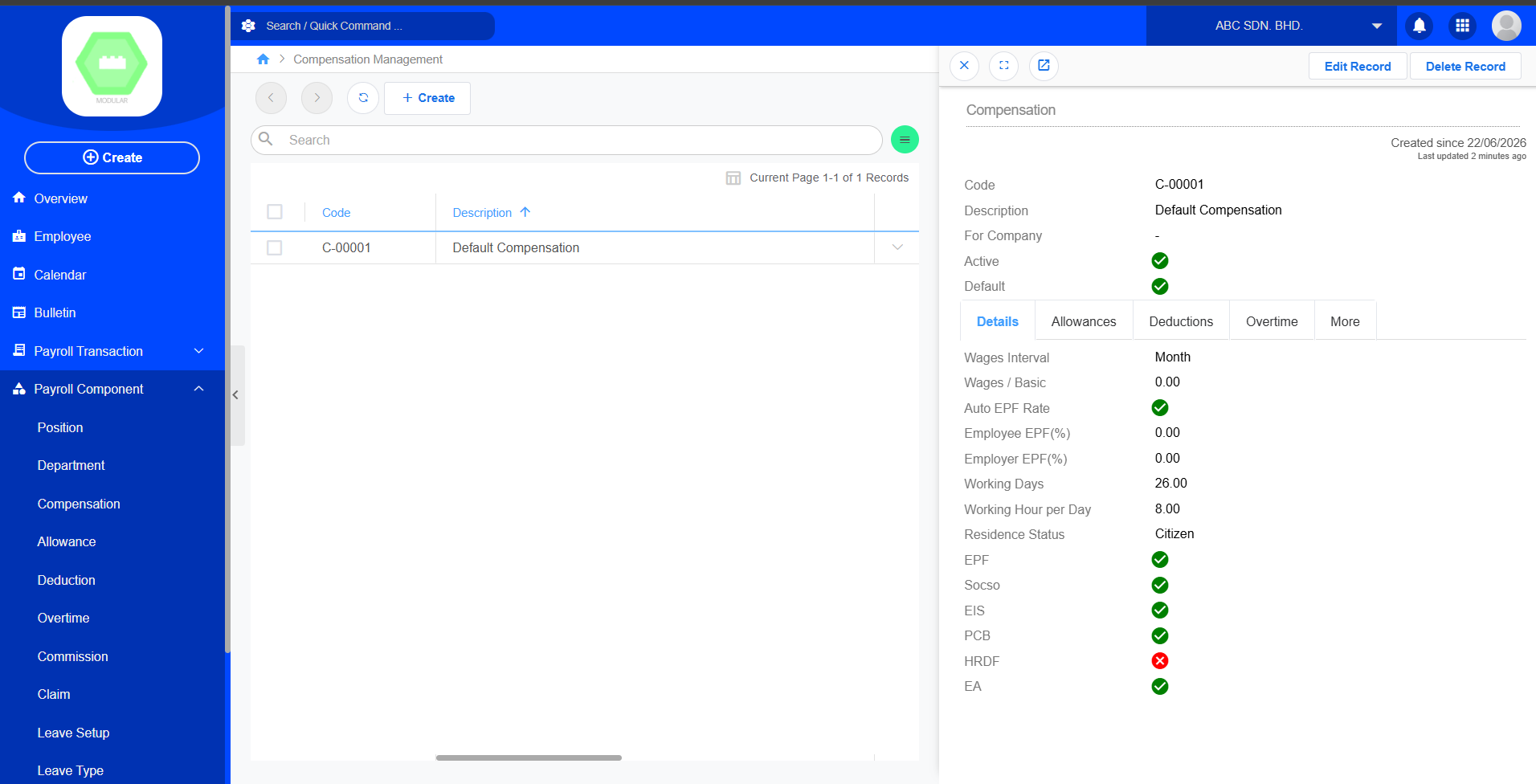
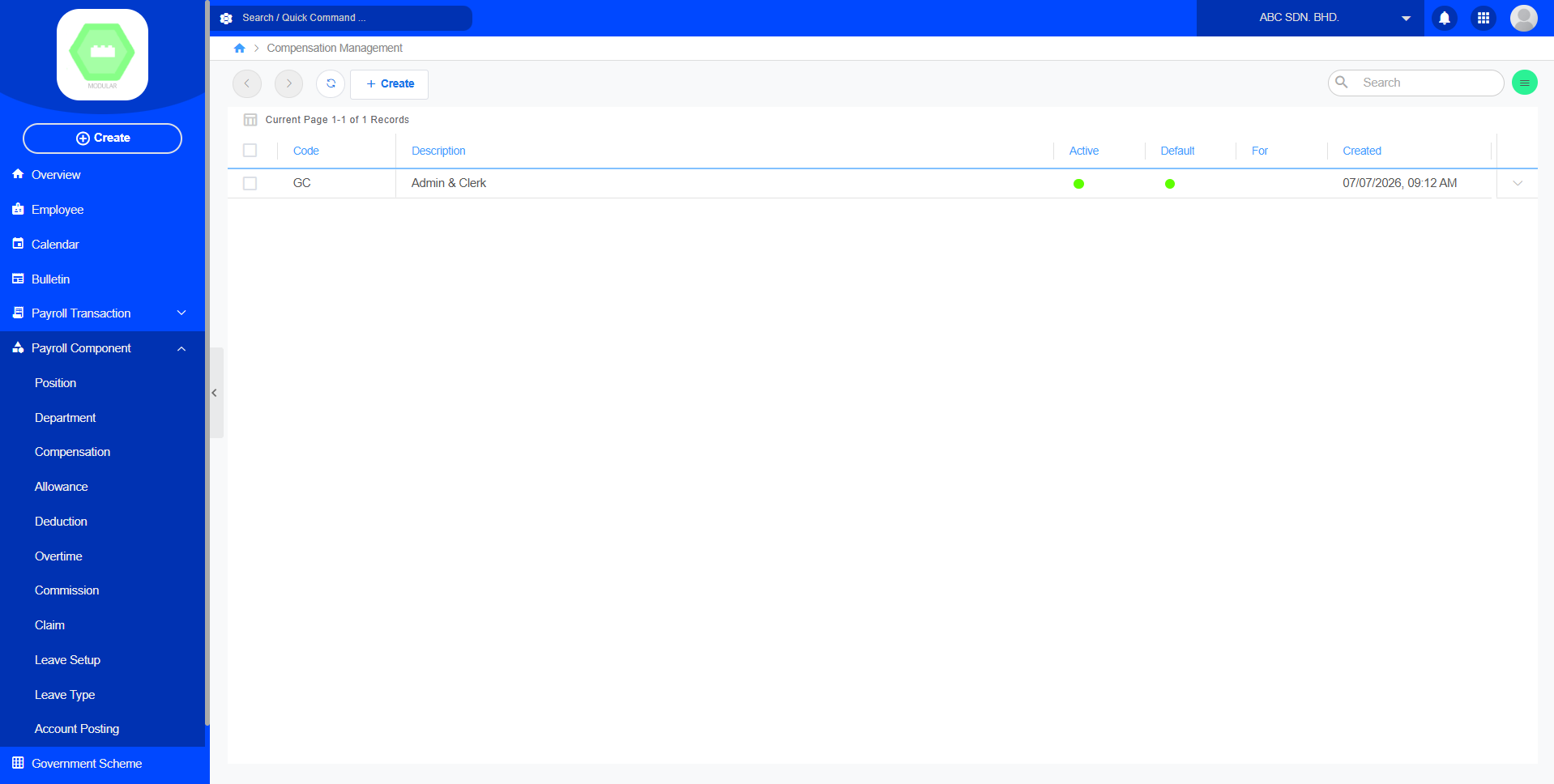
Example: Compensation Management
This is default record.
Workflow
Payroll Module
↓
Payroll Component
↓
Compensation
↓
+ Create
↓
Save1.3 Setup Payroll Components
Purpose
Payroll Components define how employee salaries are calculated.
1. Position
Purpose
The Position module manages the list of employee job positions within the organization.
Functions
-
Create new job positions
-
Edit existing positions
-
Assign positions to employees
-
Organize payroll by job role
Examples
-
Manager
-
Supervisor
-
Executive
-
Technician
-
Clerk
2. Department
Purpose
The Department module manages the organizational departments used throughout the payroll system.
Functions
-
Create departments
-
Update department information
-
Assign employees to departments
-
Generate department-based payroll reports
Examples
-
Human Resources
-
Finance
-
Sales
-
Marketing
-
Production
-
IT
3. Compensation
Purpose
The Compensation module defines employee salary structures and recurring earnings.
Functions
-
Configure basic salary
-
Set salary frequency
-
Manage fixed compensation
-
Support payroll calculation
Examples
-
Basic Salary
-
Fixed Monthly Salary
-
Daily Wage
-
Hourly Rate
4. Allowance
Purpose
The Allowance module manages additional payments provided to employees beyond their basic salary.
Functions
-
Create allowance types
-
Configure allowance amount
-
Assign allowances to employees
-
Include allowances in payroll processing
Common Allowances
-
Transport Allowance
-
Meal Allowance
-
Housing Allowance
-
Phone Allowance
-
Travel Allowance
5. Deduction
Purpose
The Deduction module manages salary deductions applied during payroll calculation.
Functions
-
Create deduction types
-
Configure deduction rules
-
Apply recurring deductions
-
Include statutory deductions
Common Deductions
-
Income Tax (PCB)
-
EPF (KWSP)
-
SOCSO (PERKESO)
-
EIS
-
Loan Repayment
-
Salary Advance
6. Overtime
Purpose
The Overtime module manages overtime payment settings for employees.
Functions
-
Configure overtime rates
-
Define overtime categories
-
Calculate overtime earnings
-
Include overtime in payroll
Examples
-
Normal Working Day
-
Rest Day
-
Public Holiday
-
Weekend Overtime
7. Commission
Purpose
The Commission module manages commission-based earnings for eligible employees.
Functions
-
Configure commission schemes
-
Assign commission to employees
-
Calculate commission payments
-
Include commissions in payroll
Examples
-
Sales Commission
-
Performance Commission
-
Incentive Bonus
8. Claim
Purpose
The Claim module manages employee reimbursement categories used in the Claim Approval process.
Functions
-
Create claim categories
-
Configure claim limits
-
Define reimbursement rules
-
Support employee claim submissions
Examples
-
Travel
-
Medical
-
Accommodation
-
Meal
-
Transportation
-
Miscellaneous
9. Leave Setup
Purpose
The Leave Setup module configures company leave policies and entitlement rules.
Functions
-
Configure leave entitlement
-
Define leave eligibility
-
Set leave accrual rules
-
Configure carry-forward policies
Examples
-
Annual Leave Entitlement
-
Sick Leave Entitlement
-
Carry Forward Limit
-
Leave Expiry Rules
10. Leave Type
Purpose
The Leave Type module defines the different categories of leave available to employees.
Functions
-
Create leave types
-
Configure leave settings
-
Assign leave eligibility
-
Link leave types to Leave Approval
Common Leave Types
-
Annual Leave
-
Sick Leave
-
Emergency Leave
-
Maternity Leave
-
Paternity Leave
-
Unpaid Leave
-
Compassionate Leave
11. Account Posting
Purpose
The Account Posting module maps payroll components to the company's accounting ledger. It ensures payroll transactions are posted to the correct General Ledger (GL) accounts during payroll processing.
Functions
-
Configure GL account mapping
-
Assign debit and credit accounts
-
Link payroll components with accounting codes
-
Support automatic accounting postings
Common Posting Accounts
|
Payroll Component |
Example GL Account |
|---|---|
|
Basic Salary |
Salary Expense |
|
Allowance |
Allowance Expense |
|
Overtime |
Overtime Expense |
|
Commission |
Commission Expense |
|
EPF |
EPF Payable |
|
SOCSO |
SOCSO Payable |
|
PCB |
Tax Payable |
|
Bonus |
Bonus Expense |
1.4 Setup HR Profile (Core Module)
Purpose
Before payroll can be used, every employee must have an HR Profile.
| Field | Required |
|---|---|
| Emp Code Index / Prefix | Yes |
| HR Email | Yes |
| Employer No. (E) | Yes |
| LHDN Branch | Yes |
| KWSP No. | Yes |
| SOCSO No. | Yes |
| Officer Name | Yes |
| Officer Position | Yes |
| Officer Phone Number | Yes |
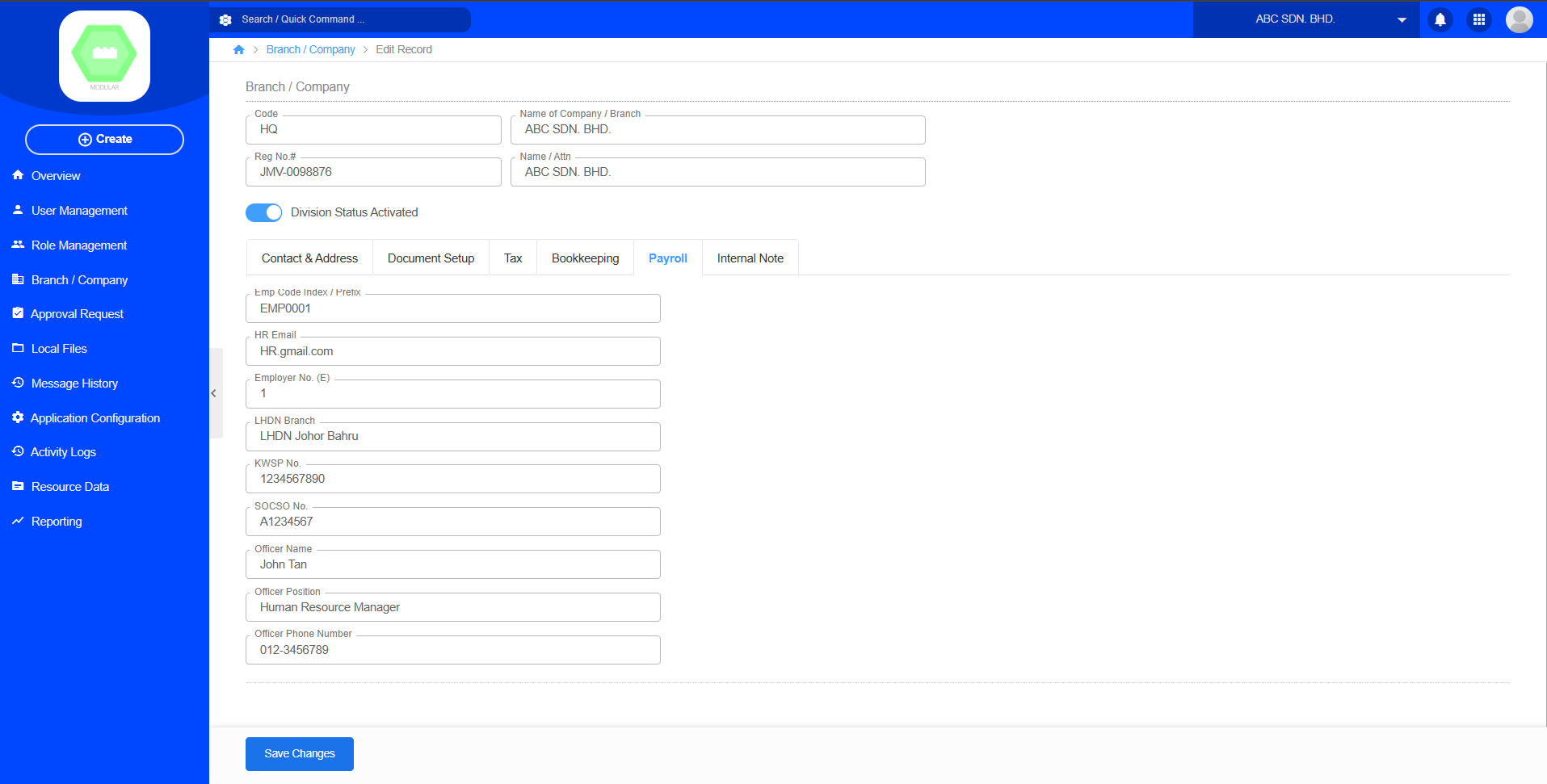
Workflow
Core
↓
Branch / Company
↓
Edit record company
↓
Payroll
↓
Fill in HR information1.5 Register Employee
Purpose
Register employees into the payroll system.
Required Information
| Field | Required |
|---|---|
| Employee Name | Yes |
| Birthday | Yes |
| Retirement date | Yes |
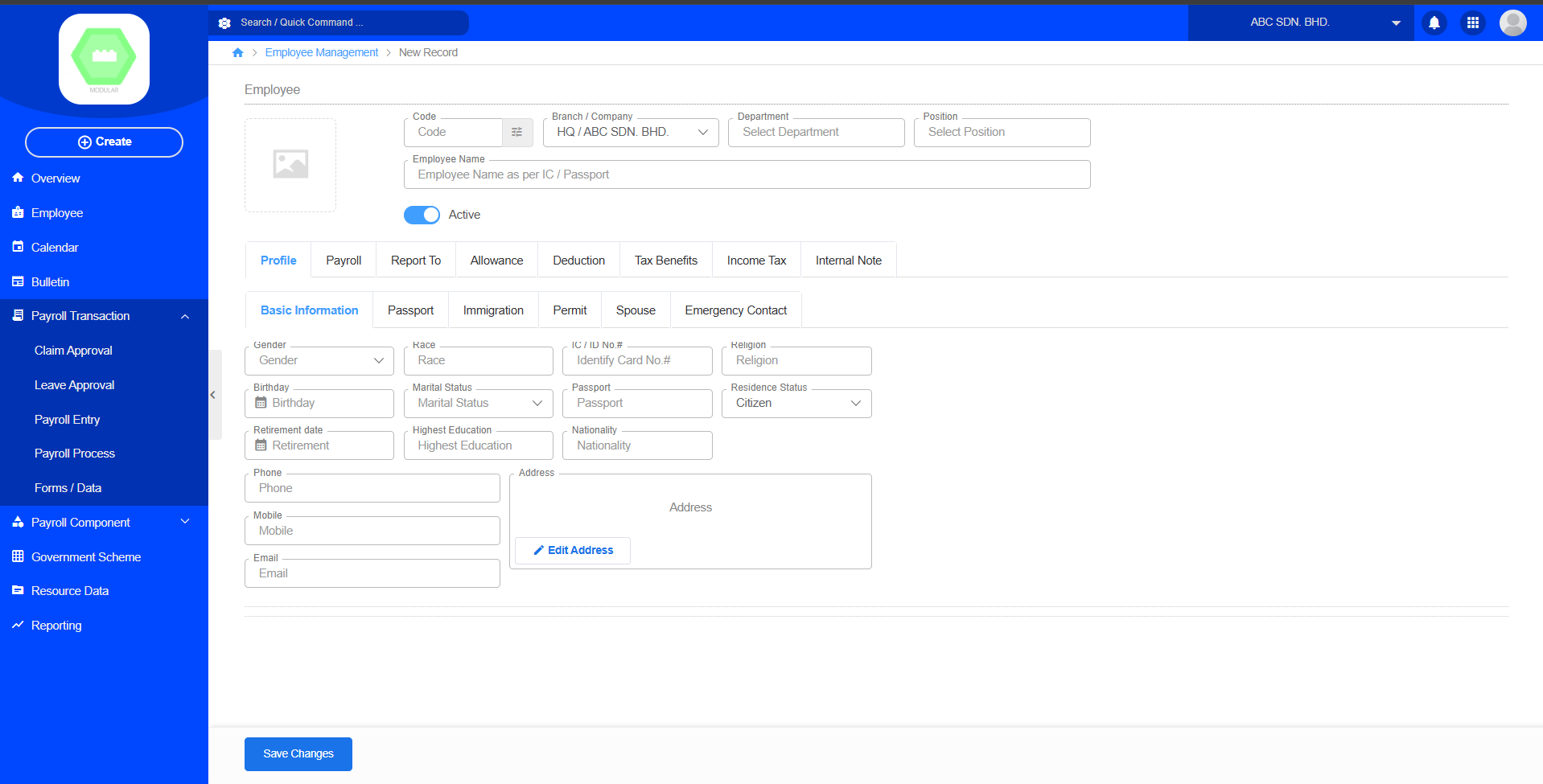
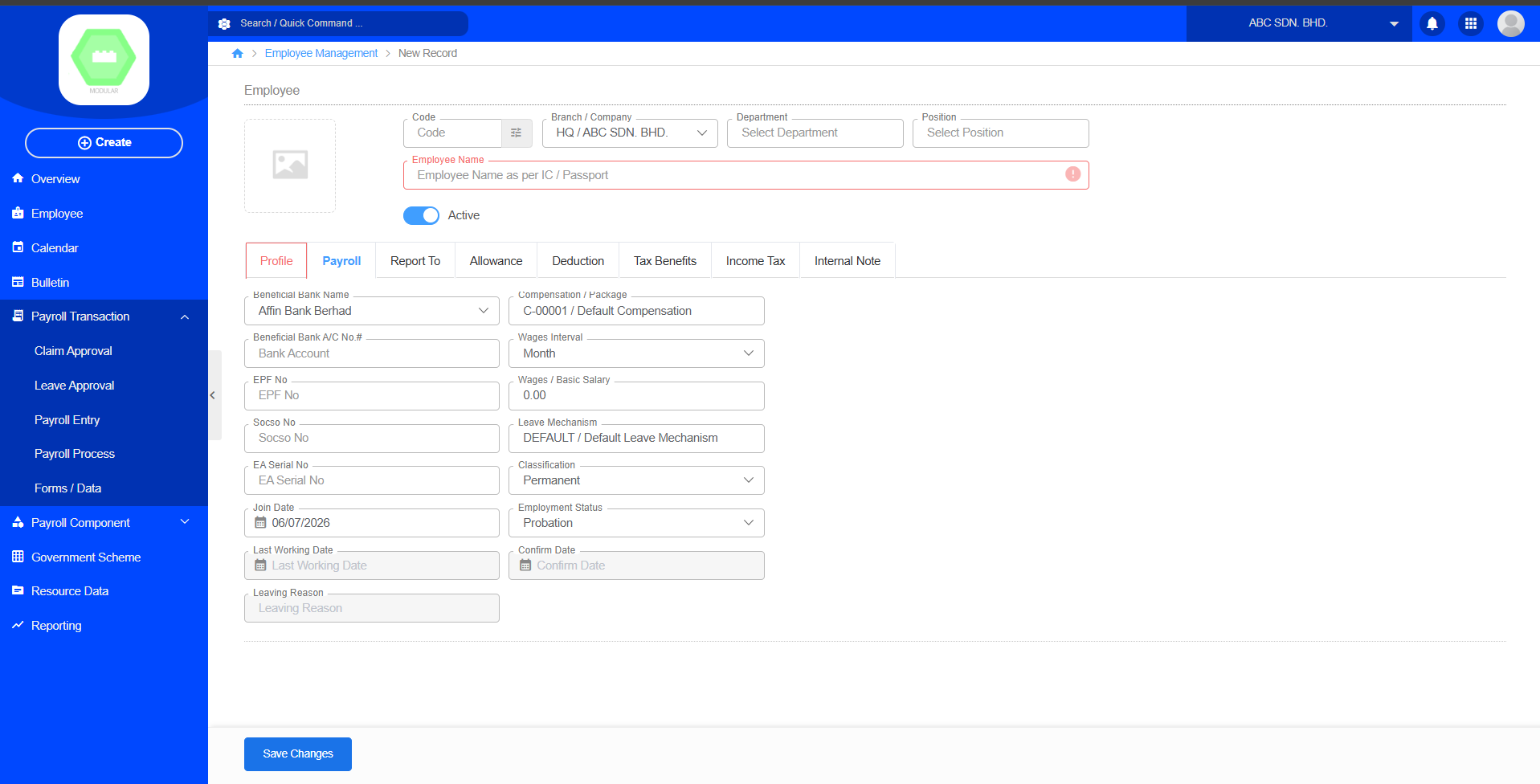
Users can configure the employee's payroll information
Workflow
Payroll
↓
Employee
↓
CreateExpected Result
The payroll component is available for employee salary configuration.
1.6 Setup Account Posting
Purpose
The Account Posting module maps payroll components to the company's accounting ledger. It ensures payroll transactions are posted to the correct General Ledger (GL) accounts during payroll processing.
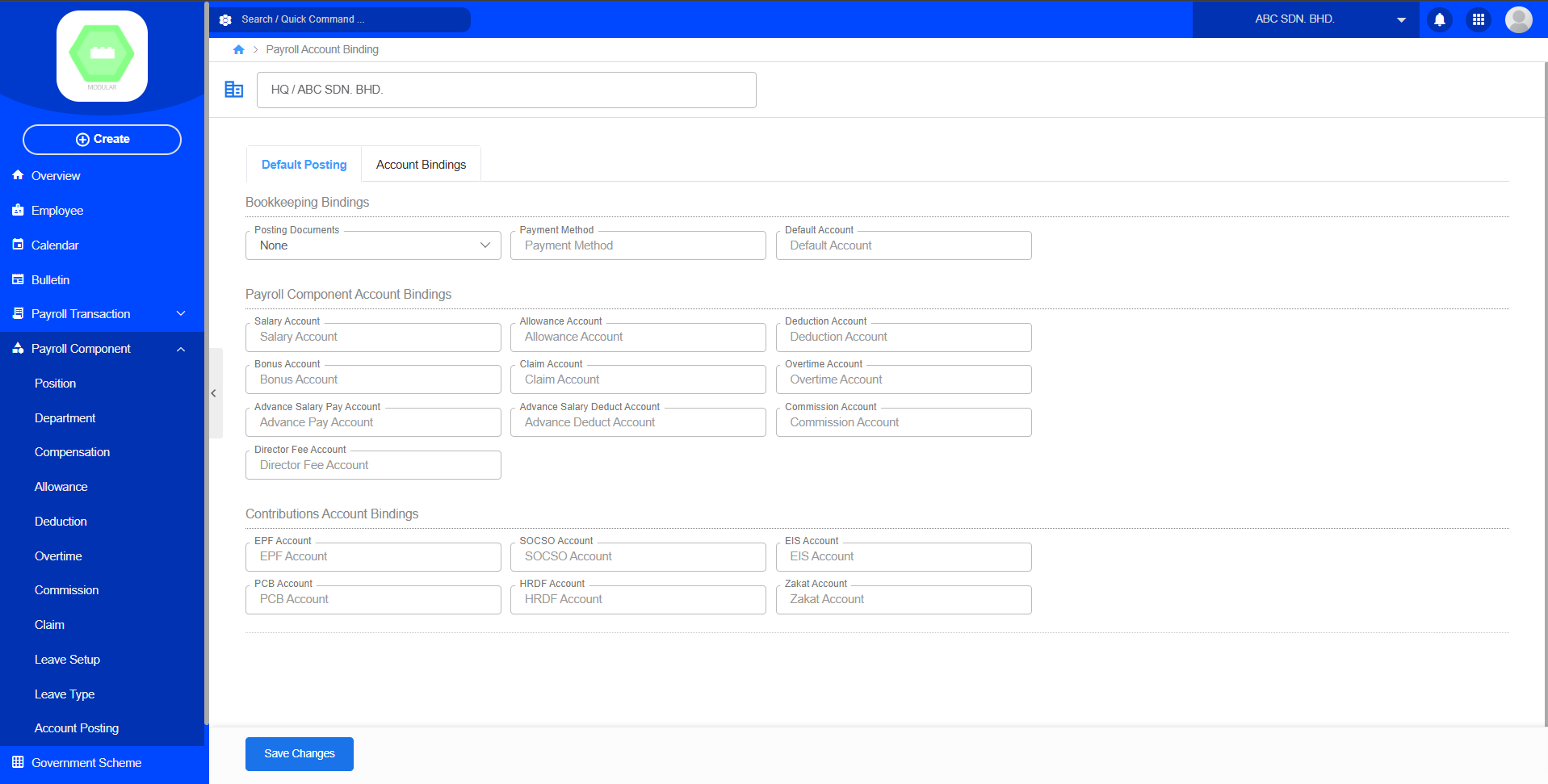
Posting Workflow
Payroll
↓
Payroll Component
↓
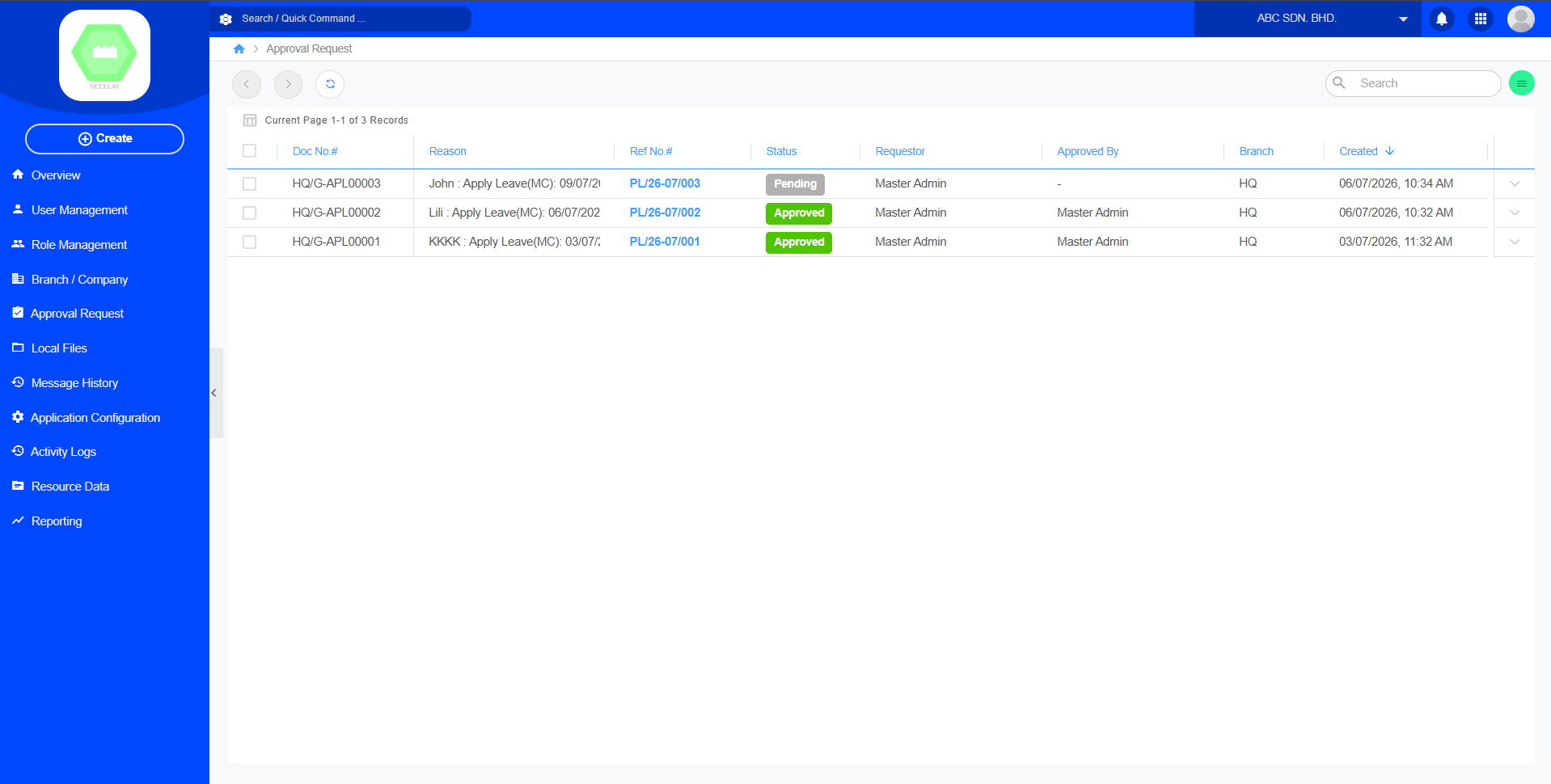
Account Posting1.7 Setup Superior for Approval Request
Purpose
Assign approvers for leave.
Approval Flow
Core
↓
Approval Request
Chapter 2: Payroll Component
Purpose
The Payroll Component module is used to configure the master data and payroll elements required for payroll calculation. It allows administrators to define organizational structures, salary components, leave settings, and accounting mappings before payroll processing.
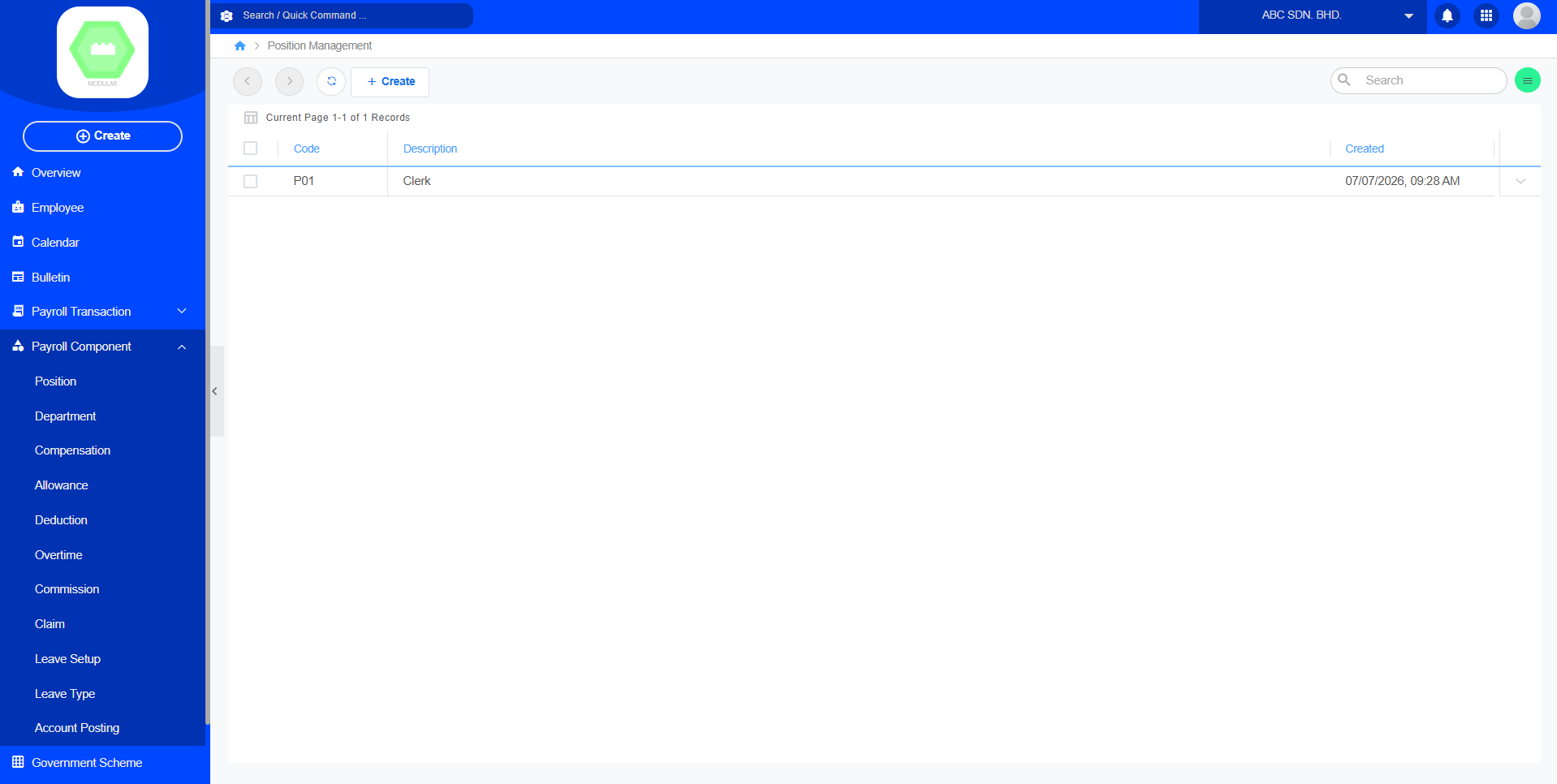
1. Position
Purpose
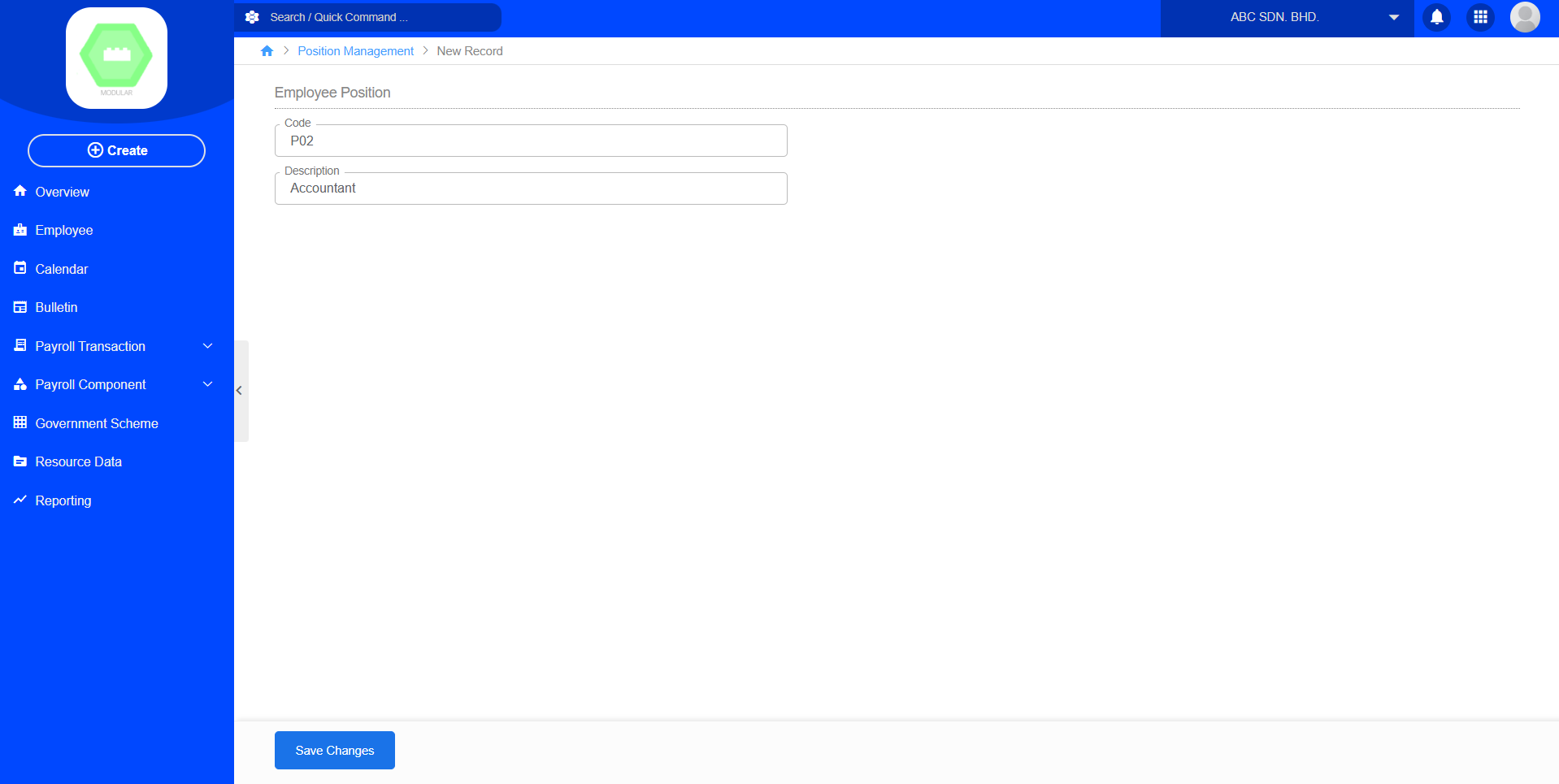
The Position module manages the list of employee job positions within the organization. Create new position by code and description.
Create New Position:
2. Department
Purpose
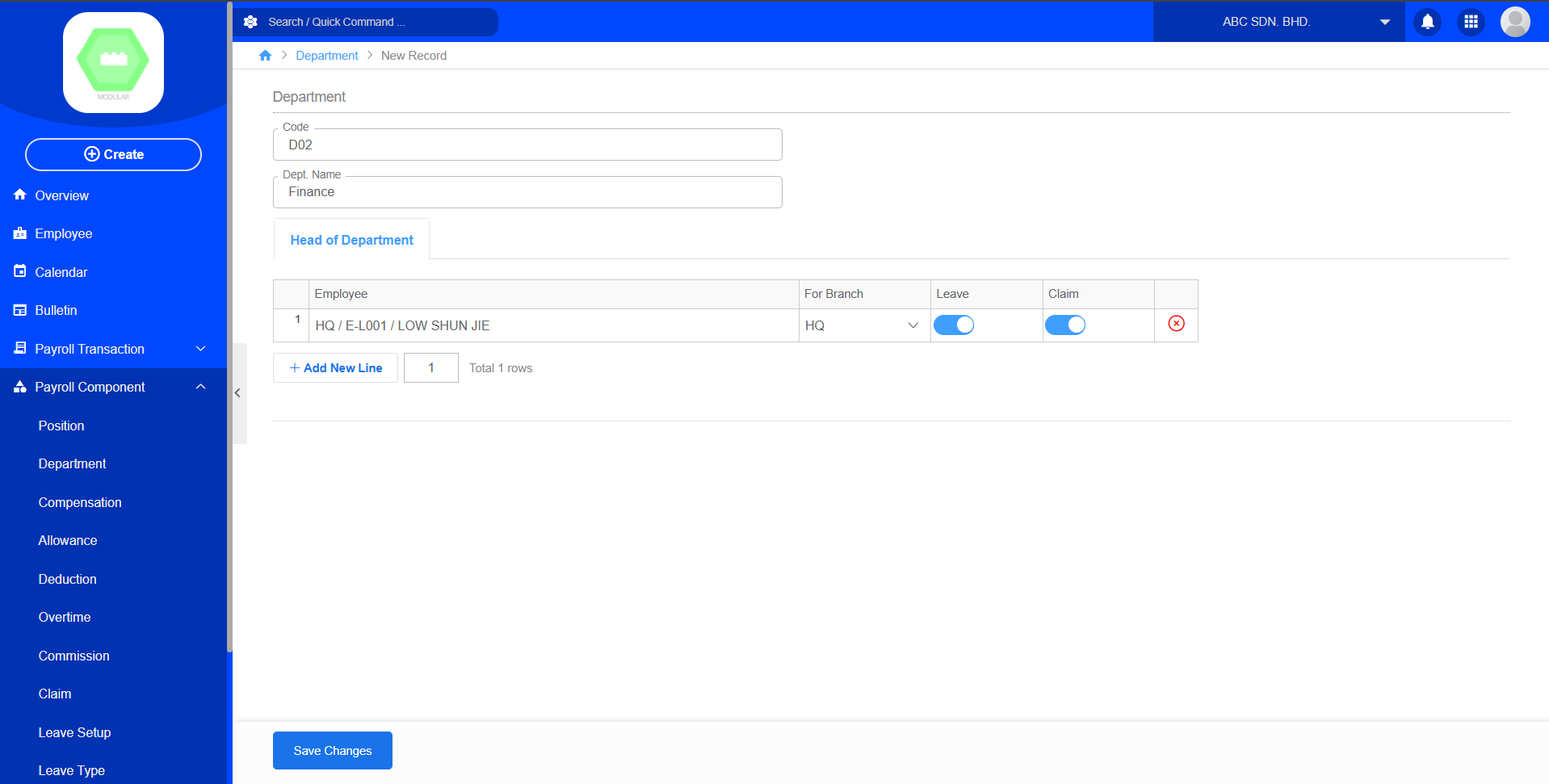
The Department module manages the organizational departments used throughout the payroll system. Create new department by code, department name and select employees. The head of department can add employees under the department.
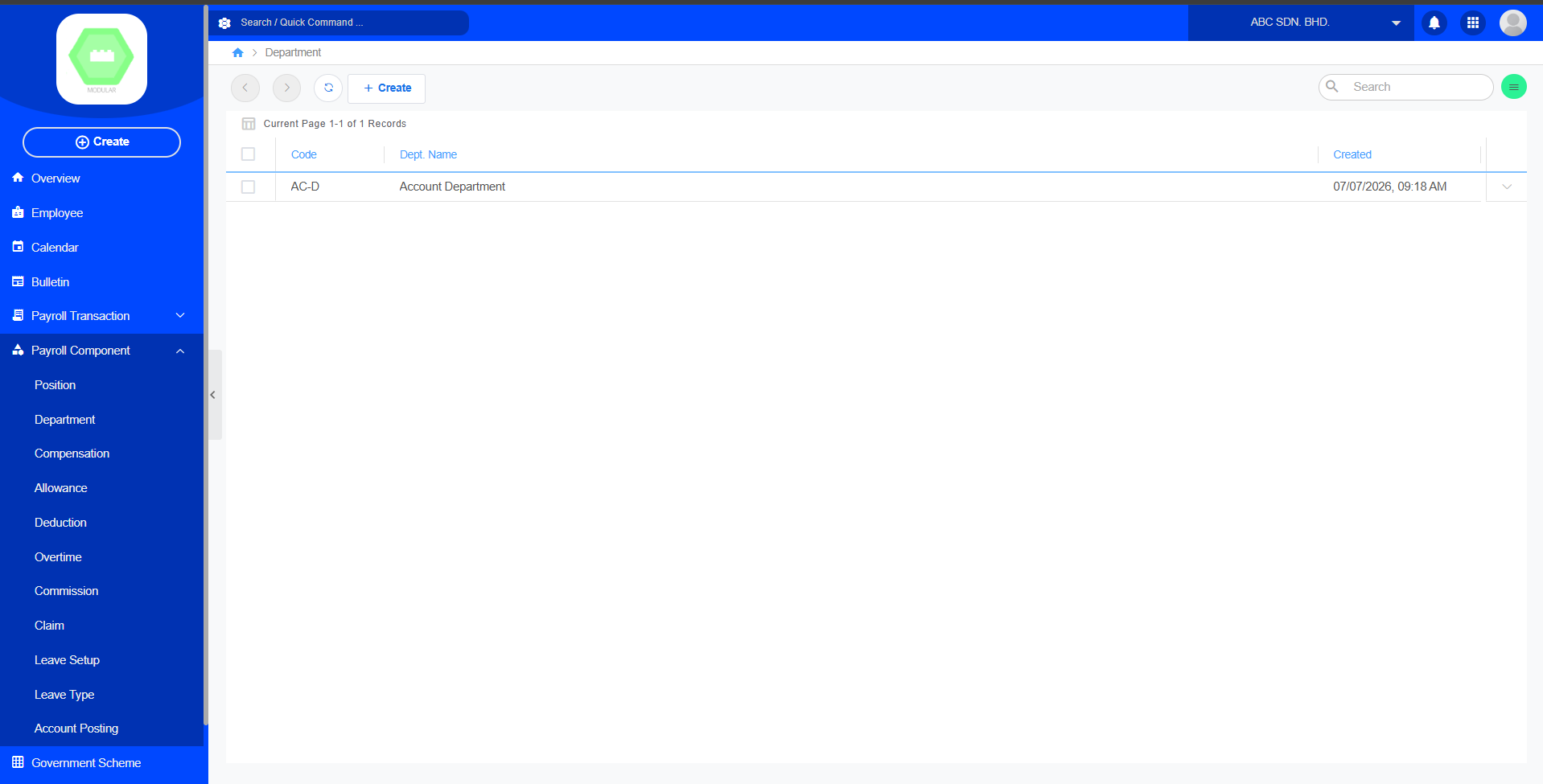
Create New Department:
3. Compensation
Purpose
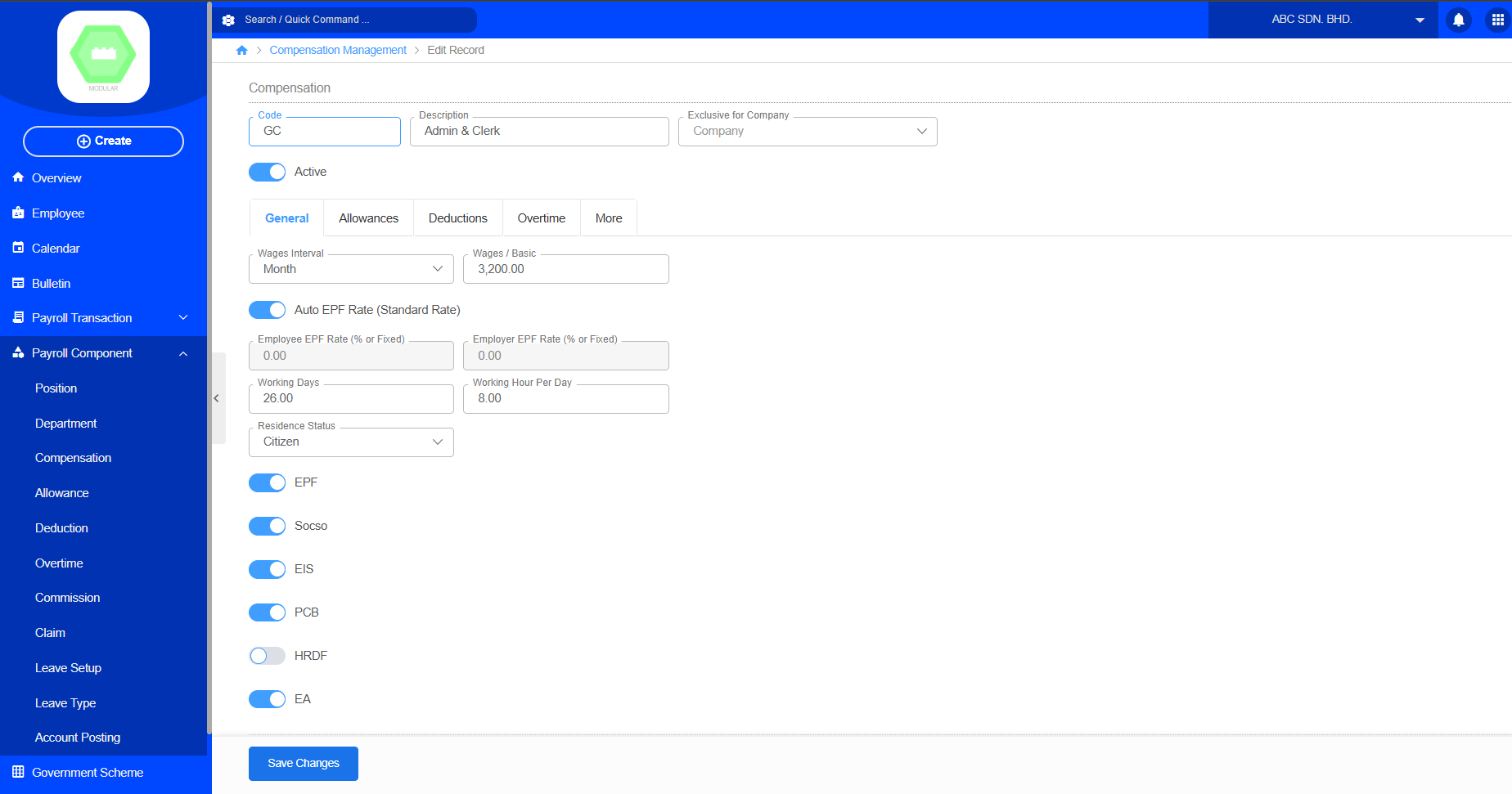
The Compensation module defines employee salary structures and recurring earnings. Create new compensation by code, description, exclusive for company, contributions, general information, allowances, deductions, overtime, and more contributions. Users can define salary information, statutory contribution settings, allowances, deductions, and overtime rules. The created compensation can then be assigned to employees and used during payroll processing.
Create New Compensation:
4. Allowance
Purpose
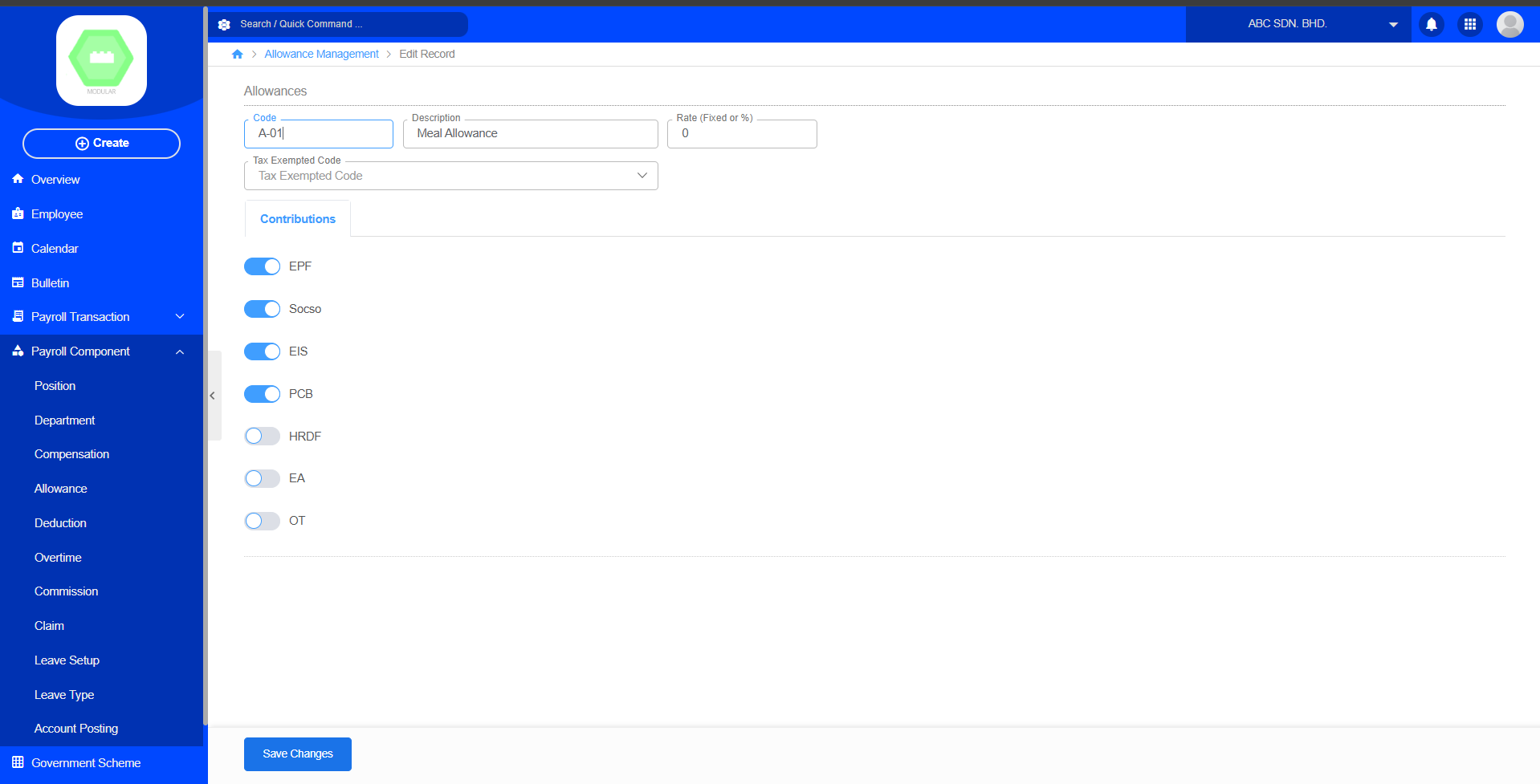
The Allowance module manages additional payments provided to employees beyond their basic salary. Create new allowance by code, description, rate, tax exempted code and contributions. Allowances are additional payments provided to employees on top of their basic salary, such as meal allowance, transport allowance, housing allowance, or other benefits. The created allowance can be assigned to employees and included during payroll processing to calculate the employee's total compensation.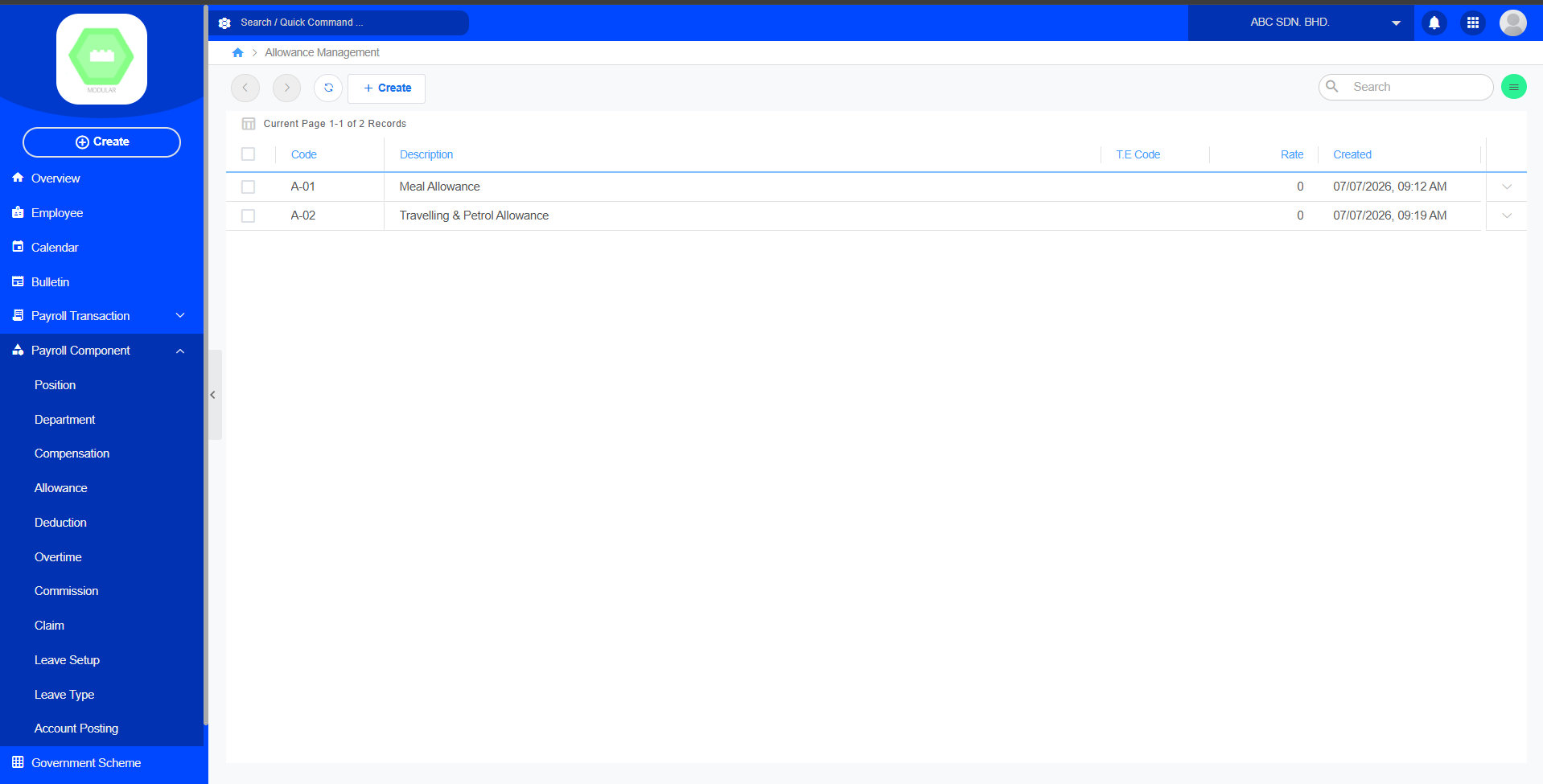
Create New Allowance:
5. Deduction
Purpose
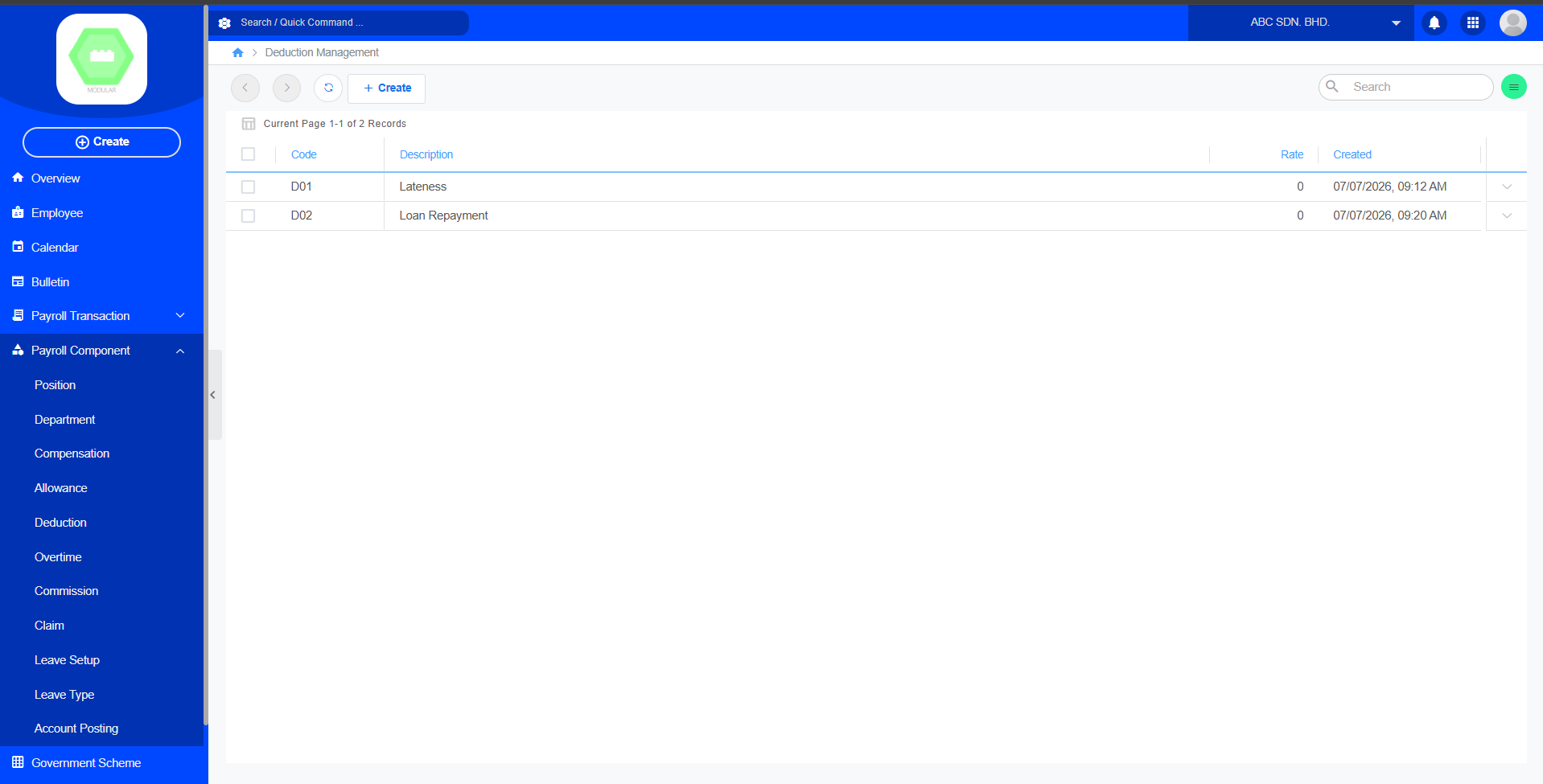
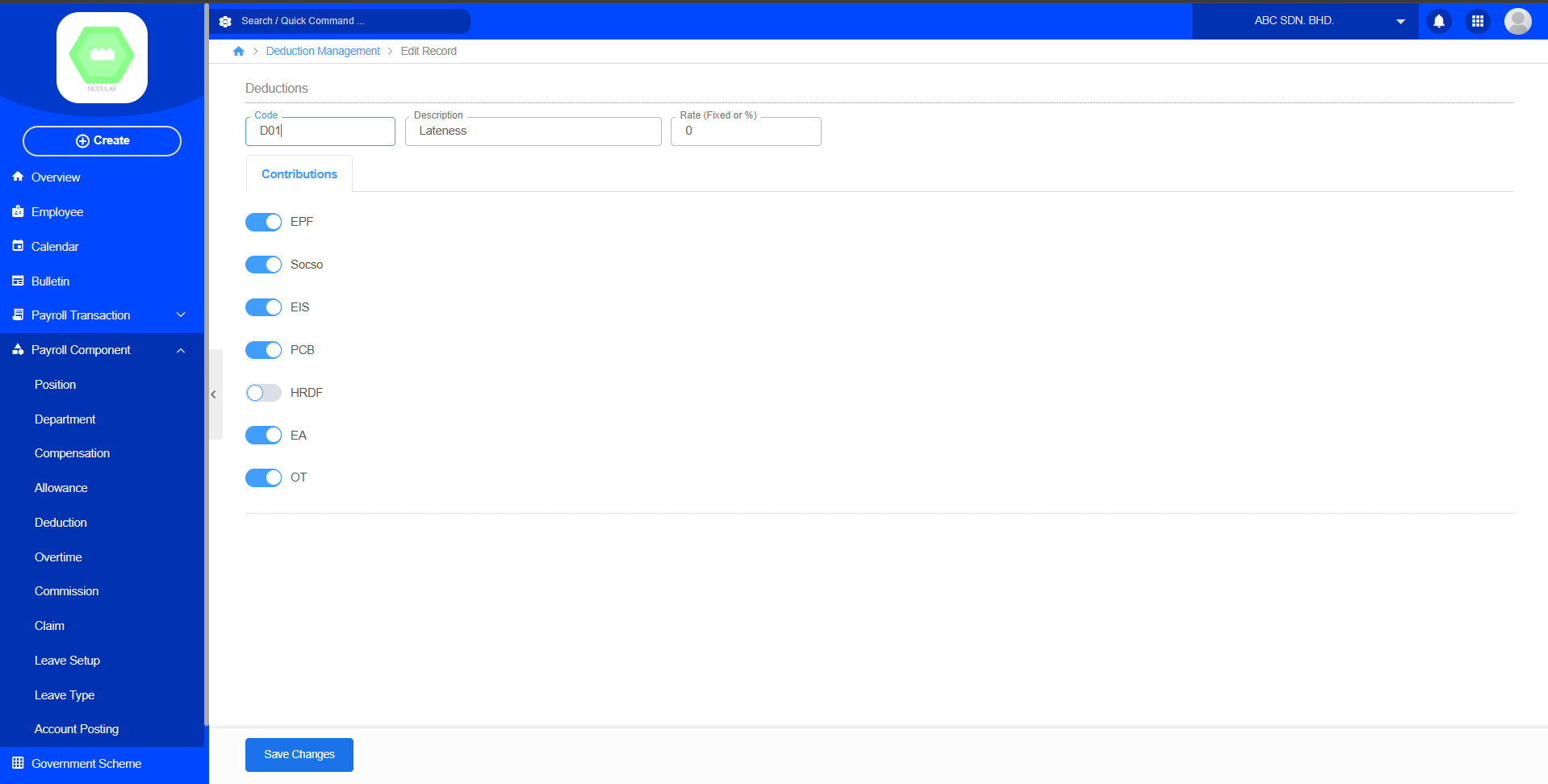
The Deduction module manages salary deductions applied during payroll calculation. Create new deduction by code, description, rate and contributions. Deduction items are amounts deducted from an employee's salary during payroll processing, such as statutory contributions, loan repayments, or other employee-related deductions.
Create New Deduction:
6. Overtime
Purpose
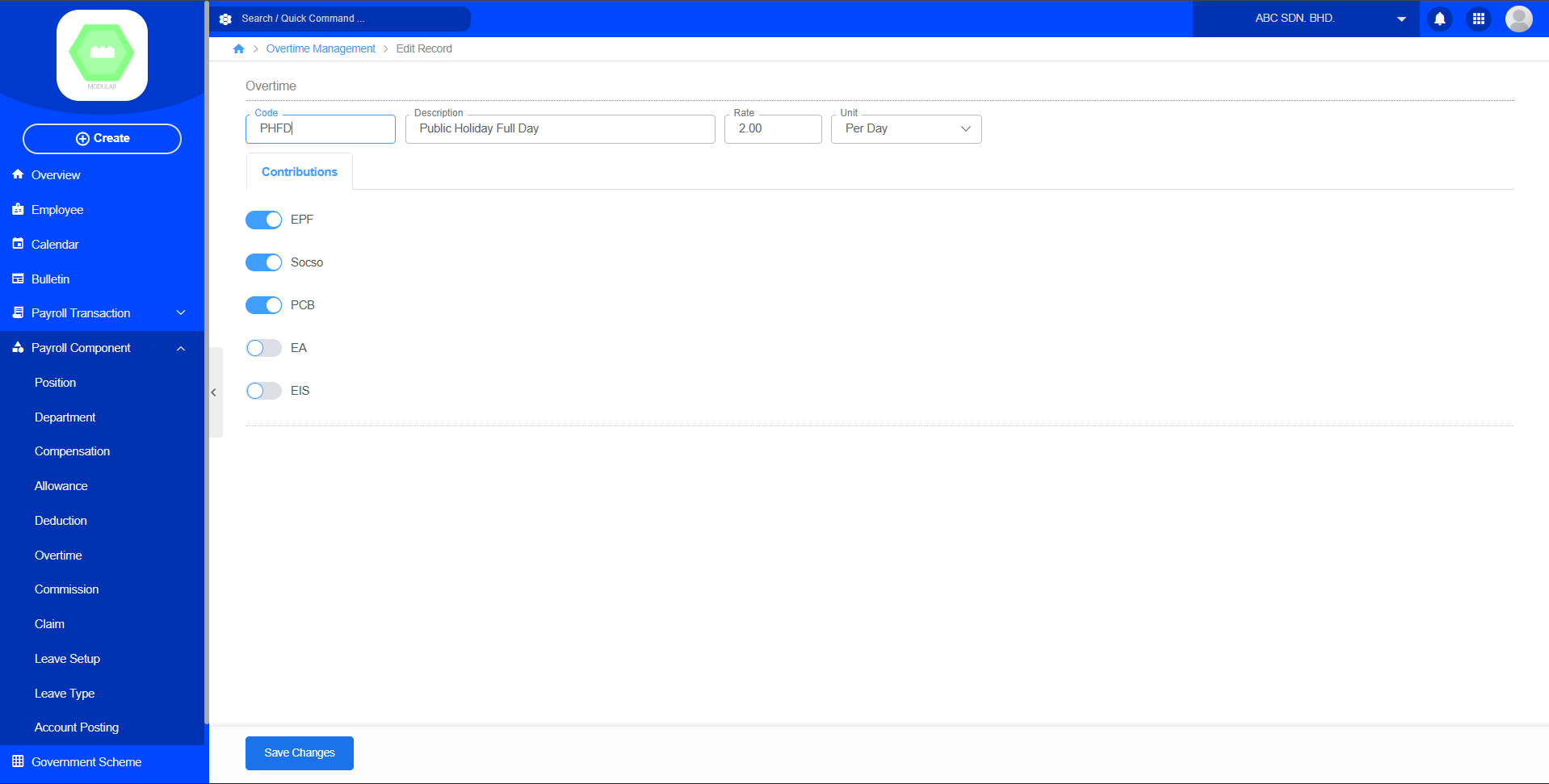
The Overtime module manages overtime payment settings for employees. Create new overtime by code, description, rate, unit and contributions. Each overtime record defines the overtime code, description, calculation rate, unit, and statutory contribution settings. Overtime setup is required before processing overtime payments during payroll calculation.
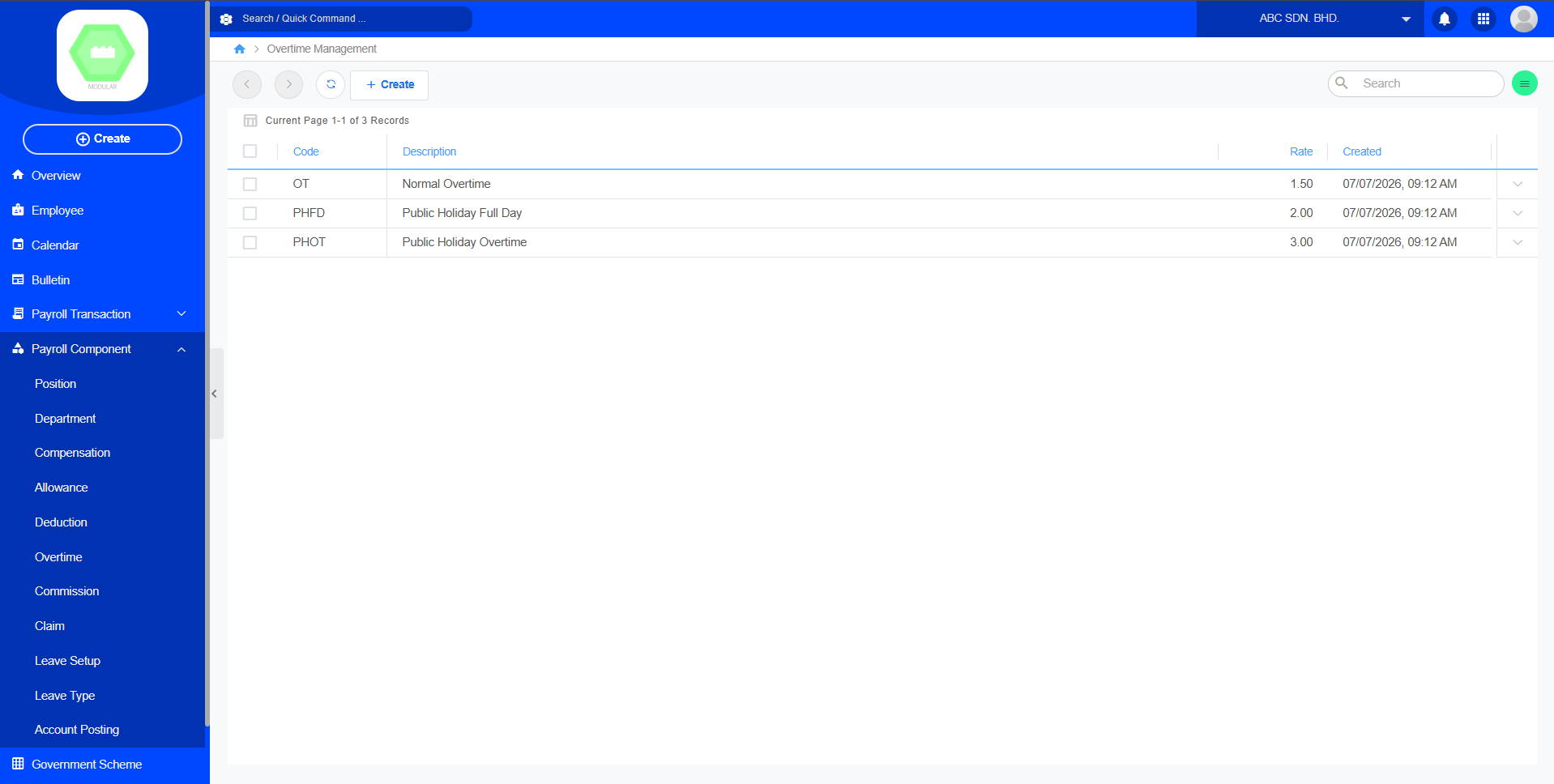
Create New Overtime:
7. Commission
Purpose
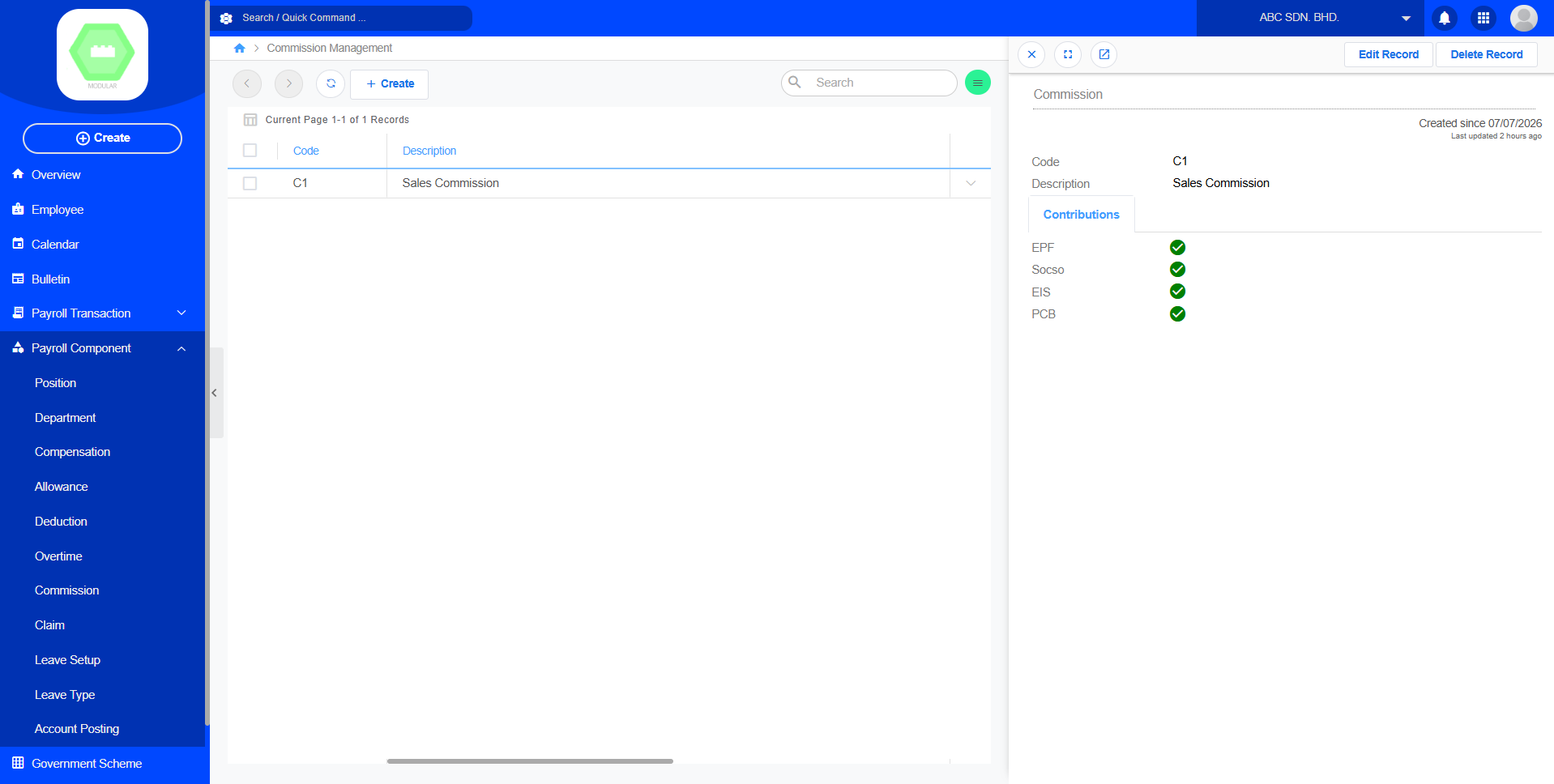
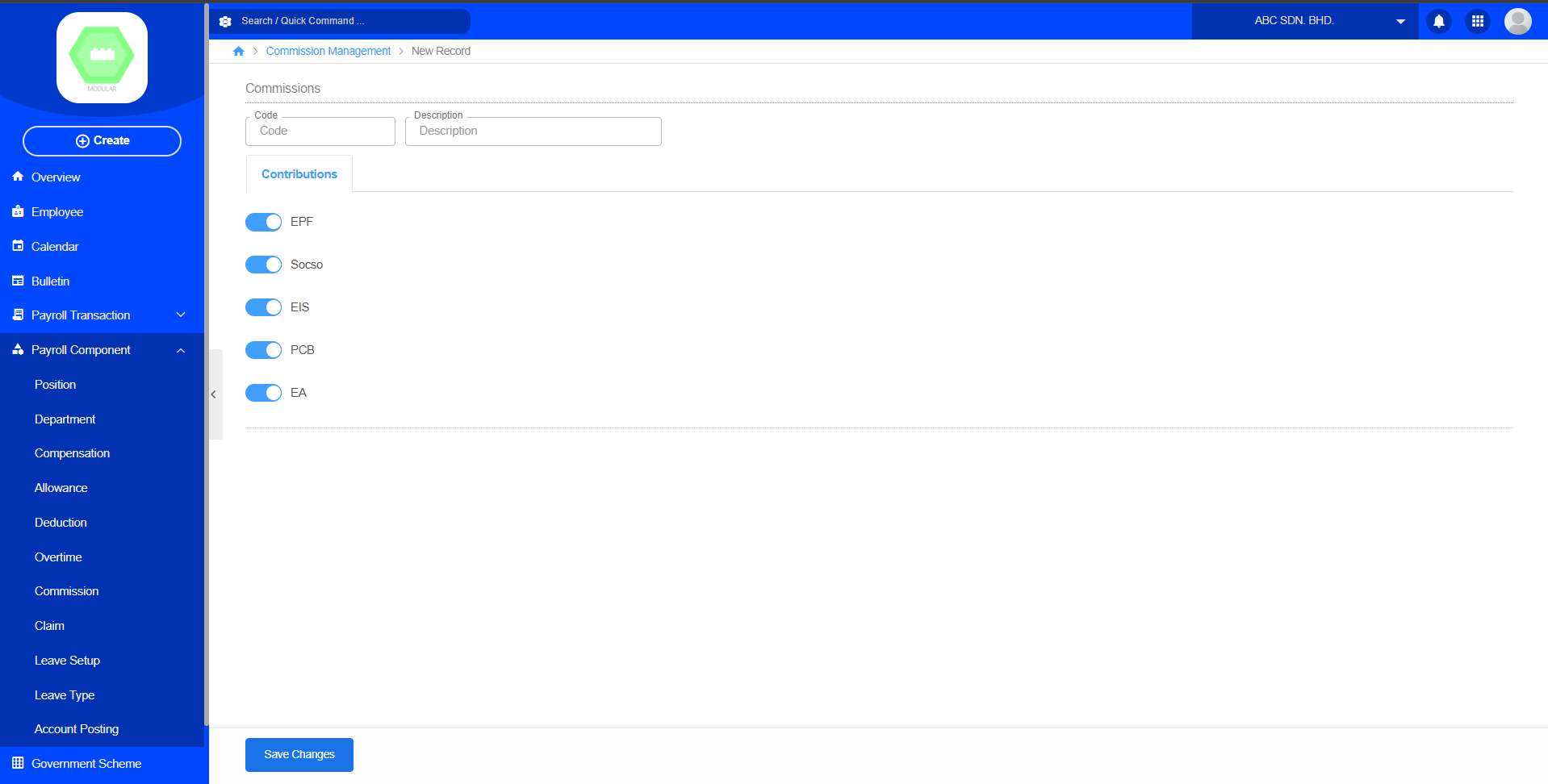
The Commission module manages commission-based earnings for eligible employees.Create new commission by code, description and contributions. It allows the company to define commission types and determine whether statutory contributions such as EPF, SOCSO, EIS, PCB, and EA should be applied during payroll processing. Commission records created here can later be assigned to employees and included in the payroll calculation process.
Create New Commision:
8. Claim
Purpose
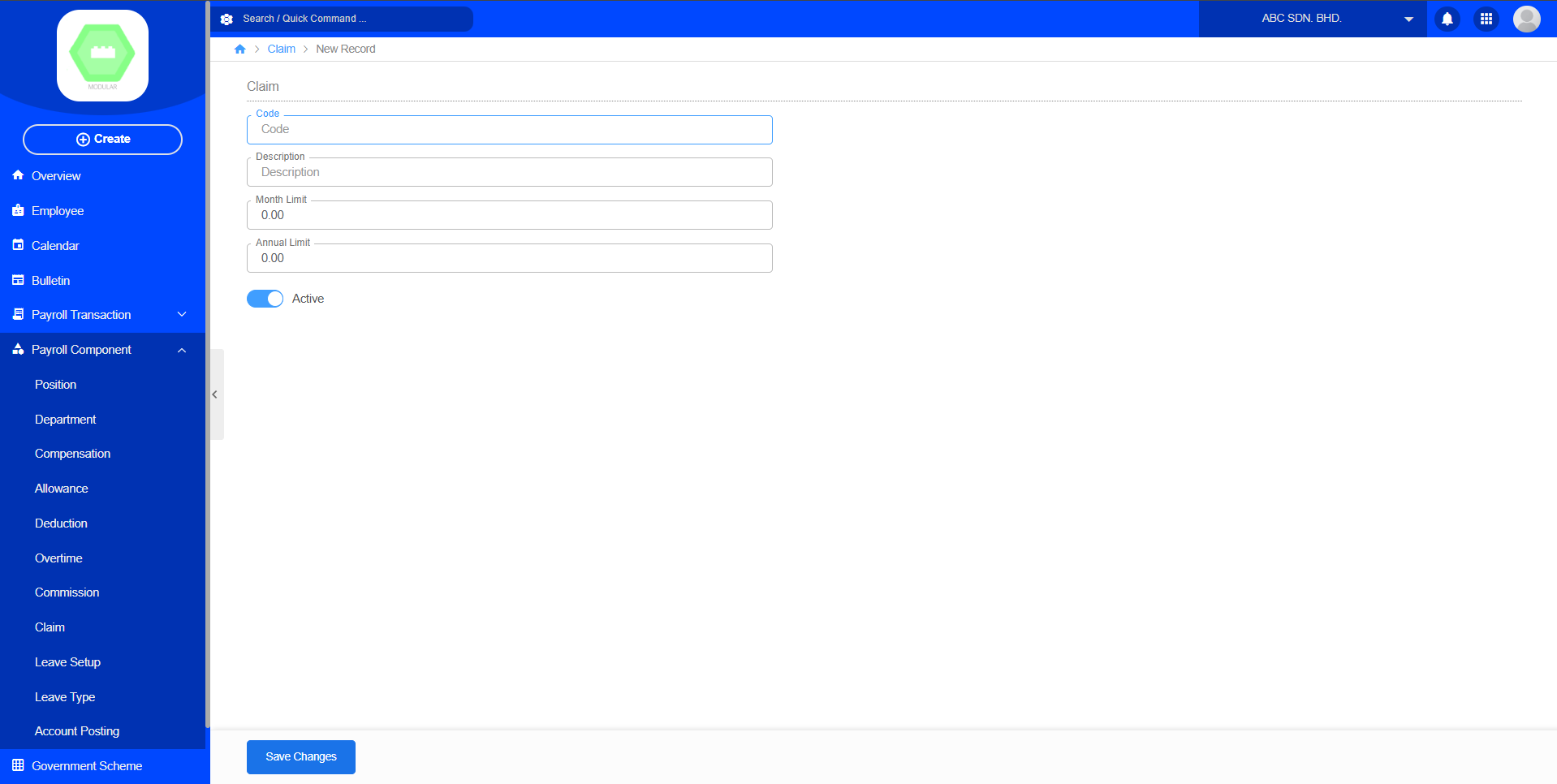
The Claim module manages employee reimbursement categories used in the Claim Approval process. Create new claim by code, description, month limit, annual limit and active. It allows the company to set claim categories and control the maximum claim amount that employees can submit within a month or year.
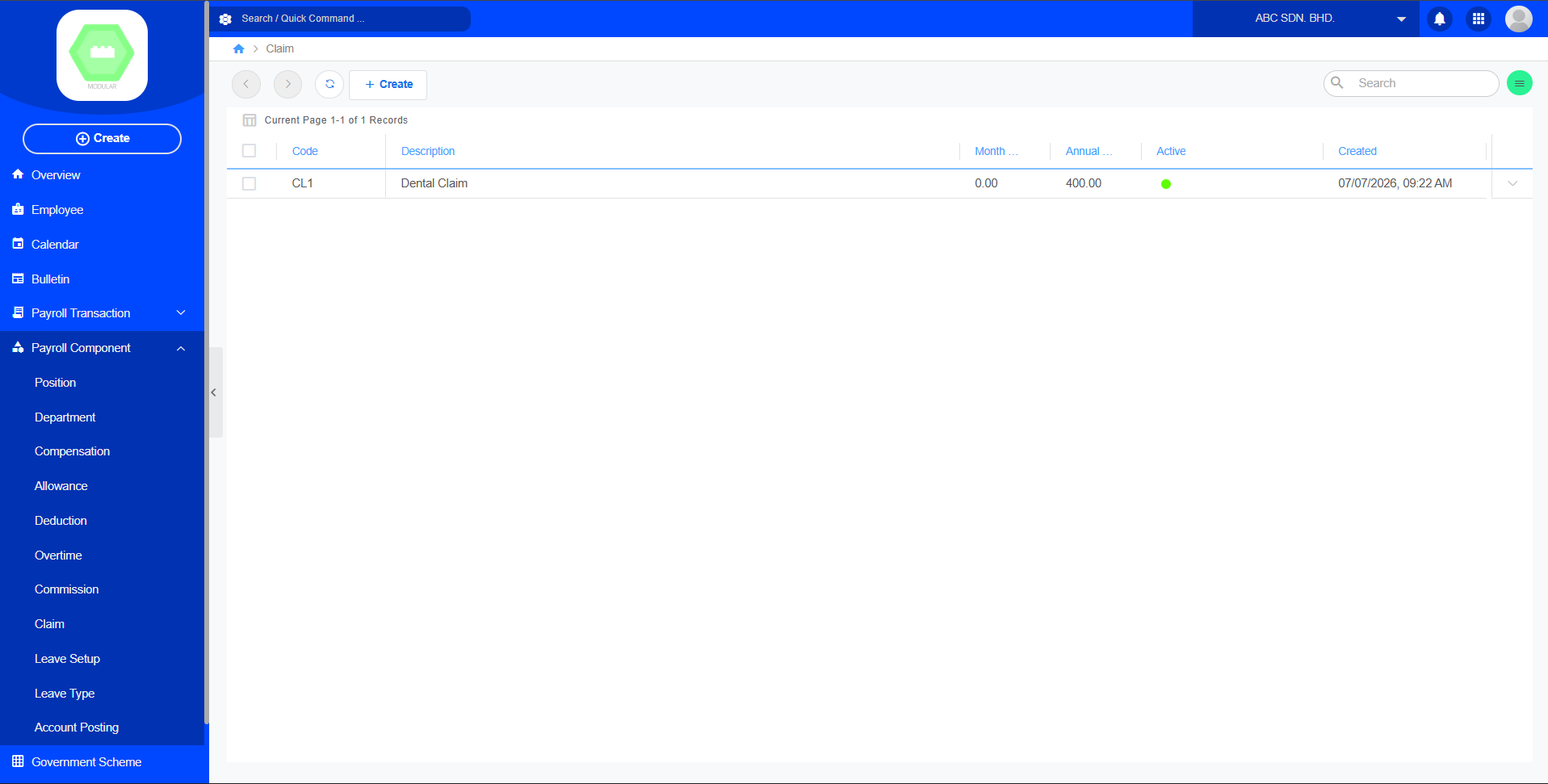
Create New Claim:
9. Leave Setup
Purpose
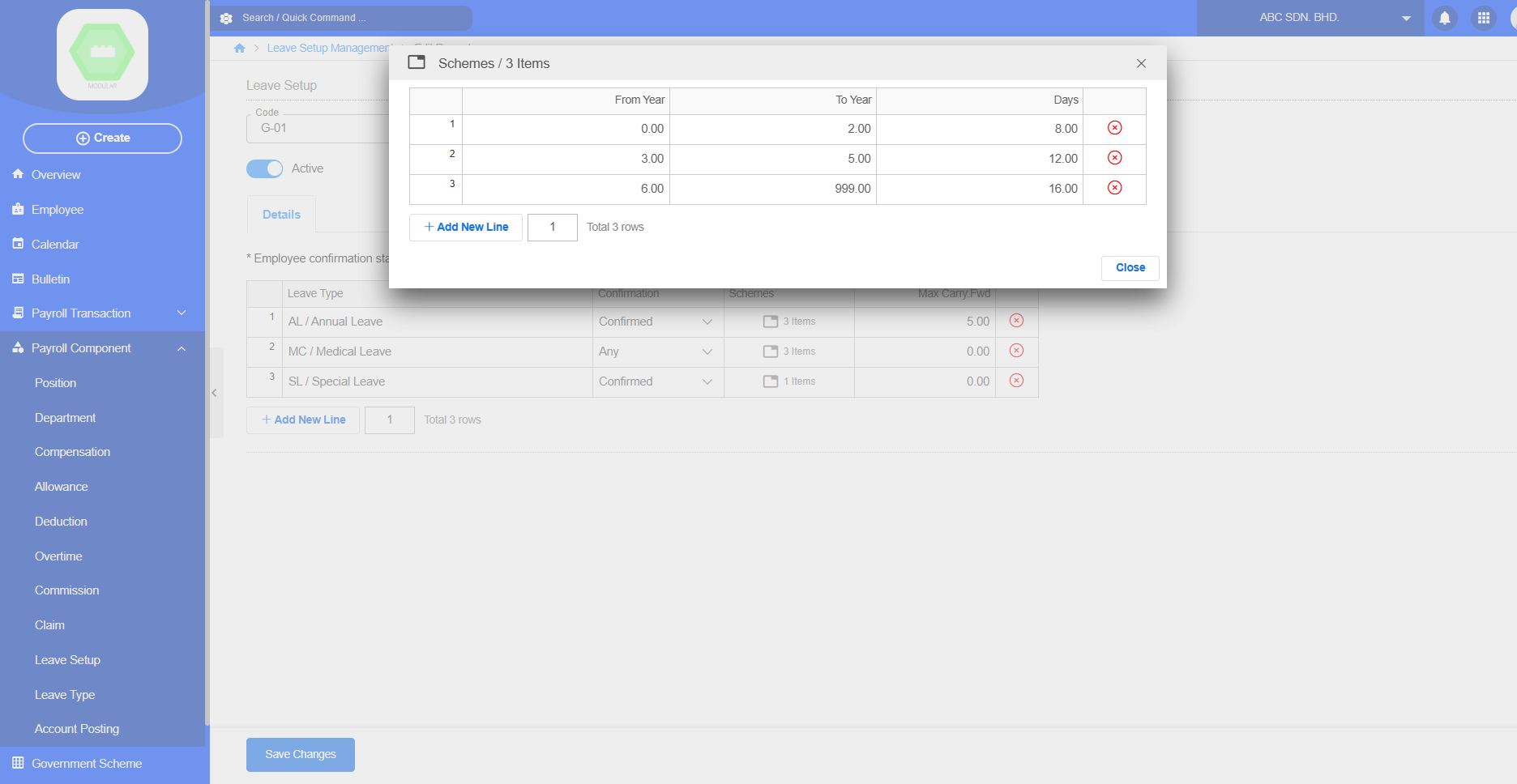
The Leave Setup module configures company leave policies and entitlement rules. Create new leave setup by code, description, active and select details leave type. It defines which Leave Types are available, employee confirmation requirements, entitlement schemes, and maximum carry-forward days. This setup allows the payroll system to automatically calculate employee leave entitlement based on company policies.
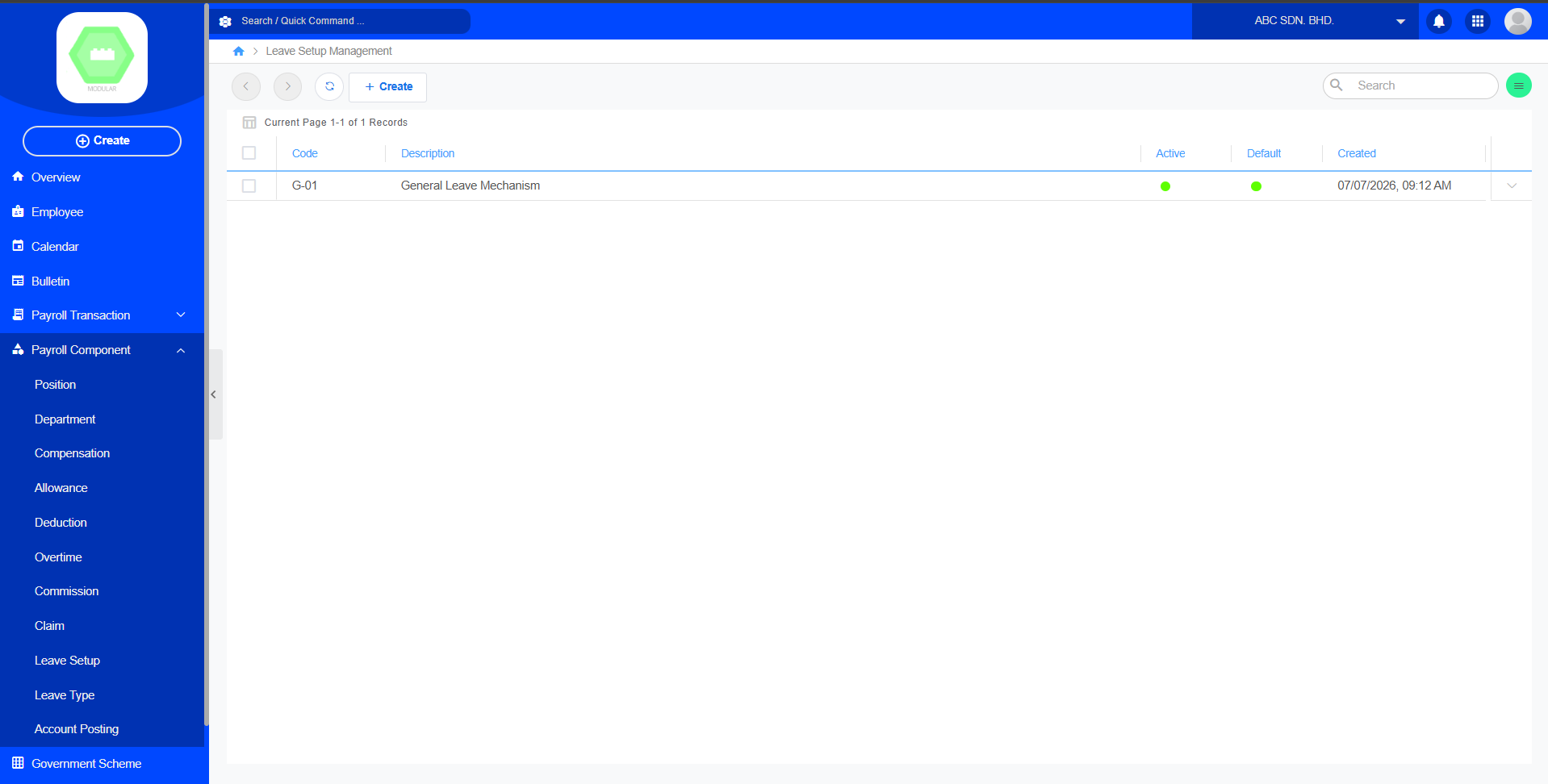
Create New Leave Setup:
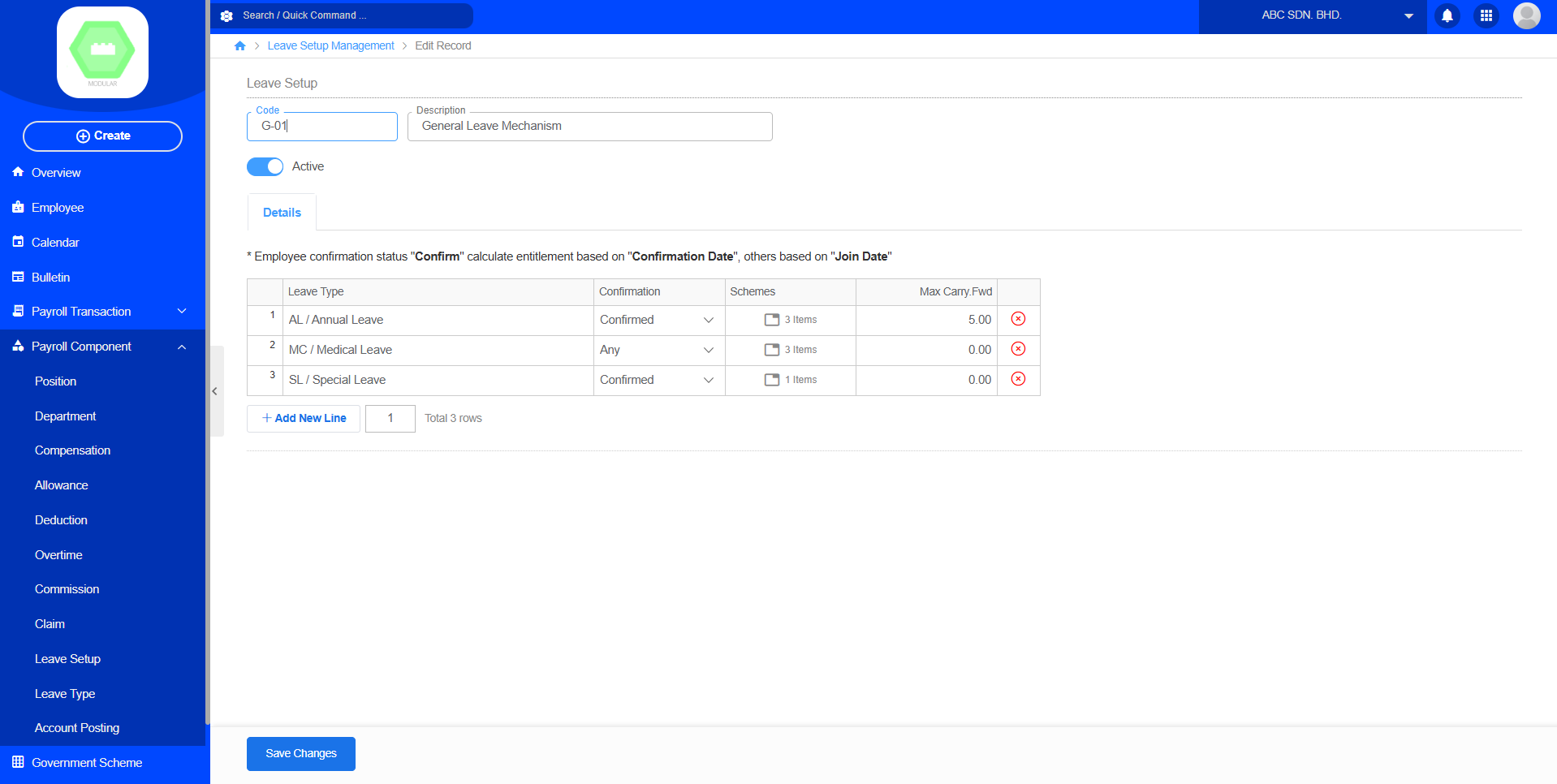
allows administrators to combine different Leave Types with entitlement schemes based on employee confirmation status and years of service.
10. Leave Type
Purpose
The Leave Type module defines the different categories of leave available to employees. Create new leave type by code, description, label color, select active, entitle, unpaid, balance forward. HR administrators can configure leave rules such as entitlement, unpaid status, and balance carry forward settings. This setup allows the system to automatically manage employee leave balances and leave applications.
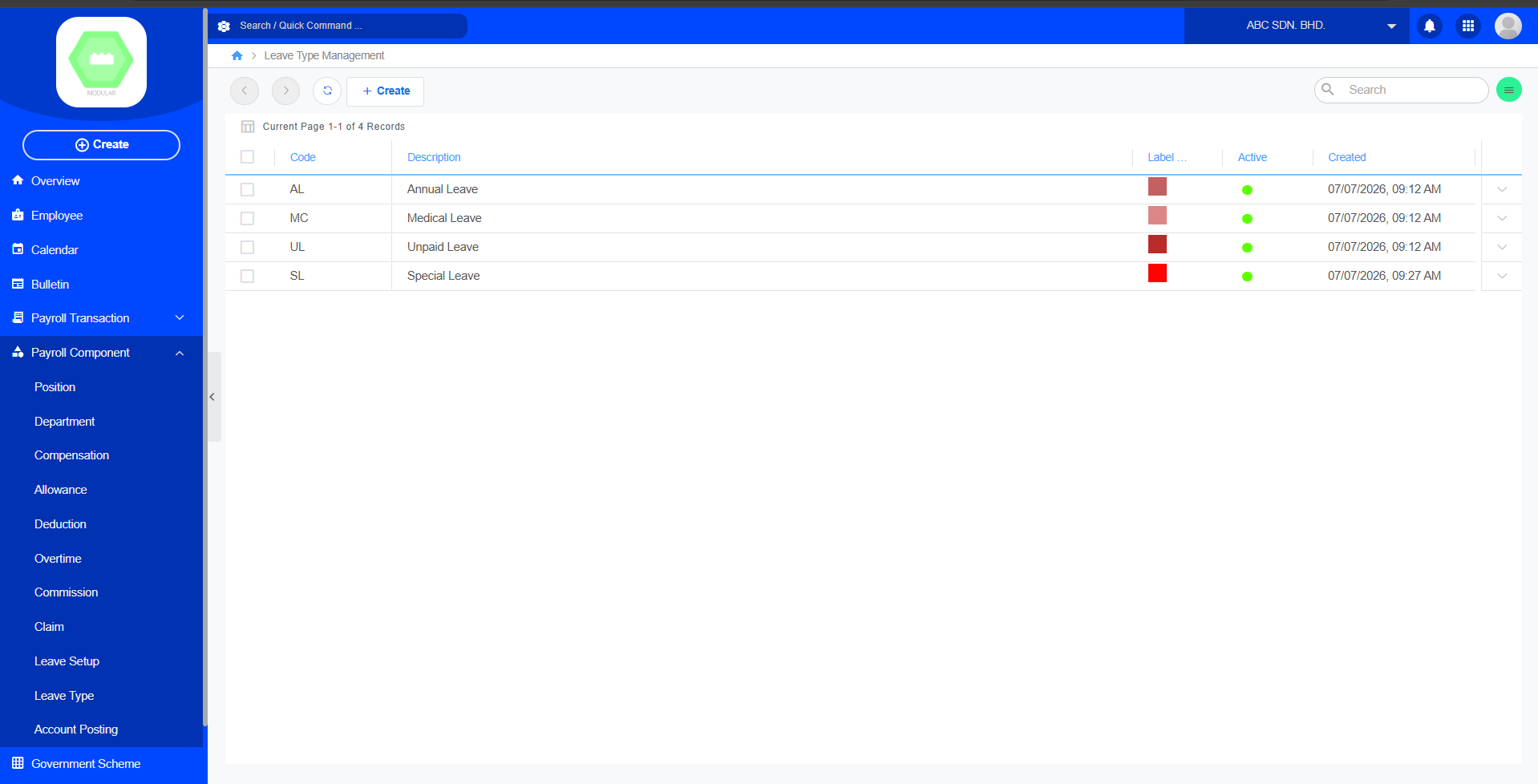
Create New Leave Type:
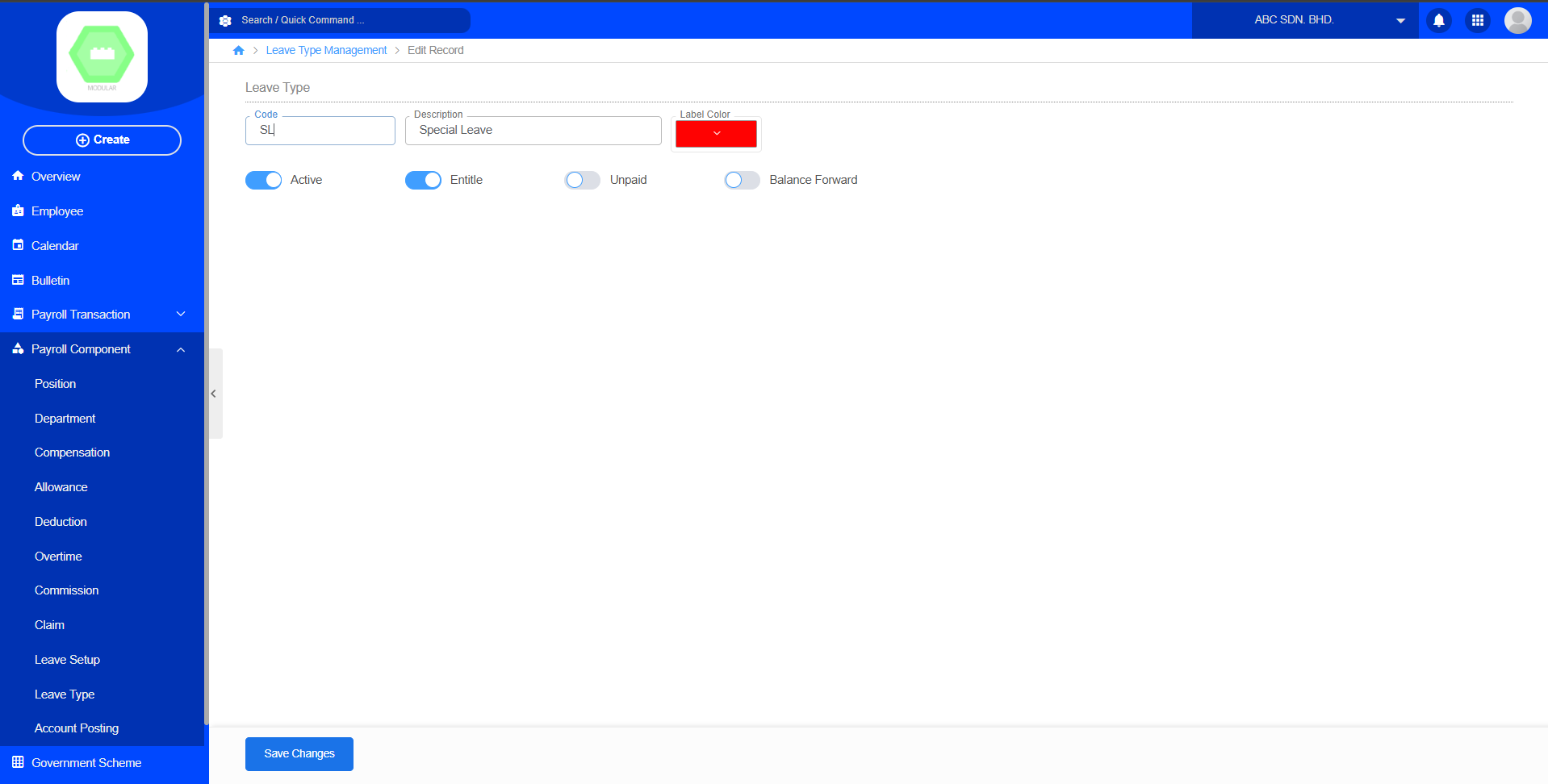
Chapter 3: Payroll Transaction
3.1 Claim Approval
Purpose
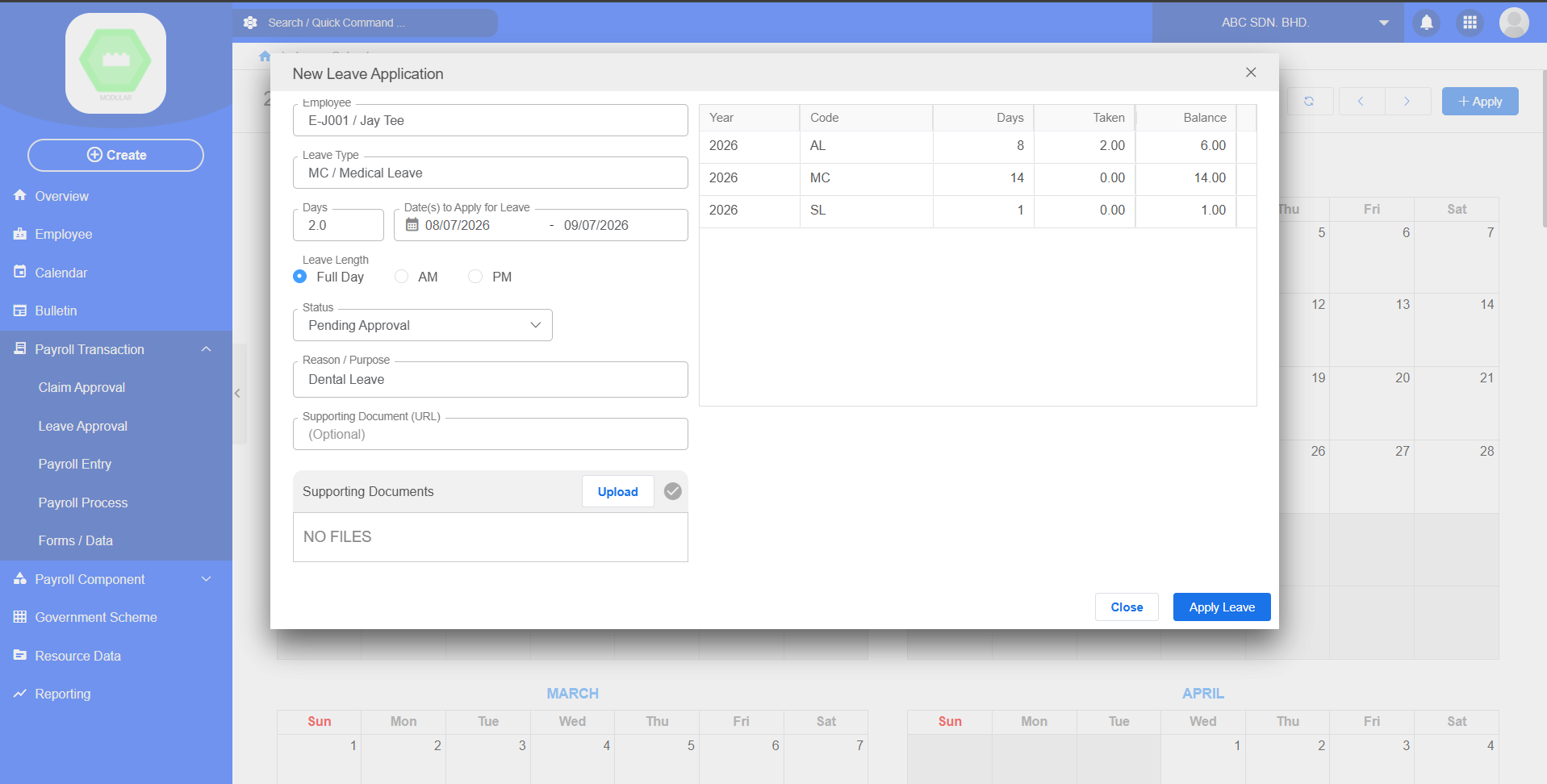
Employees submit leave applications.
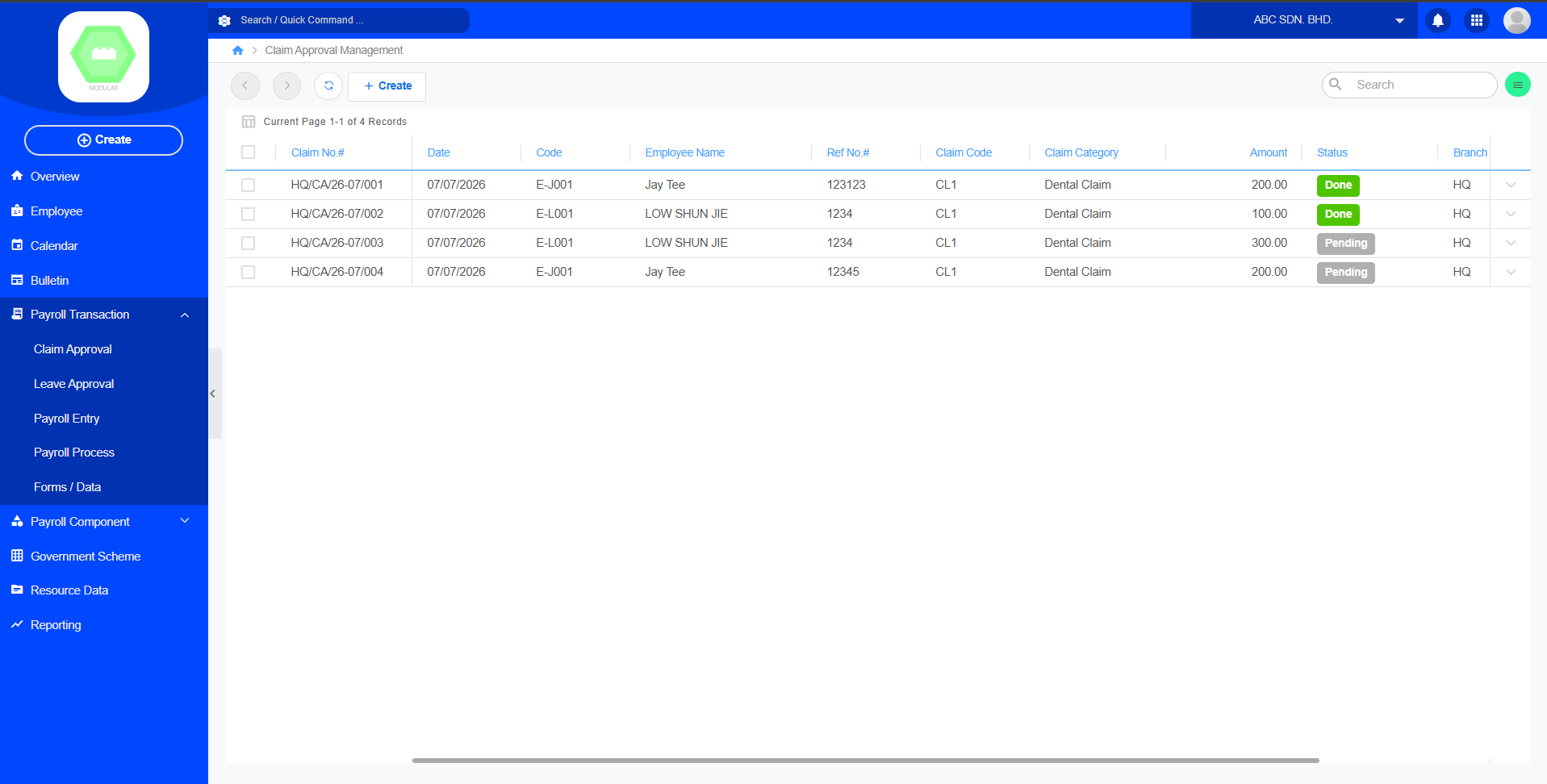
Create new claim record:
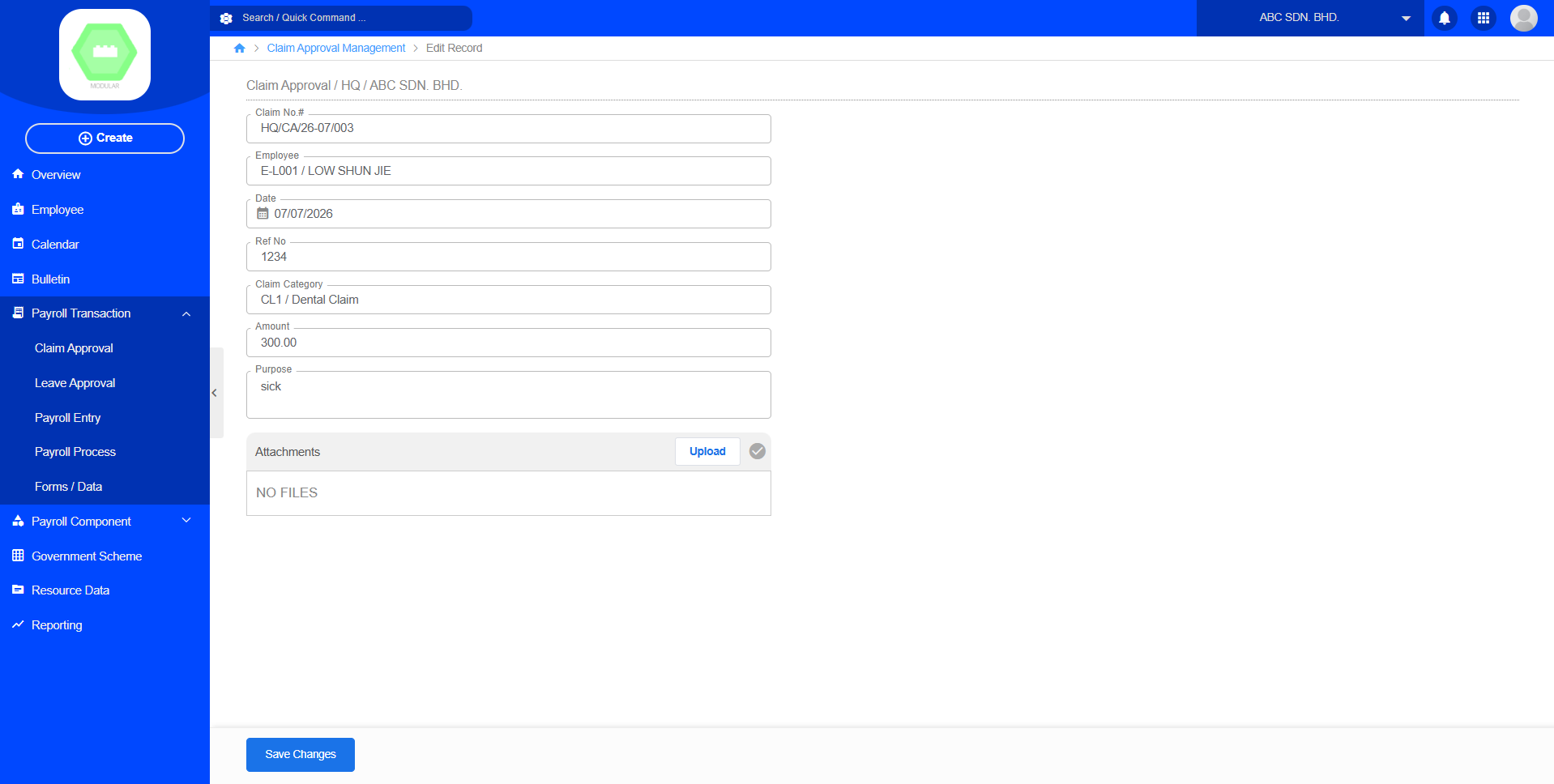
Workflow
Payroll
↓
Calender
↓
Apply
↓
Select Employee, Leave Type, Days, Leave Length, Status Approve, Reason
↓
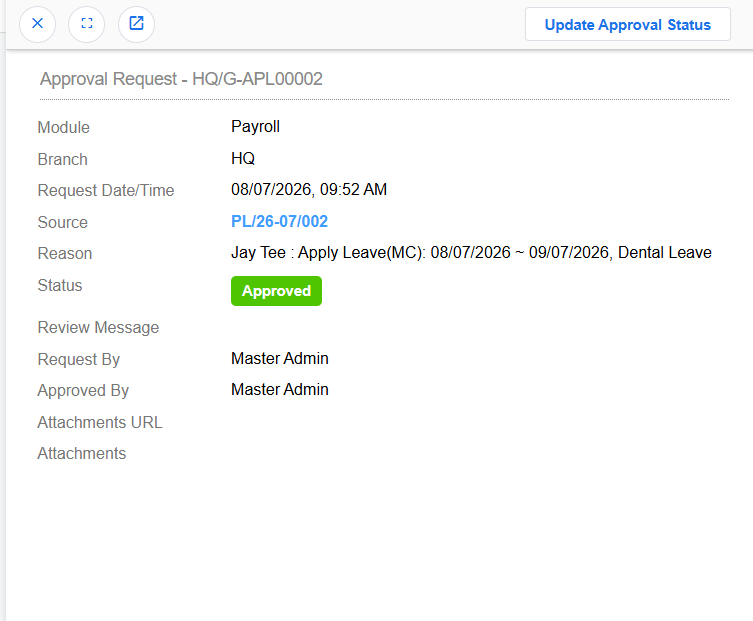
Apply Leave3.2 Leave Approval
Purpose
Managers review and approve leave requests.
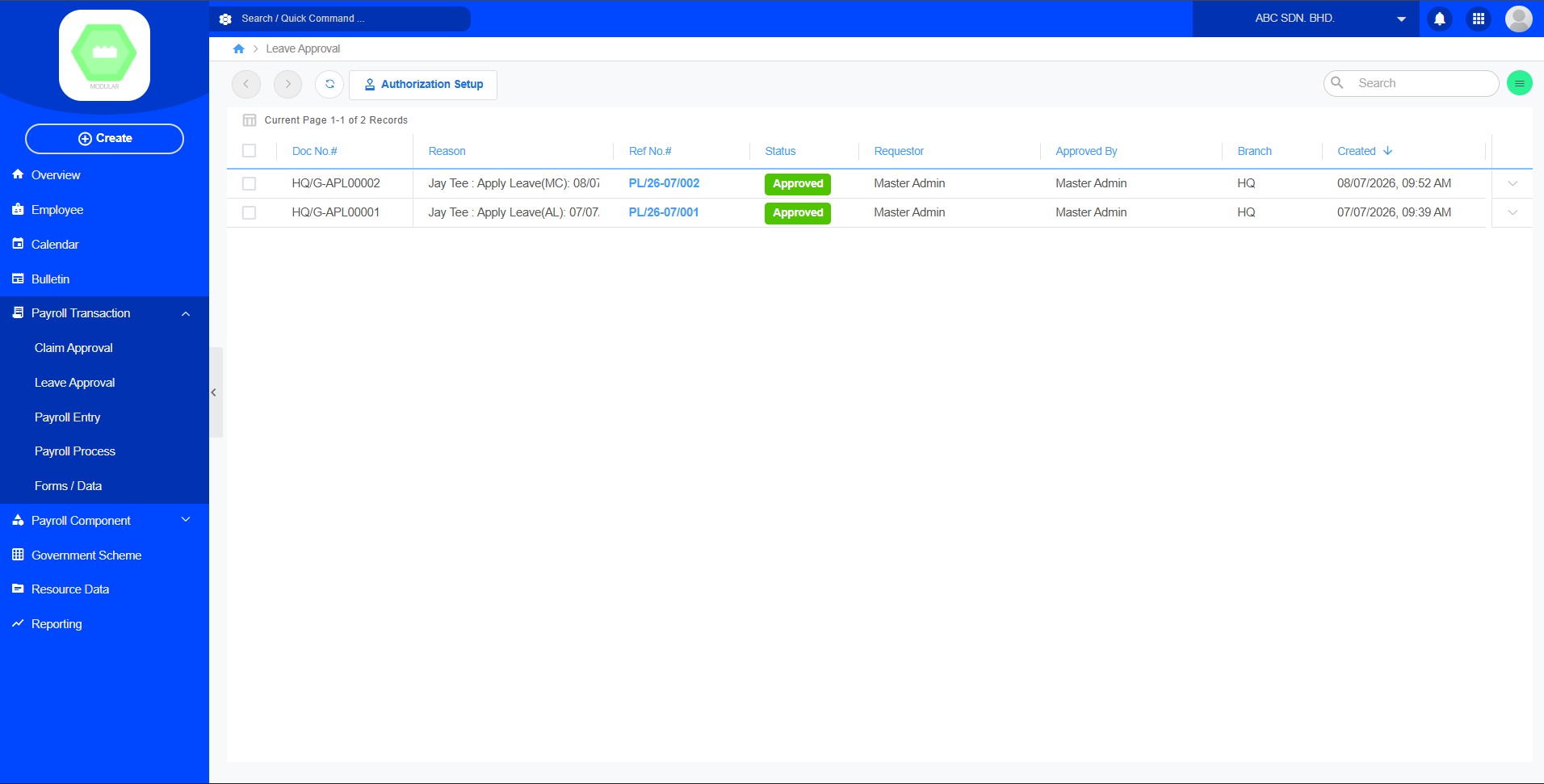
Workflow
Payroll
↓
Calender
↓
Approve / Reject
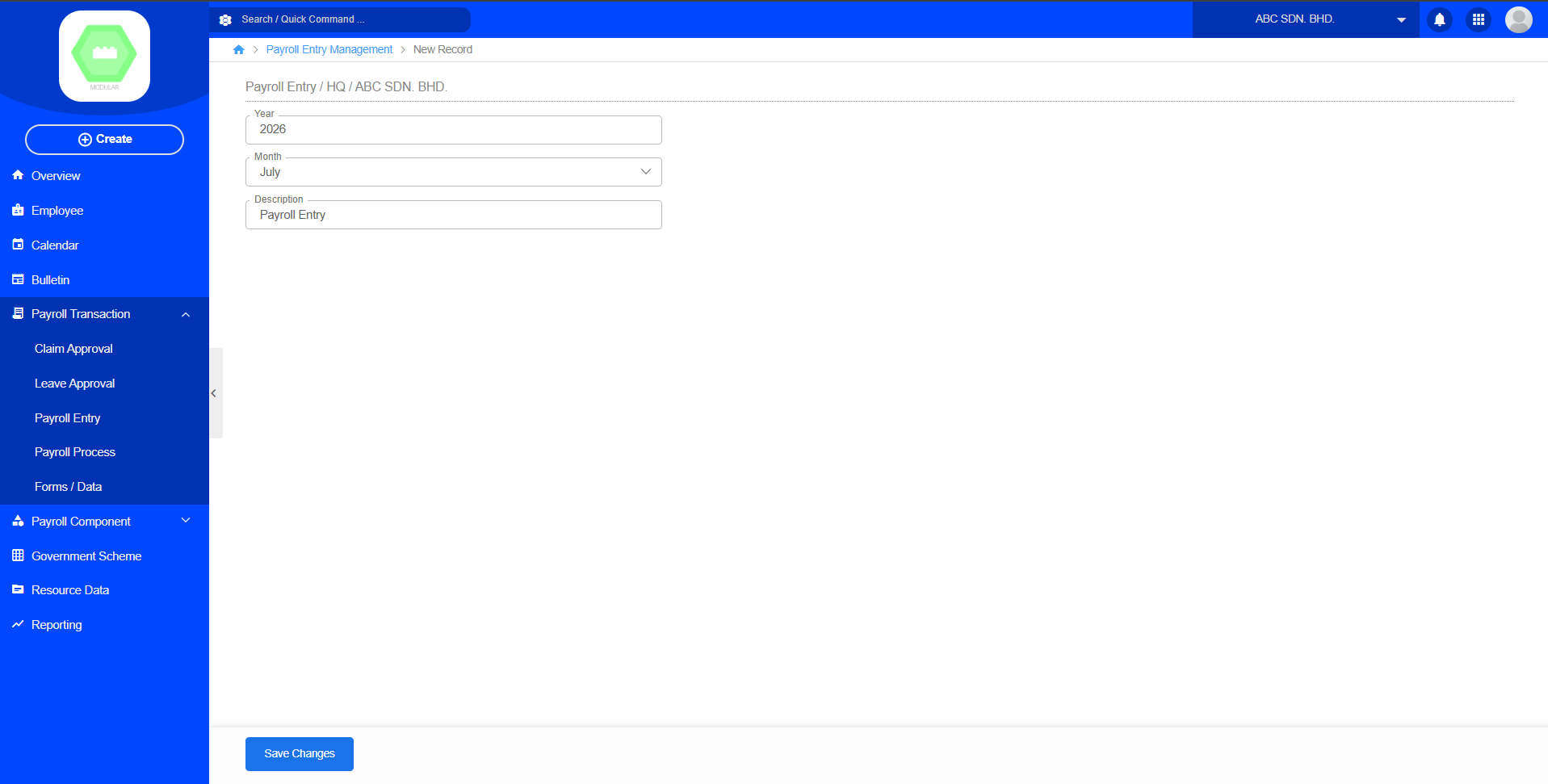
3.3 Payroll Entry
Purpose
Calculate payroll for a selected period.
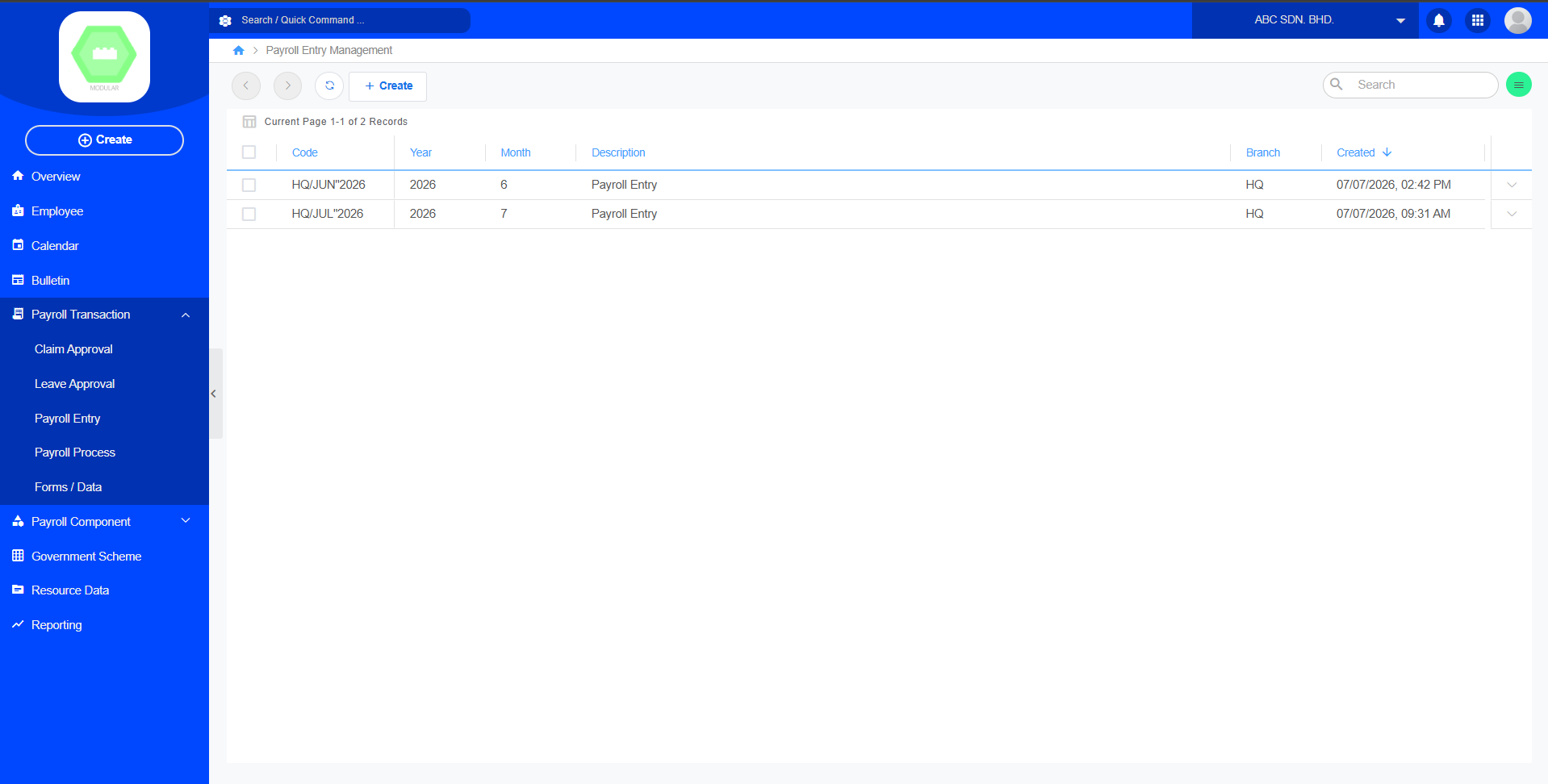
Create new payroll entry record:
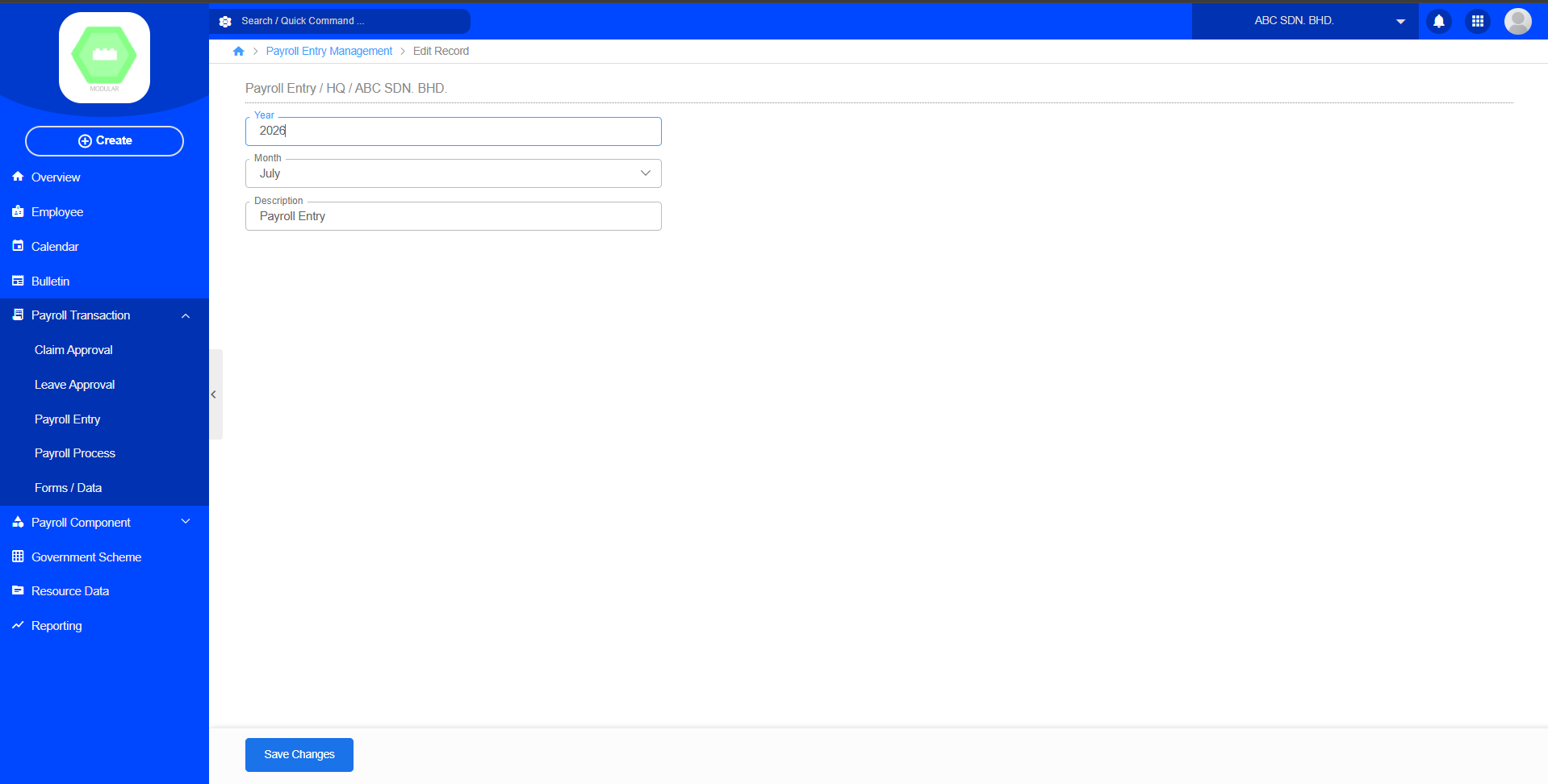
Payroll Flow
Payroll
↓
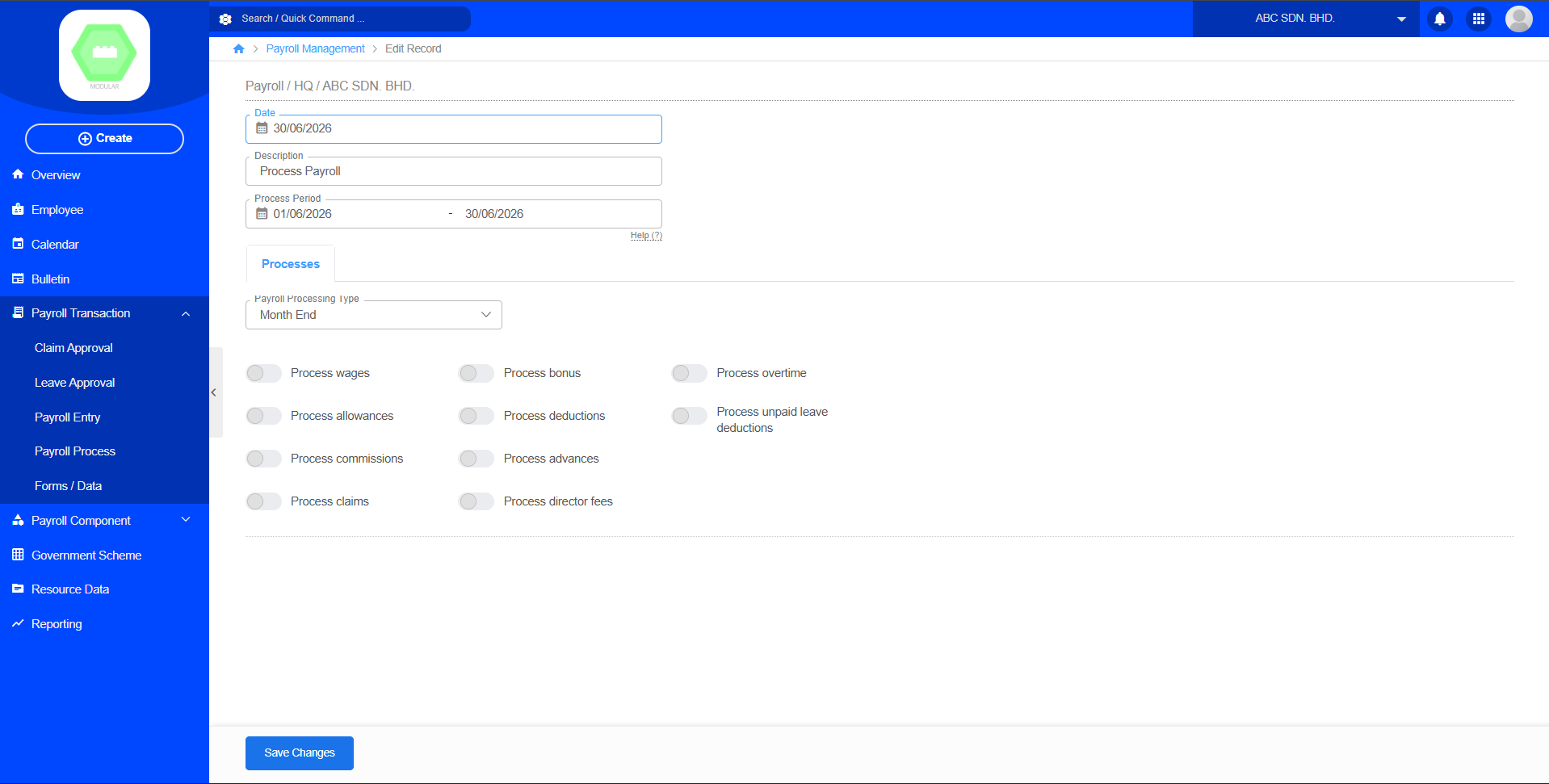
Payroll Transaction3.4 Payroll Process
Purpose
Generate employee payslips after payroll has been processed.
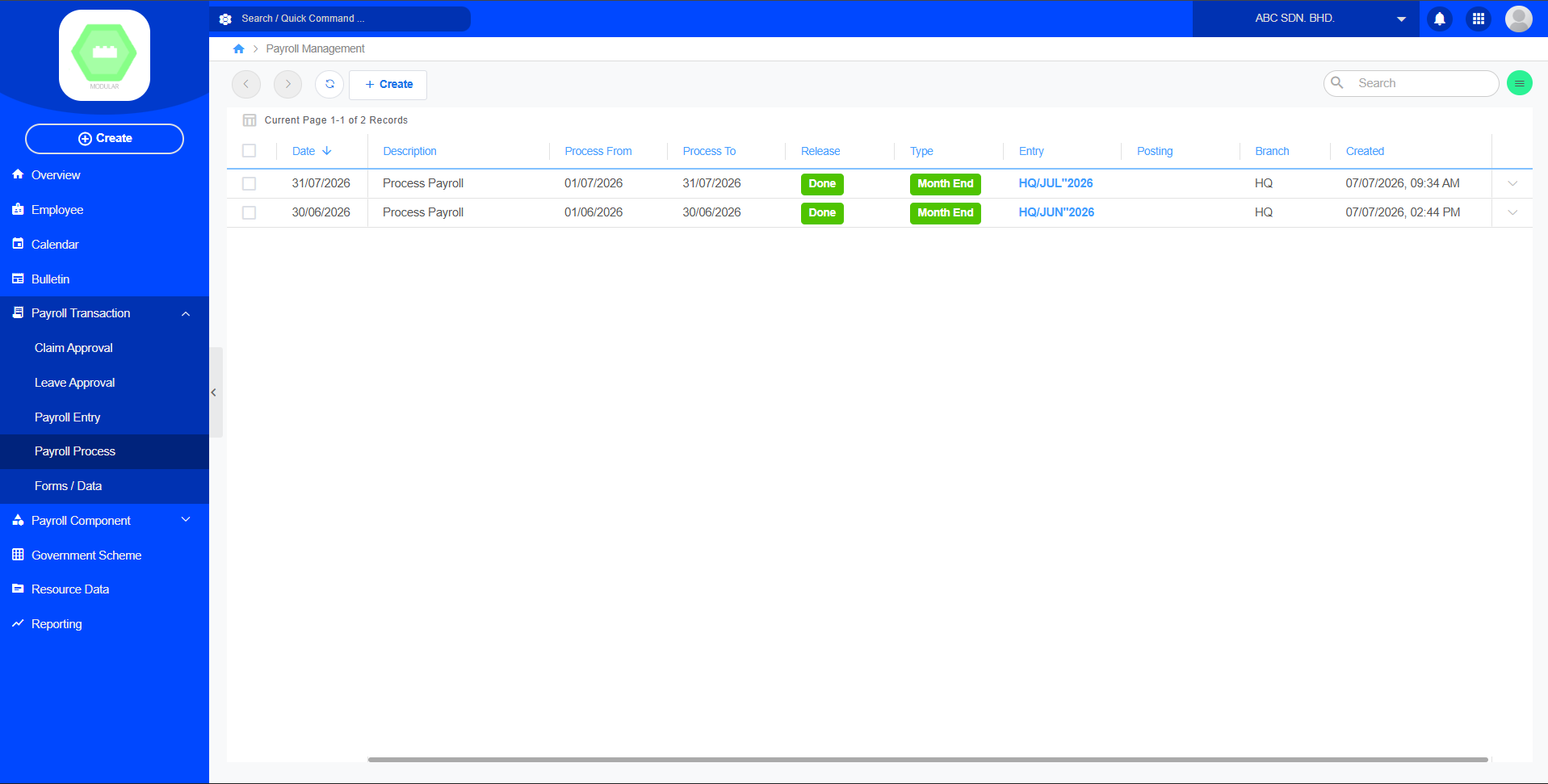
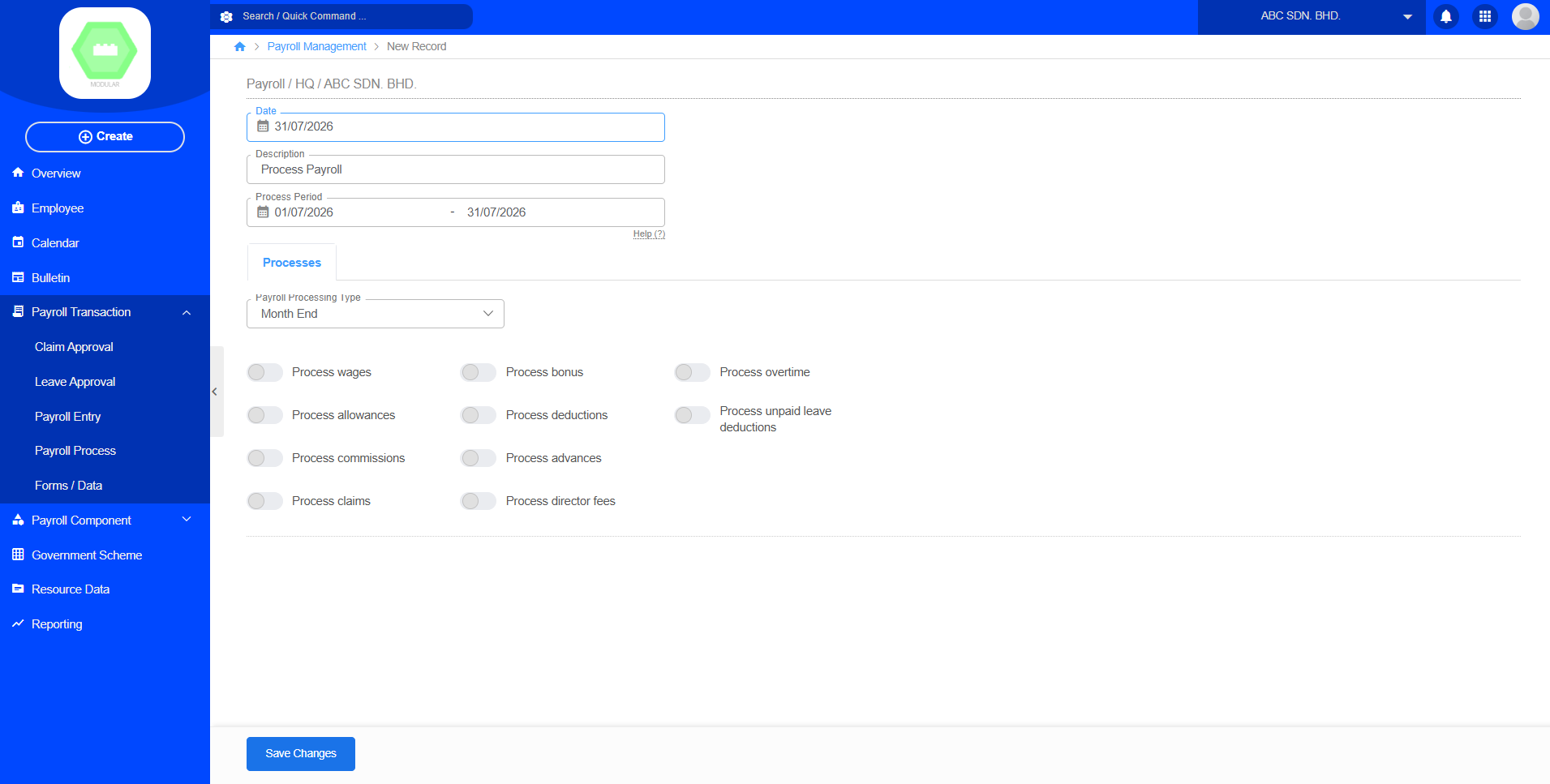
Create new payroll process record:
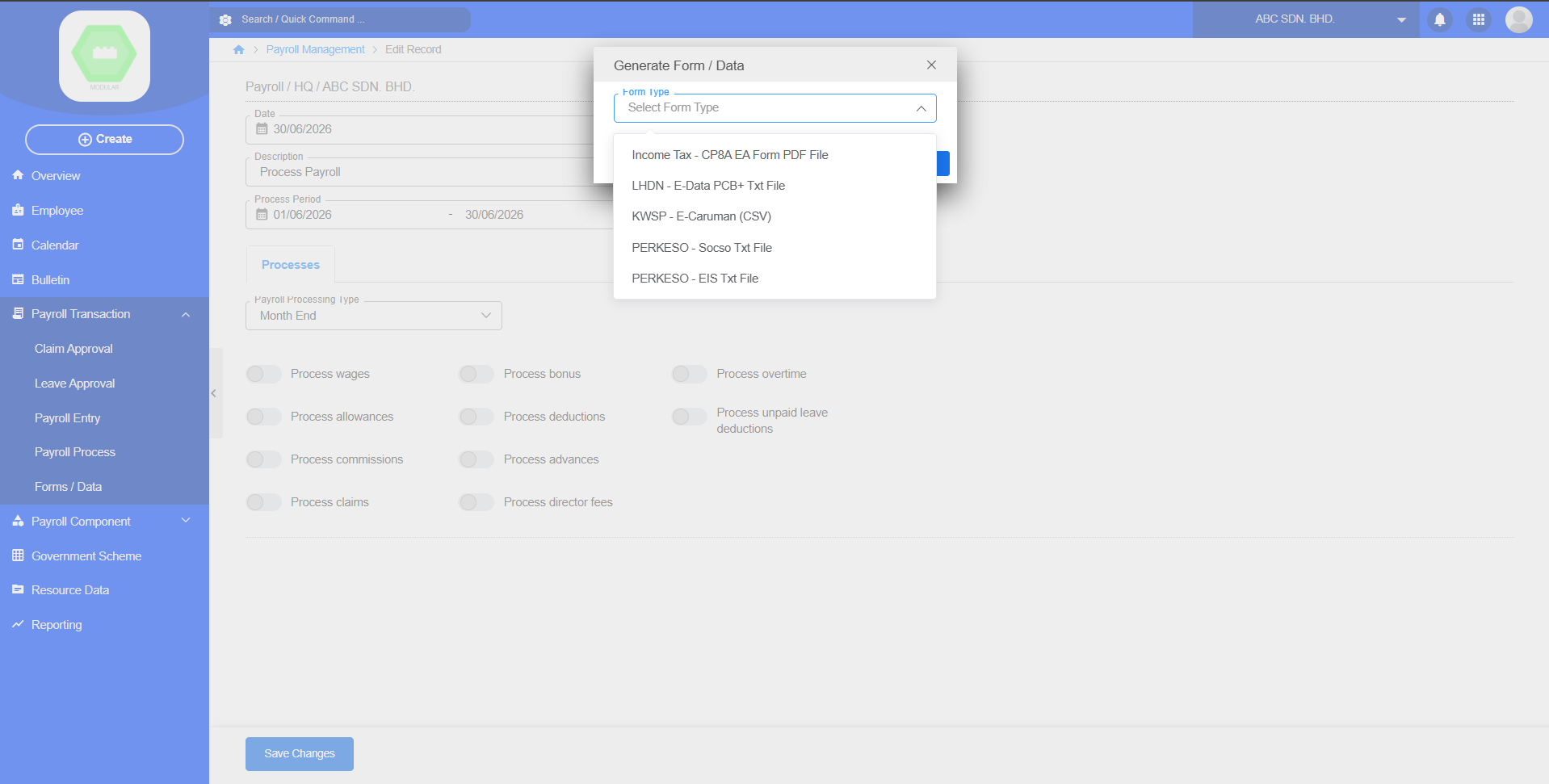
3.5 Forms / Data
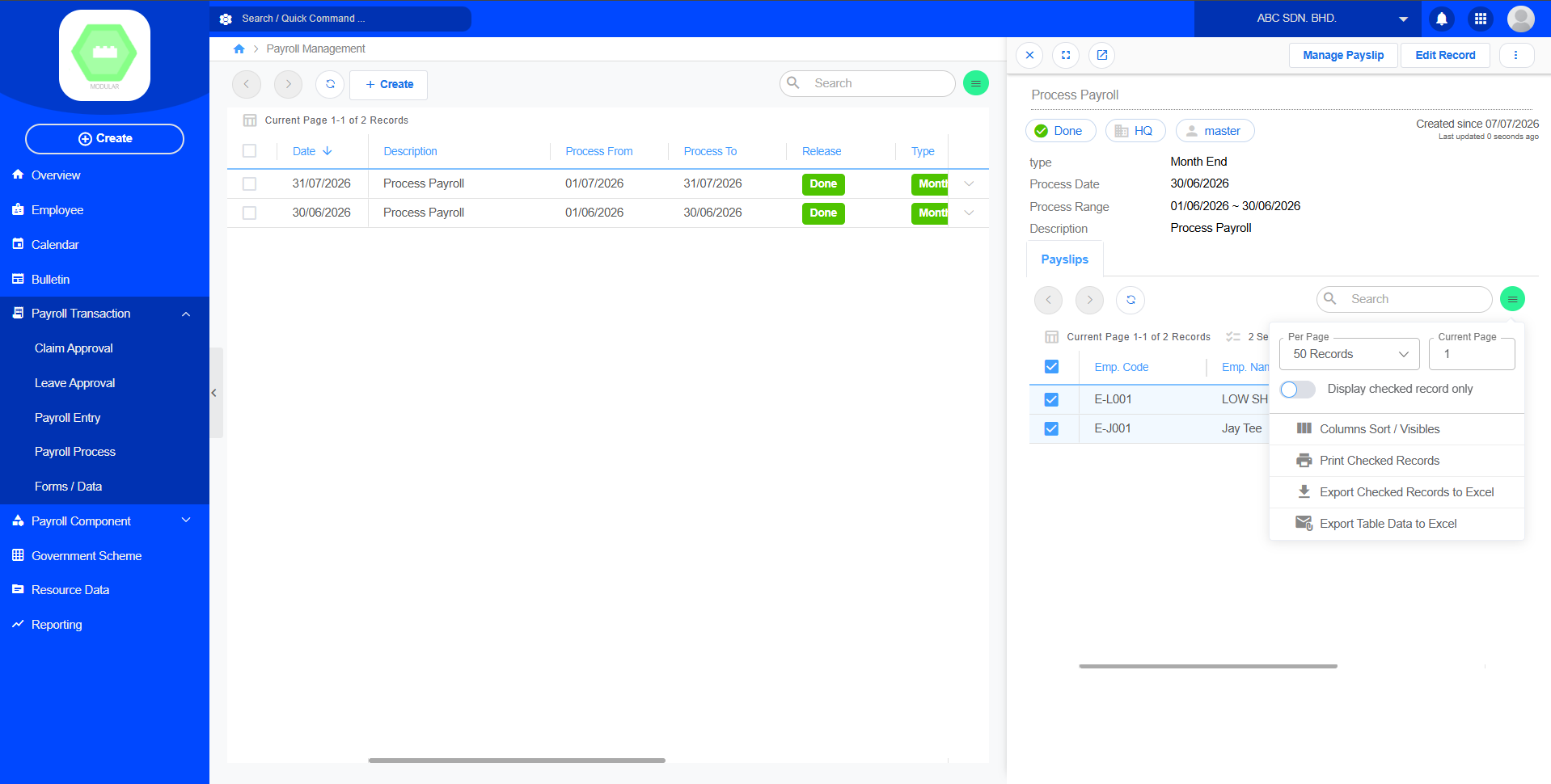
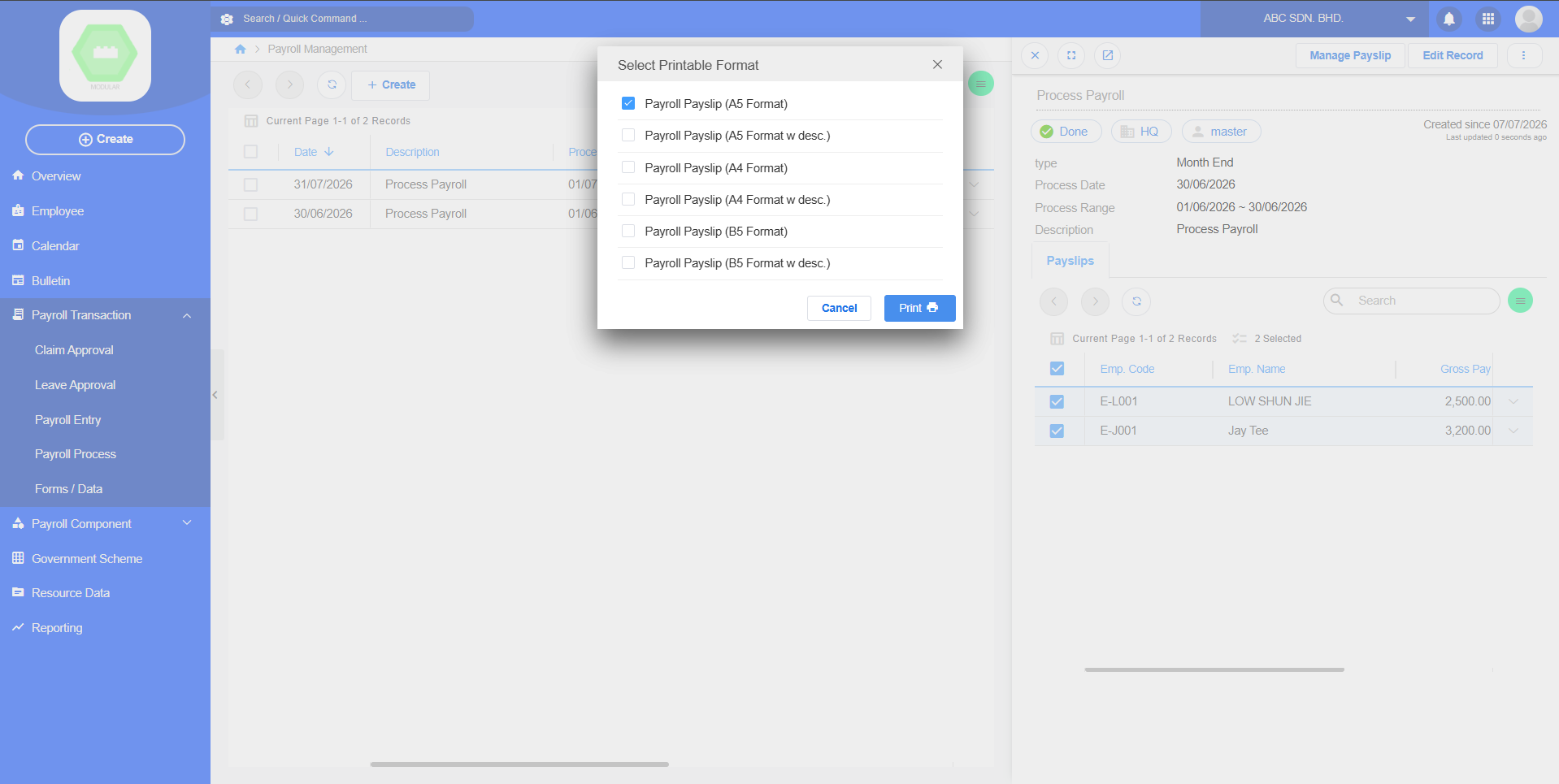
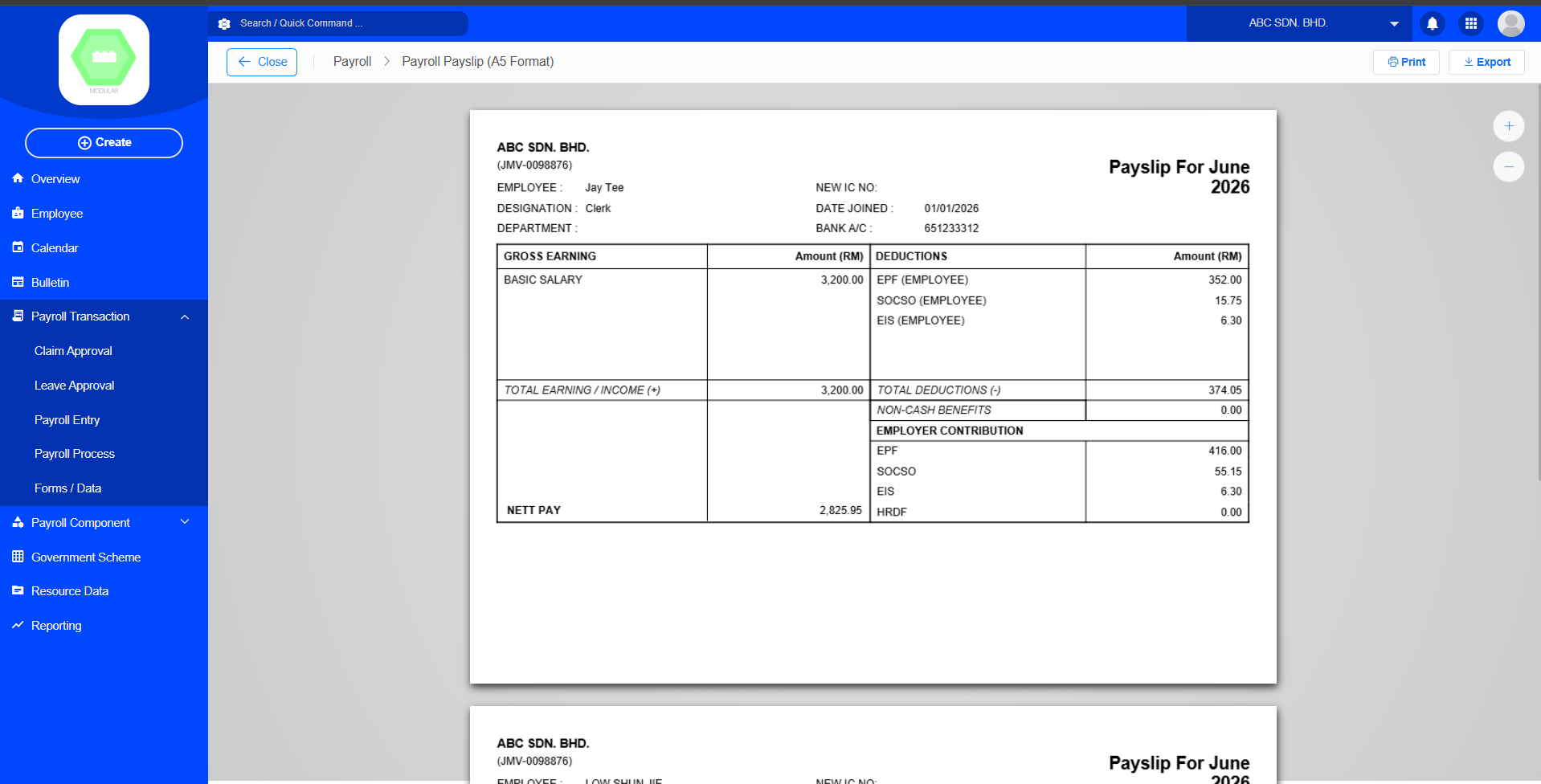
Payroll print payslip
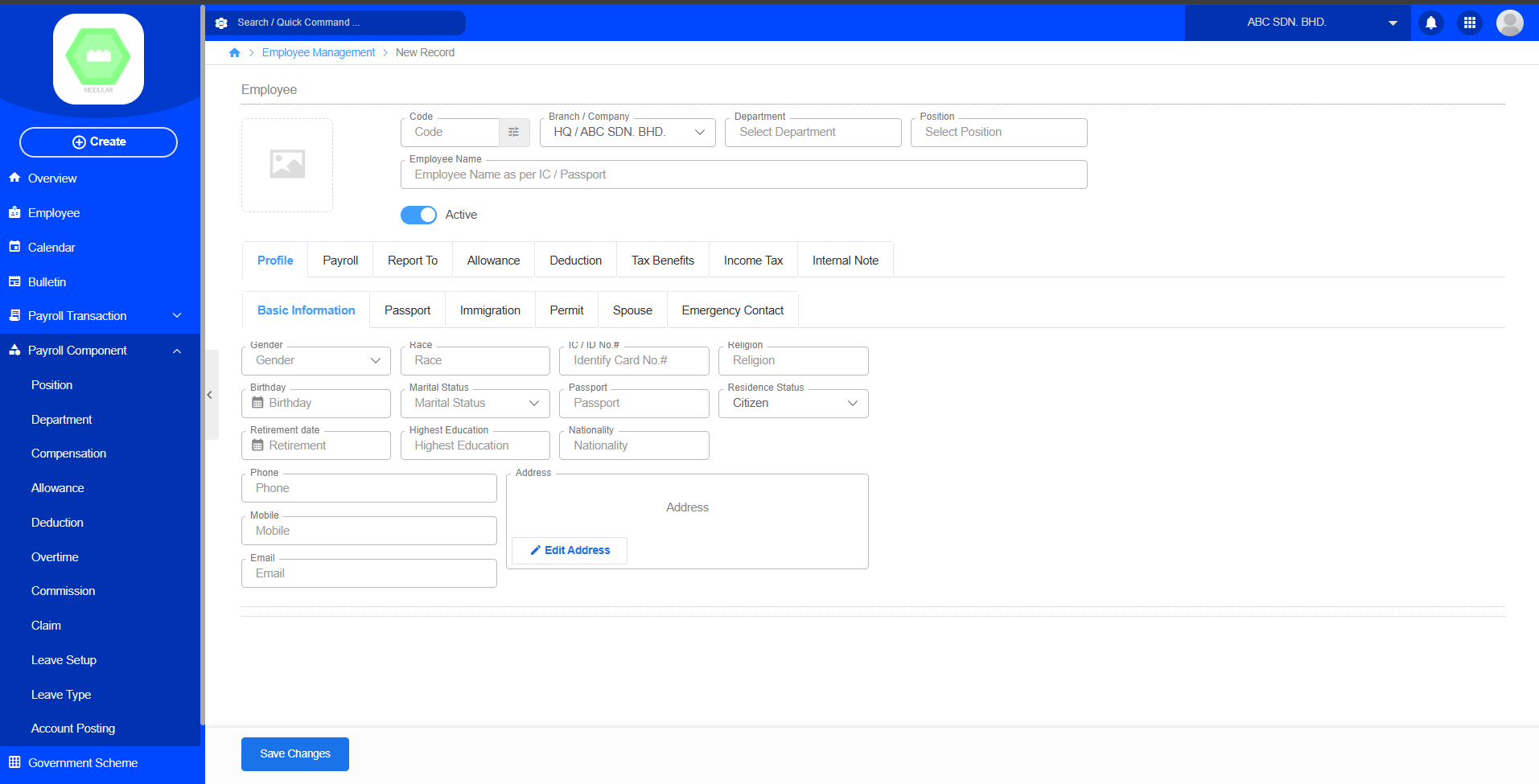
1. Register Employee, set wages / basic salary
2. Create Payroll Entry
3. Create Payroll Process
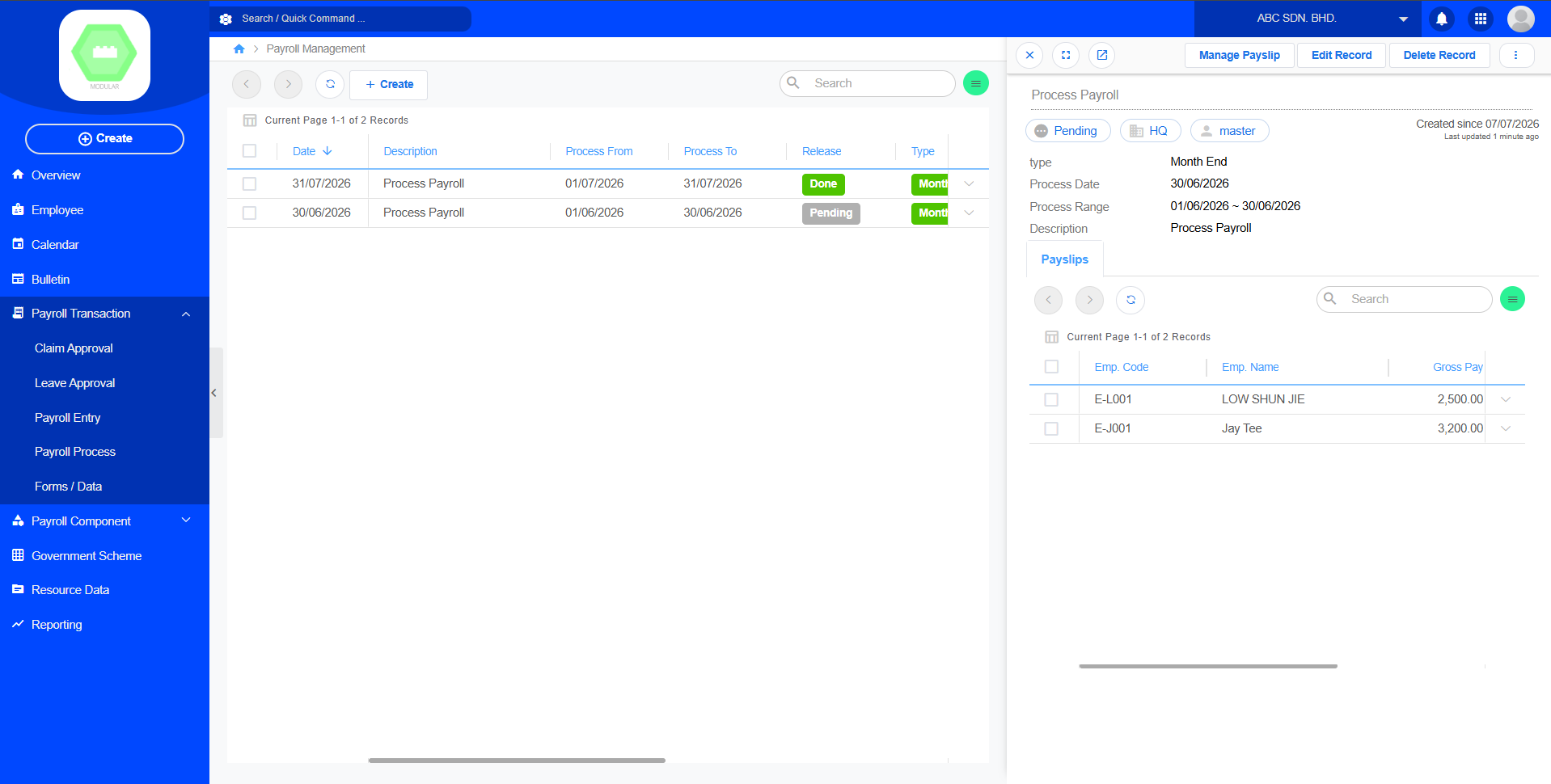
4. Manage Payslip
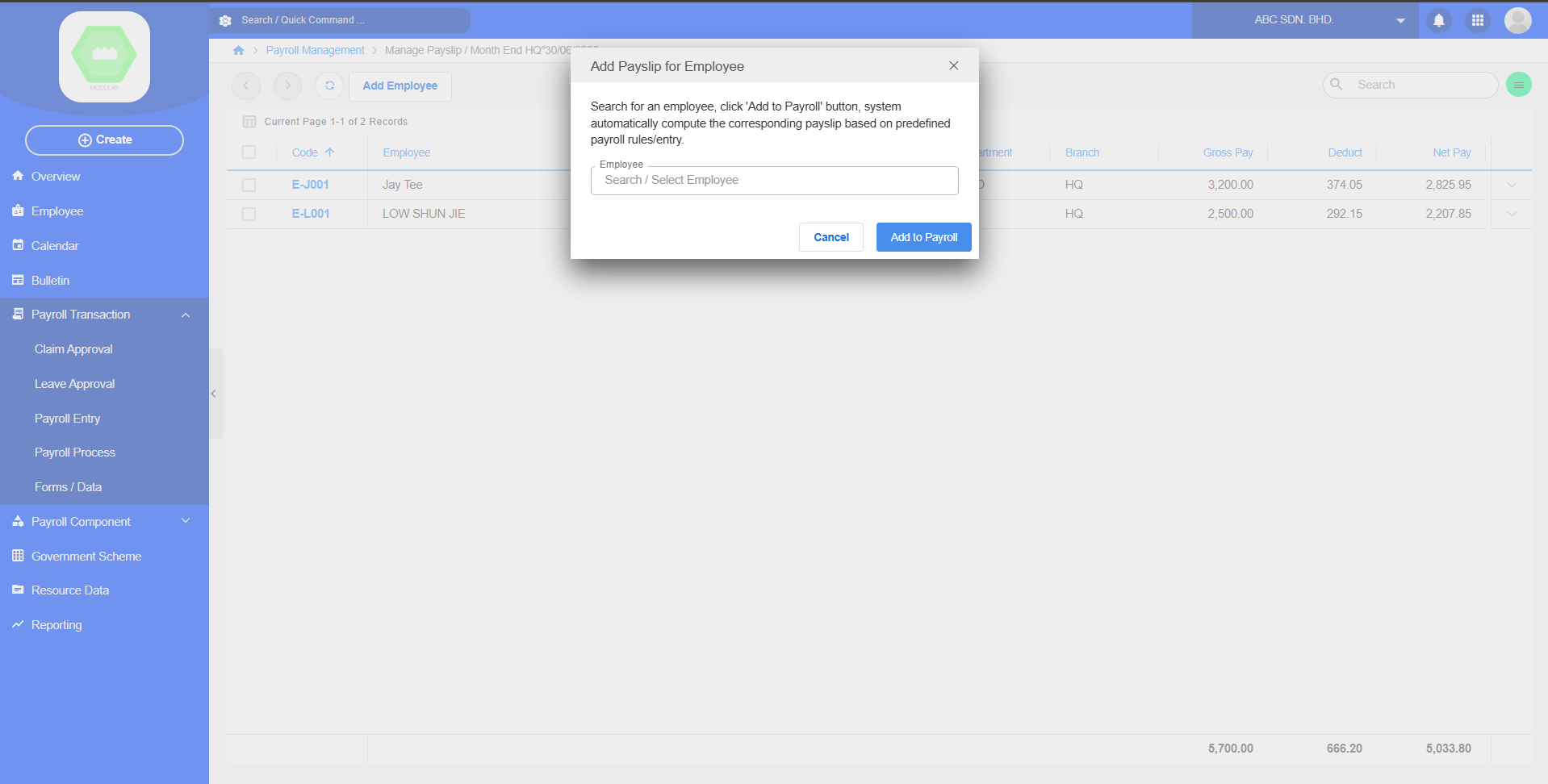
5. Add Payslip for Employee
6. Release Payroll
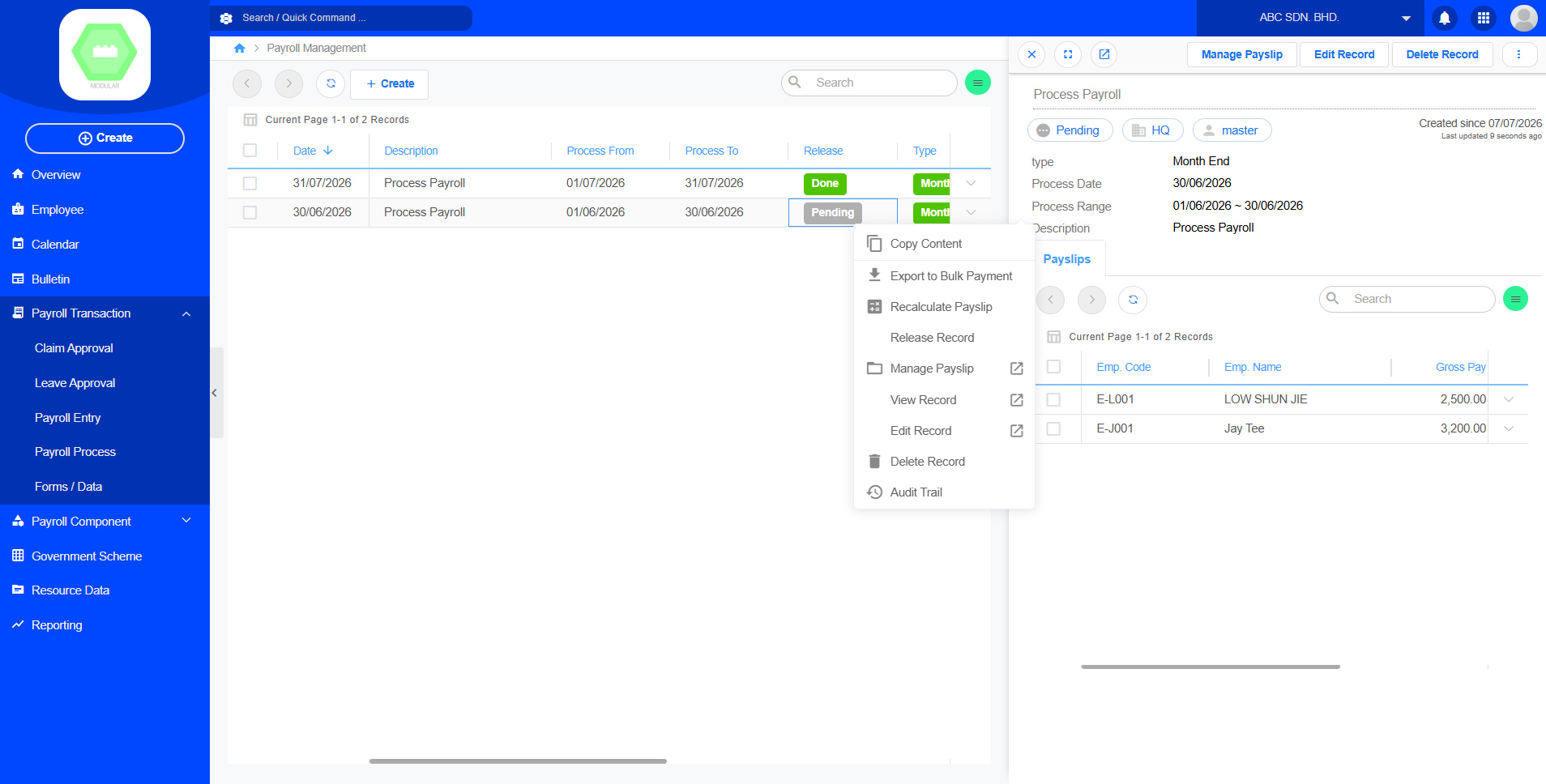
7. Right click payroll, click payslip, print payslip
Apply Employee Leave
1. Register Employee
2. Apply Leave at Calander
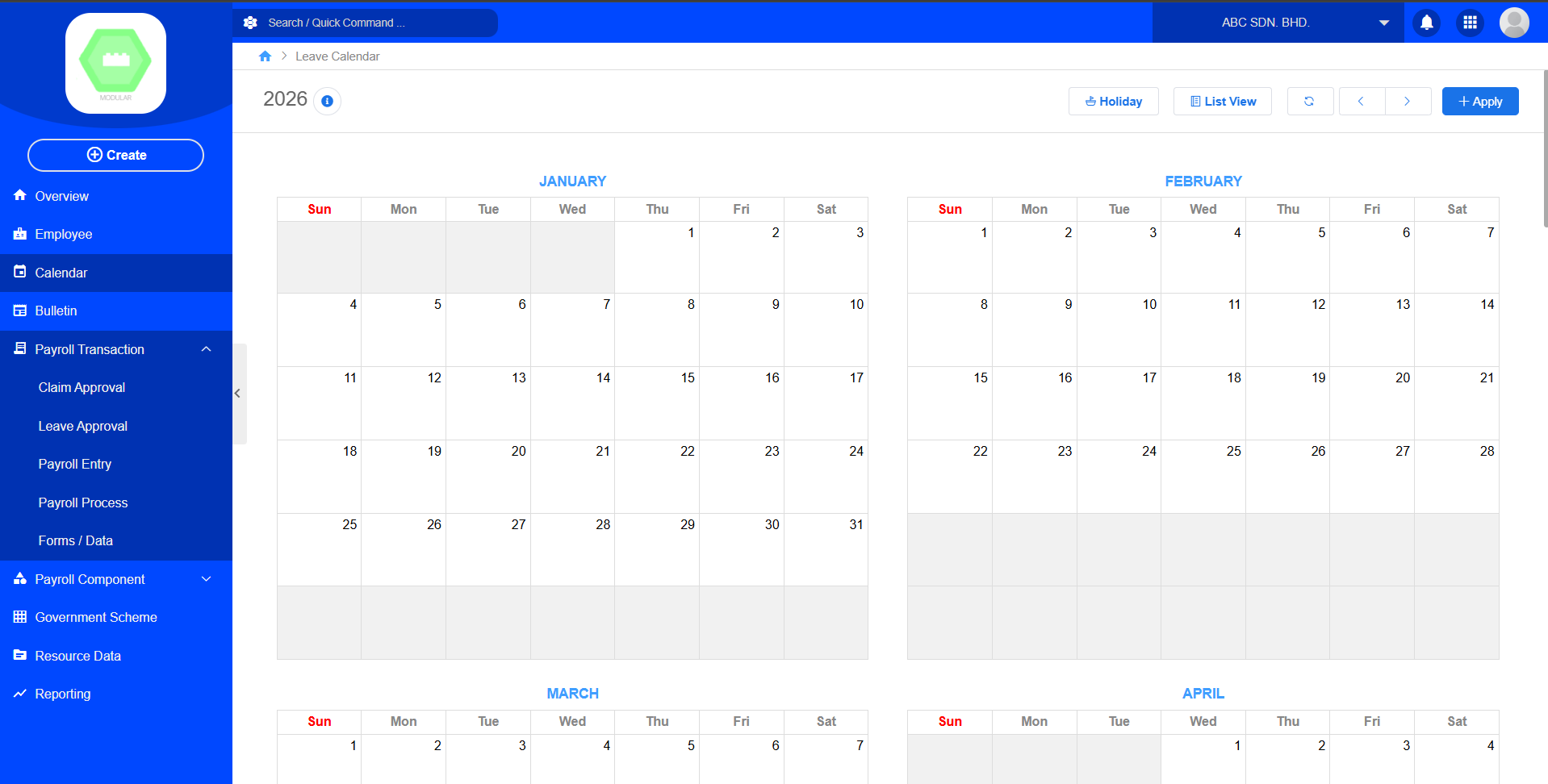
3. Find the leave approval
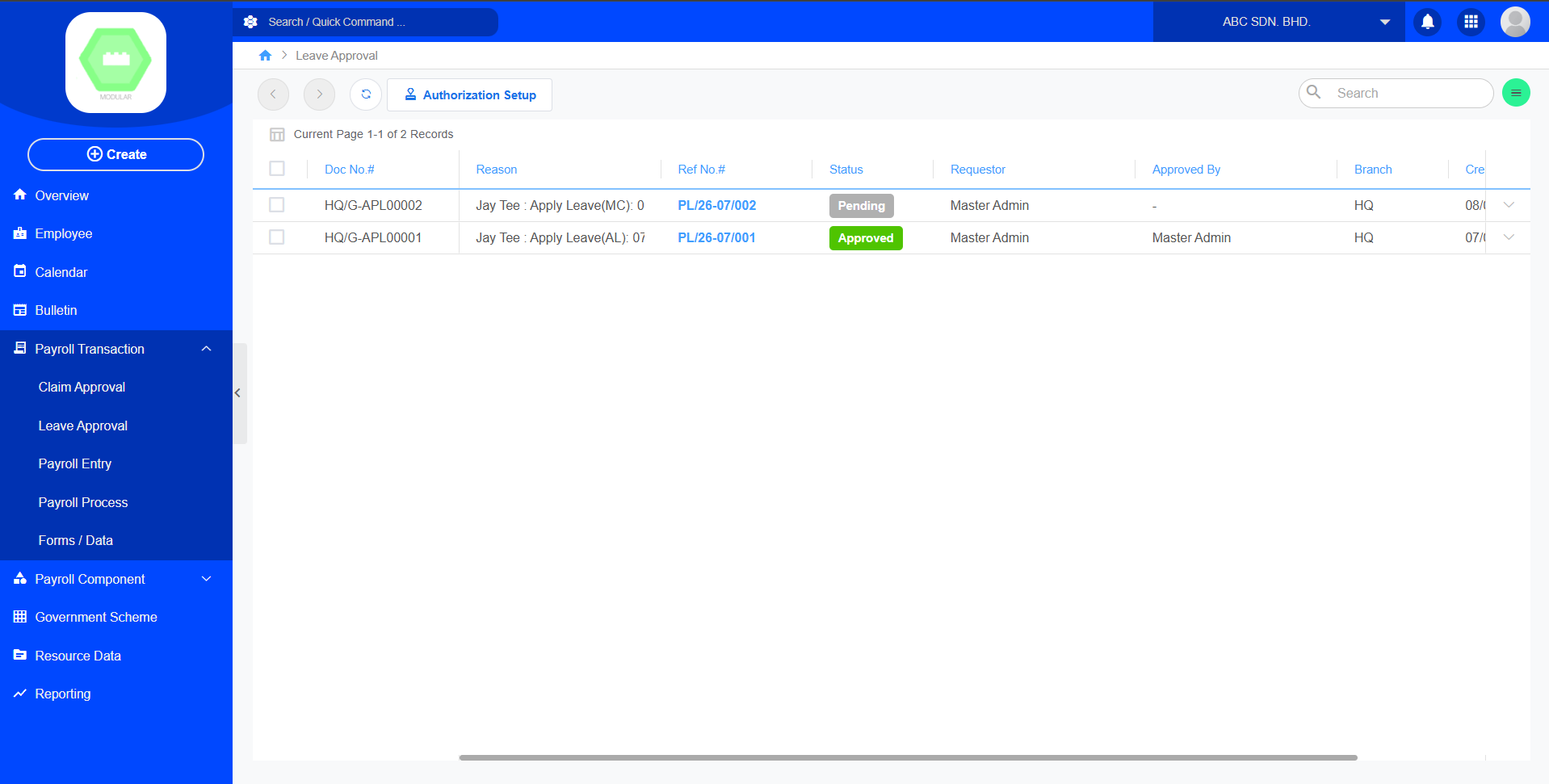
4. Approve the Leave