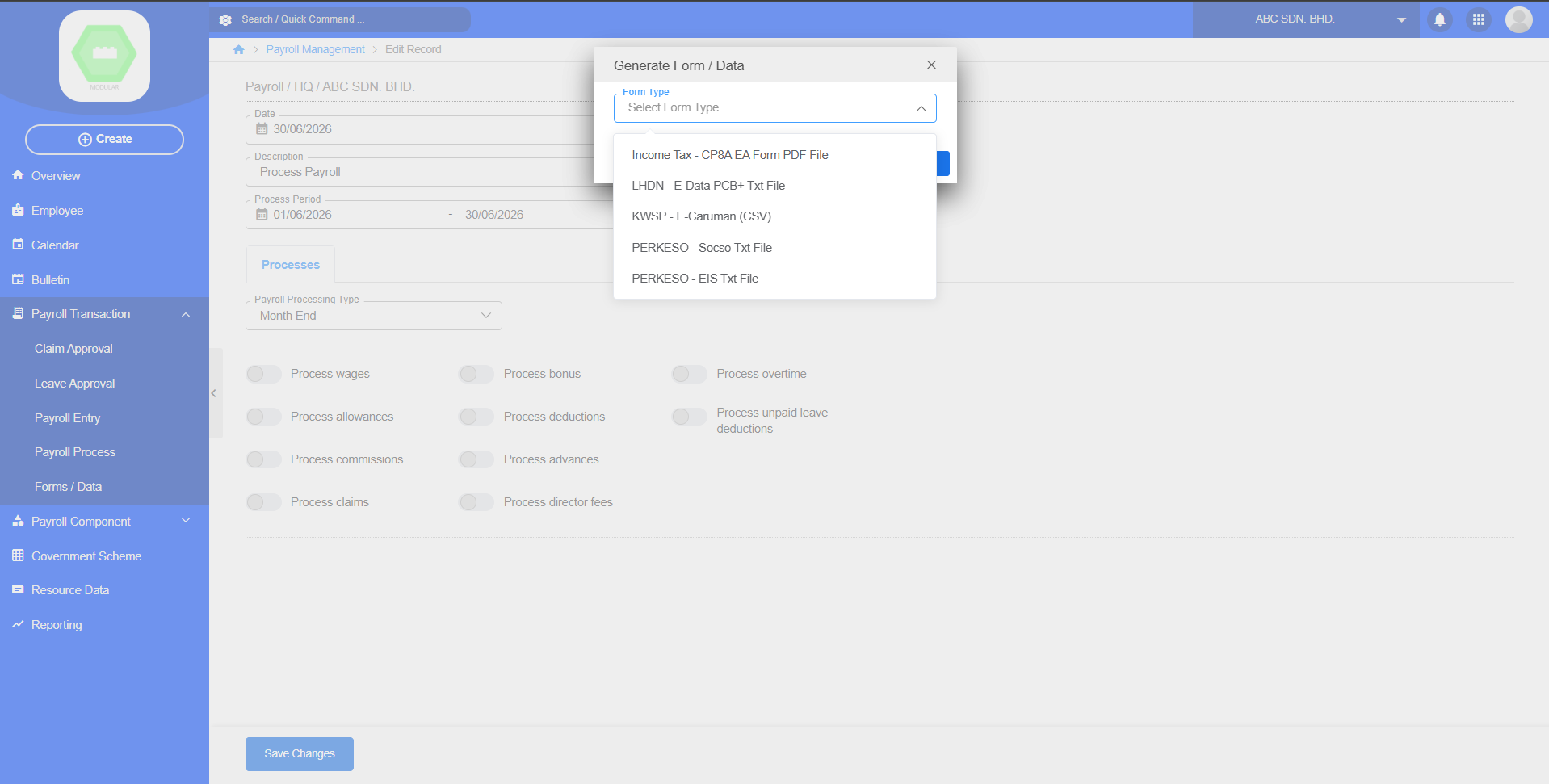
# Chapter 3: Payroll Transaction

## 3.1 Claim Approval

### Purpose

Employees submit leave applications.

[![image.png](https://documentation.xccel.my/uploads/images/gallery/2026-07/scaled-1680-/WtRimage.png)](https://documentation.xccel.my/uploads/images/gallery/2026-07/WtRimage.png)
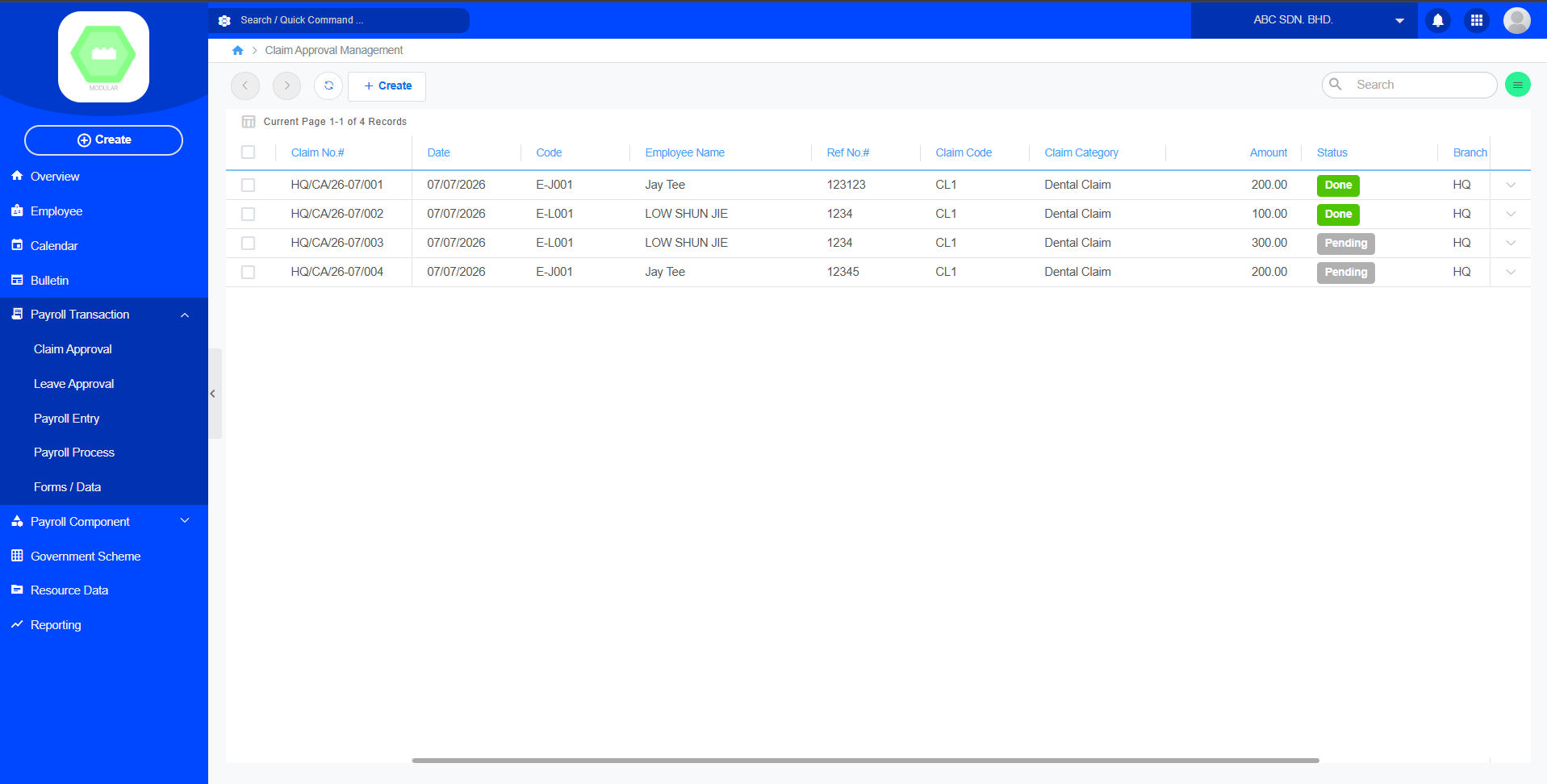
Create new claim record:

[![image.png](https://documentation.xccel.my/uploads/images/gallery/2026-07/scaled-1680-/rzwimage.png)](https://documentation.xccel.my/uploads/images/gallery/2026-07/rzwimage.png)
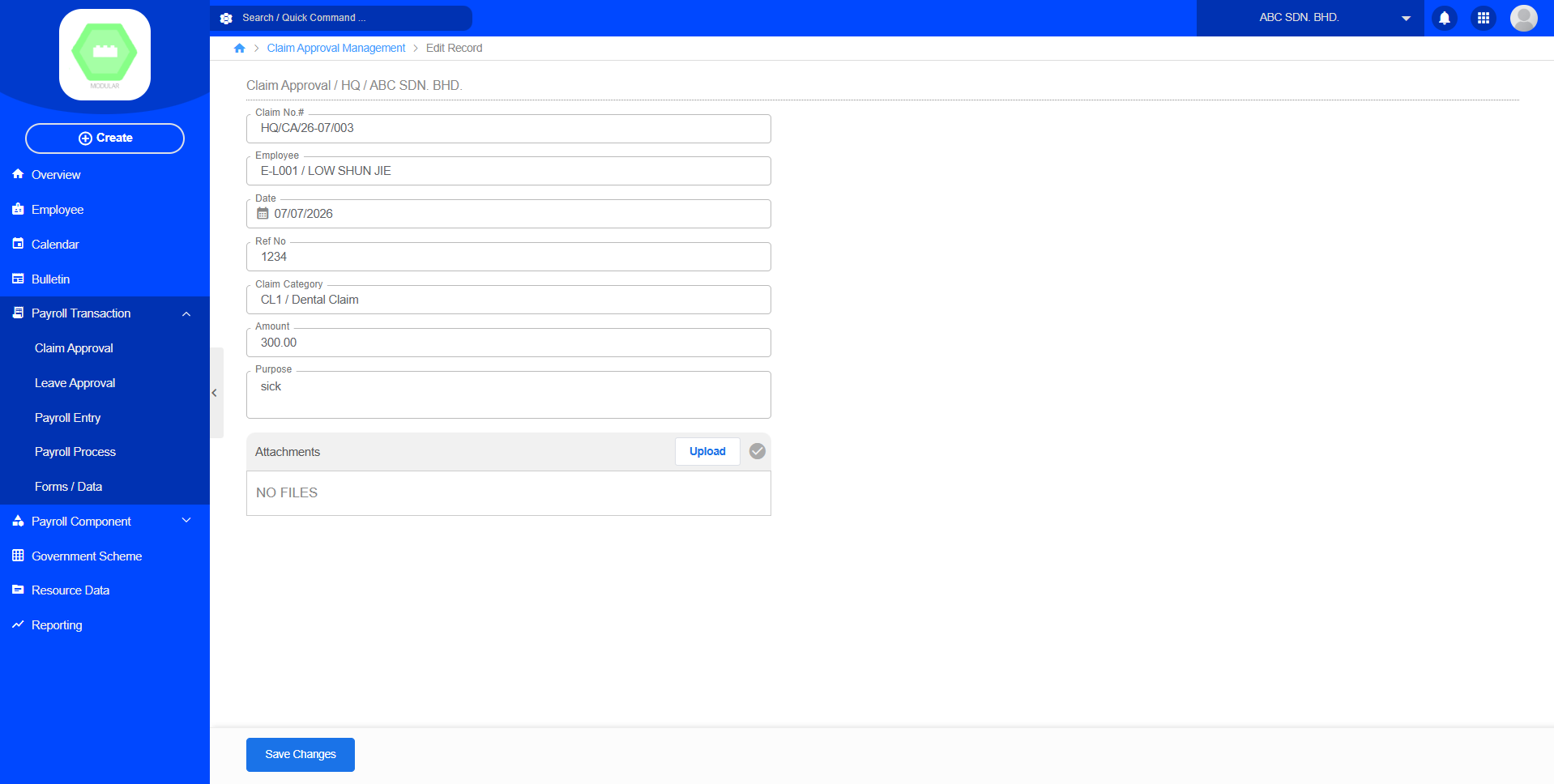
### Workflow

```
Payroll
      ↓
Calender
      ↓
Apply
      ↓
Select Employee, Leave Type, Days, Leave Length, Status Approve, Reason
      ↓
Apply Leave
```

<div class="relative w-full mt-4 mb-1" id="bkmrk--2"><div class=""><div class="contents"><div class="relative"><div class="h-full min-h-0 min-w-0"><div class="h-full min-h-0 min-w-0"><div class="border border-token-border-light border-radius-3xl corner-superellipse/1.1 rounded-3xl"><div class="h-full w-full border-radius-3xl bg-token-bg-elevated-secondary corner-superellipse/1.1 overflow-clip rounded-3xl lxnfua_clipPathFallback"><div class="relative"><div class="pe-11 pt-3"><div class="relative z-0 flex max-w-full"><div class="q9tKkq_viewer cm-editor z-10 light:cm-light dark:cm-light flex h-full w-full flex-col items-stretch ͼs ͼ16" dir="ltr" id="bkmrk--3"></div></div></div></div></div></div></div></div></div></div></div></div>## 3.2 Leave Approval

### Purpose

Managers review and approve leave requests.

[![image.png](https://documentation.xccel.my/uploads/images/gallery/2026-07/scaled-1680-/6a3image.png)](https://documentation.xccel.my/uploads/images/gallery/2026-07/6a3image.png)
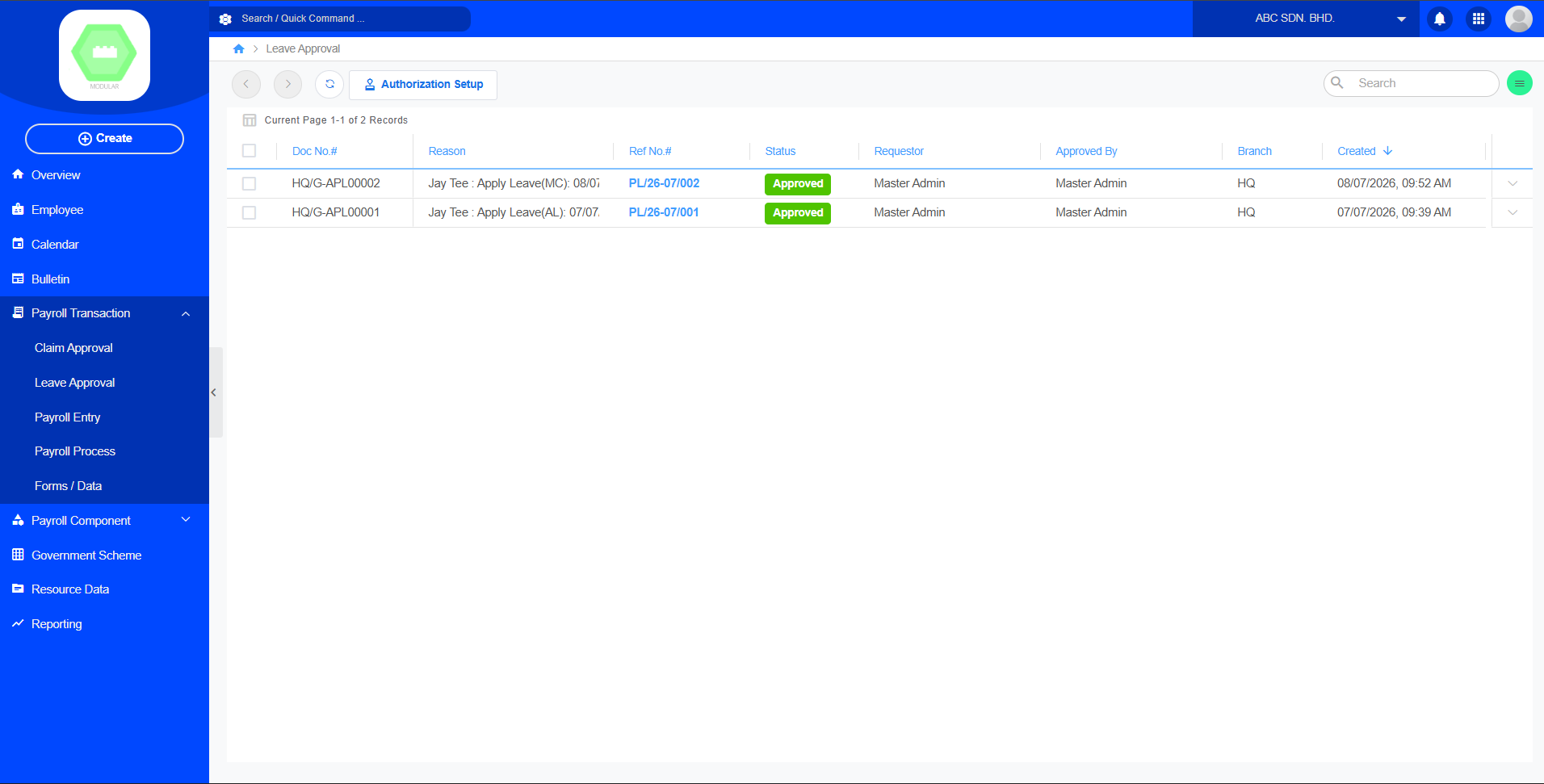
Workflow

```
Payroll
      ↓
Calender
      ↓
Approve / Reject
    
```

<div class="relative w-full mt-4 mb-1" id="bkmrk--6"><div class=""><div class="contents"><div class="relative"><div class="h-full min-h-0 min-w-0"><div class="h-full min-h-0 min-w-0"><div class="border border-token-border-light border-radius-3xl corner-superellipse/1.1 rounded-3xl"><div class="h-full w-full border-radius-3xl bg-token-bg-elevated-secondary corner-superellipse/1.1 overflow-clip rounded-3xl lxnfua_clipPathFallback"><div class="relative"><div class="pe-11 pt-3"><div class="relative z-0 flex max-w-full"><div class="q9tKkq_viewer cm-editor z-10 light:cm-light dark:cm-light flex h-full w-full flex-col items-stretch ͼs ͼ16" dir="ltr" id="bkmrk--7"></div></div></div></div></div></div></div></div><div class=""><div class="">  
</div></div></div></div></div></div>## 3.3 Payroll Entry

### Purpose

Calculate payroll for a selected period.

[![image.png](https://documentation.xccel.my/uploads/images/gallery/2026-07/scaled-1680-/4xfimage.png)](https://documentation.xccel.my/uploads/images/gallery/2026-07/4xfimage.png)
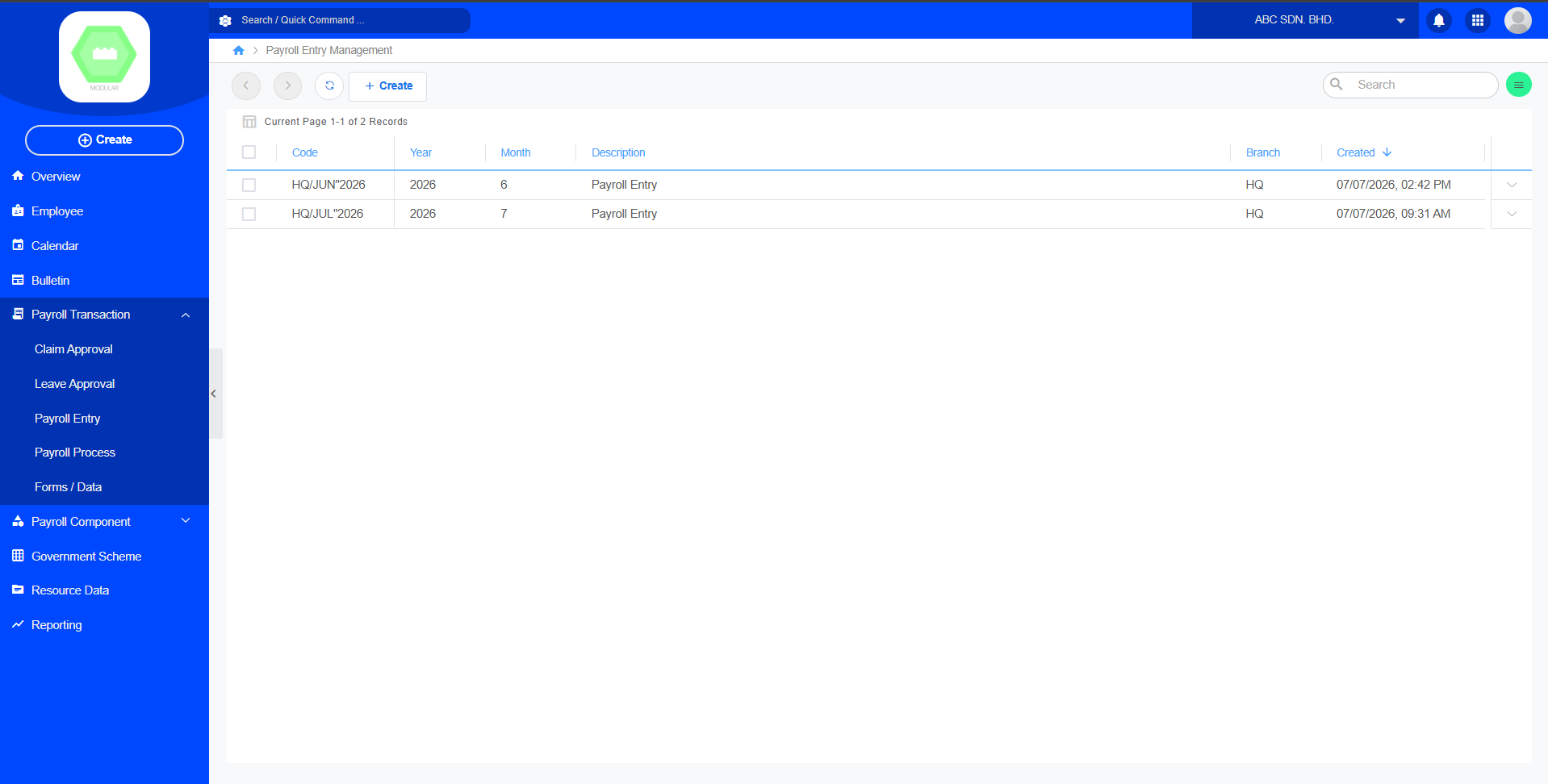
Create new payroll entry record:

[![image.png](https://documentation.xccel.my/uploads/images/gallery/2026-07/scaled-1680-/ikqimage.png)](https://documentation.xccel.my/uploads/images/gallery/2026-07/ikqimage.png)
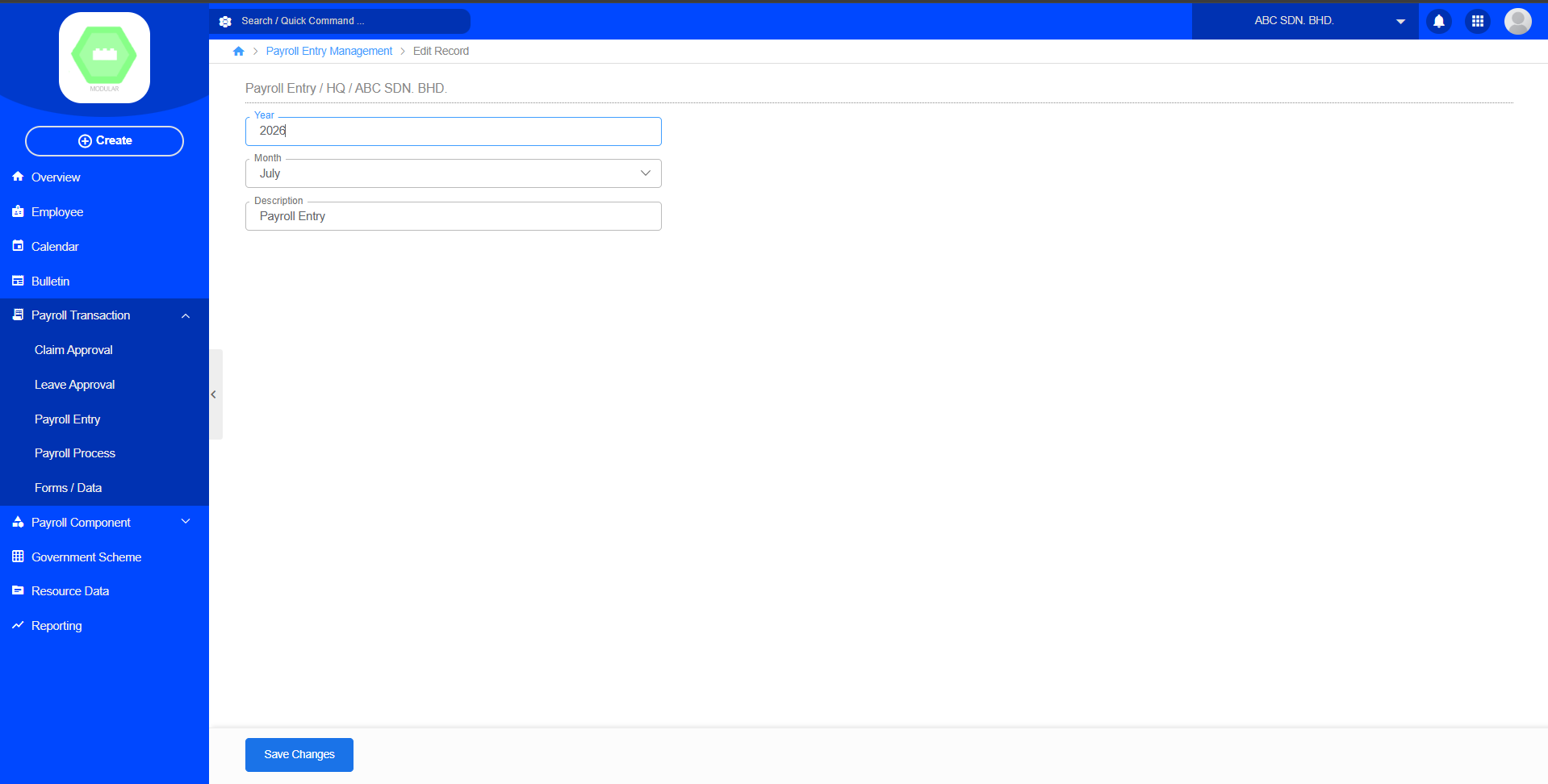
Payroll Flow

```
Payroll
          ↓
Payroll Transaction
```

<div class="relative w-full mt-4 mb-1" id="bkmrk--10"><div class=""><div class="contents"><div class="relative"><div class="h-full min-h-0 min-w-0"><div class="h-full min-h-0 min-w-0"><div class="border border-token-border-light border-radius-3xl corner-superellipse/1.1 rounded-3xl"><div class="h-full w-full border-radius-3xl bg-token-bg-elevated-secondary corner-superellipse/1.1 overflow-clip rounded-3xl lxnfua_clipPathFallback"><div class="relative"><div class="pe-11 pt-3"><div class="relative z-0 flex max-w-full"><div class="q9tKkq_viewer cm-editor z-10 light:cm-light dark:cm-light flex h-full w-full flex-col items-stretch ͼs ͼ16" dir="ltr" id="bkmrk--11"></div></div></div></div></div></div></div></div><div class="">  
</div></div></div></div></div>## 3.4 Payroll Process

### Purpose

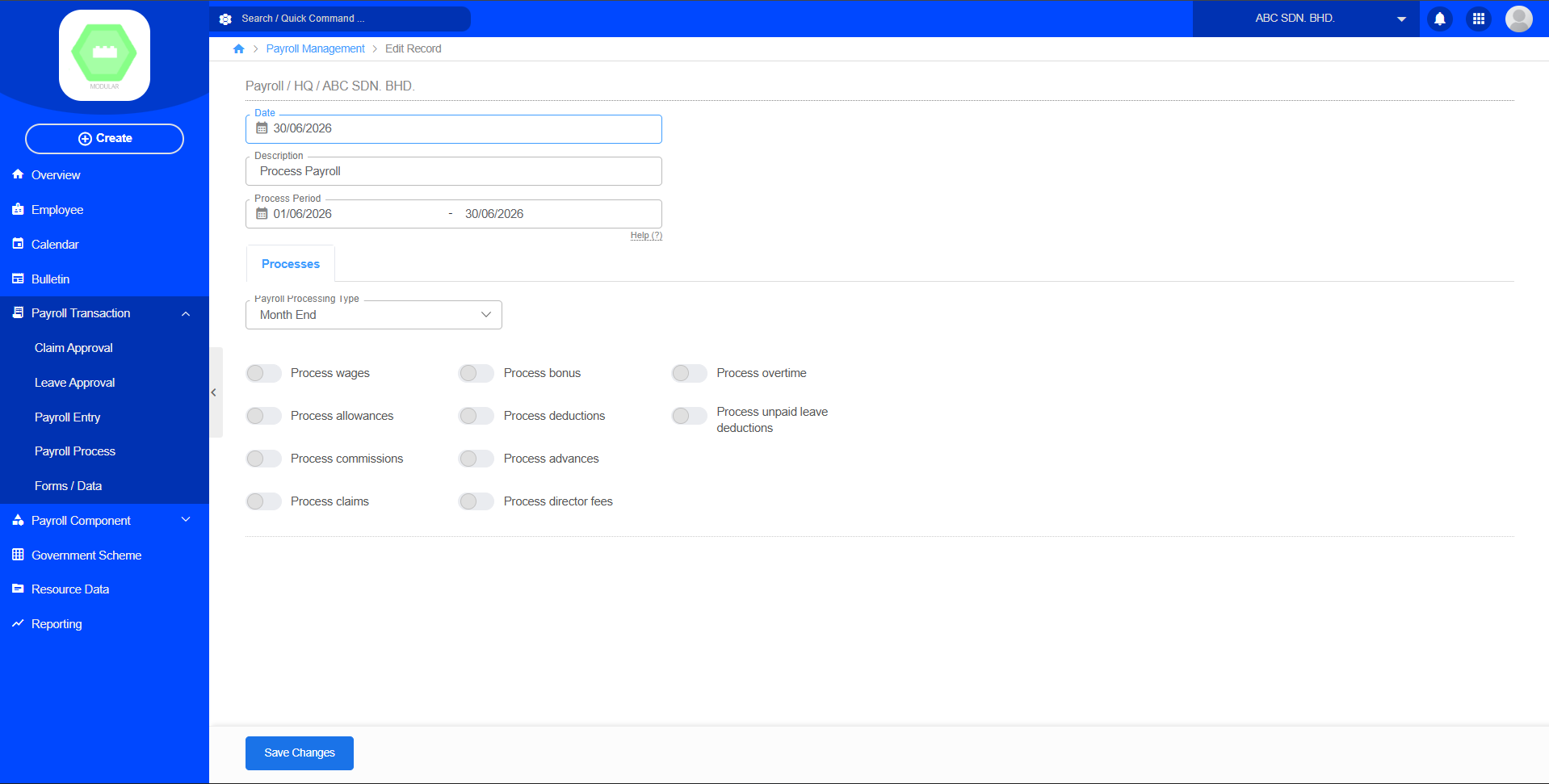
Generate employee payslips after payroll has been processed.

[![image.png](https://documentation.xccel.my/uploads/images/gallery/2026-07/scaled-1680-/A7Vimage.png)](https://documentation.xccel.my/uploads/images/gallery/2026-07/A7Vimage.png)
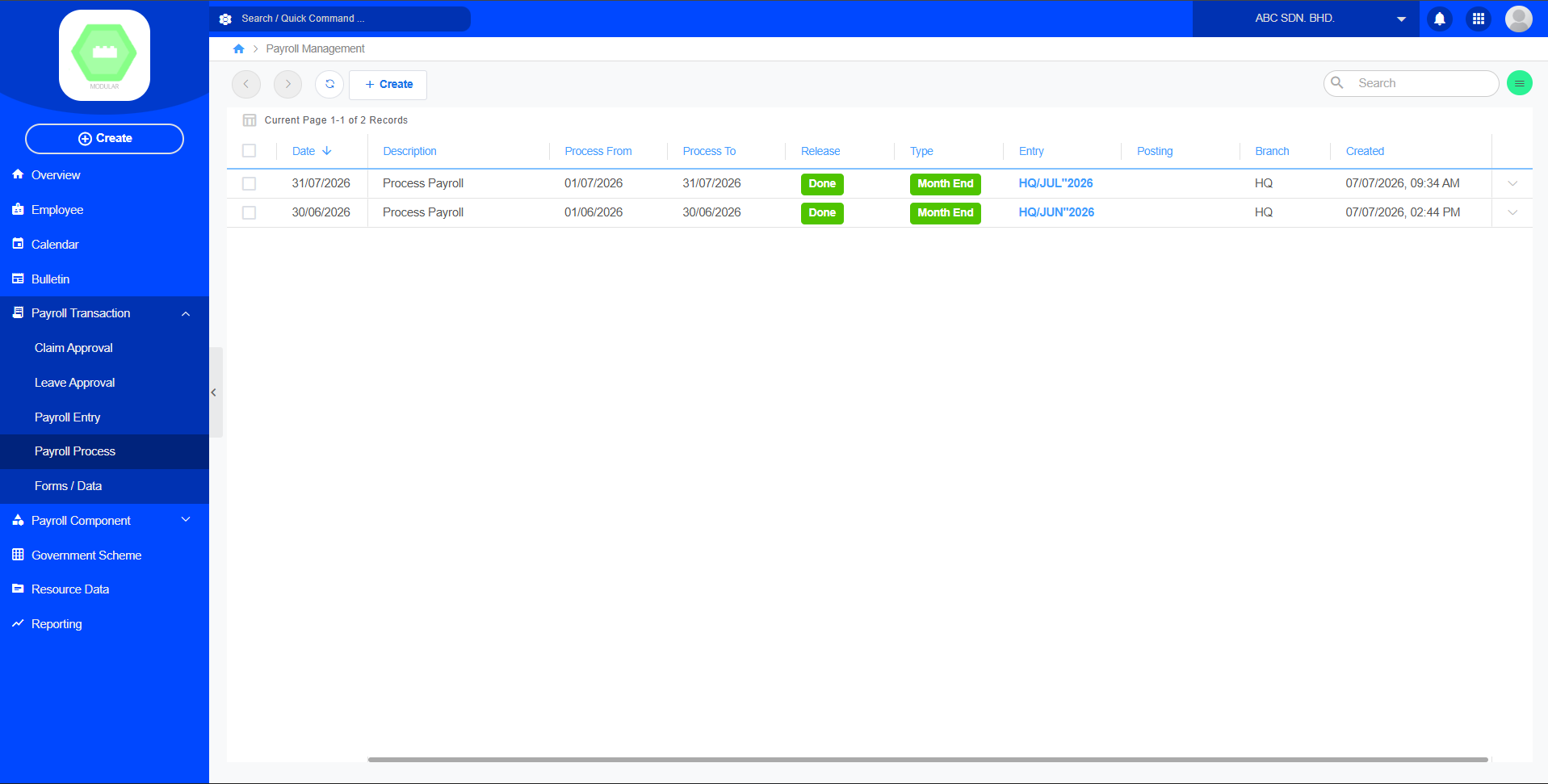
Create new payroll process record:

[![image.png](https://documentation.xccel.my/uploads/images/gallery/2026-07/scaled-1680-/N5aimage.png)](https://documentation.xccel.my/uploads/images/gallery/2026-07/N5aimage.png)
## 3.5 Forms / Data

[![image.png](https://documentation.xccel.my/uploads/images/gallery/2026-07/scaled-1680-/qOzimage.png)](https://documentation.xccel.my/uploads/images/gallery/2026-07/qOzimage.png)