
Employee
Purpose
The Employee module is used to manage employee records within the Payroll system. Users can create new employee profiles, search existing employees, and maintain employee information throughout their employment lifecycle.
Functions
The Employee module allows users to:
- Create a new employee record.
- Search and filter employee records.
- View employee information.
- Update employee details.
- Manage employee employment status.
Navigation
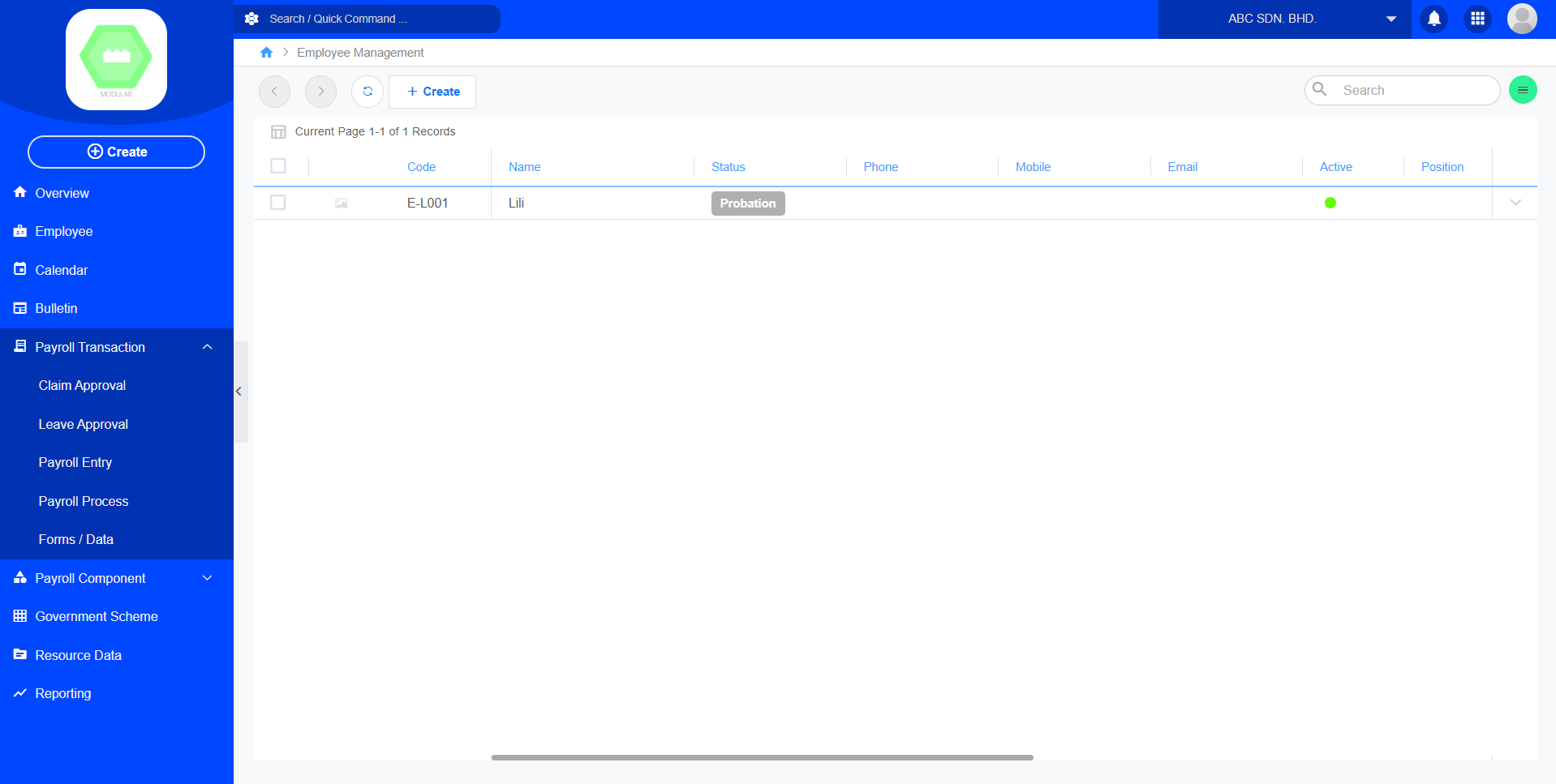
Employee List
The Employee List displays all employee records registered in the system.
Available Information
| Field | Description |
|---|---|
| Code | Unique employee identification code. |
| Name | Employee's full name. |
| Status | Employment status (e.g., Active, Resigned, Terminated). |
| Phone | Office telephone number. |
| Mobile | Employee's mobile phone number. |
| Employee's email address. | |
| Active | Indicates whether the employee account is active. |
| Position | Employee's job title or position. |
| Department | Department assigned to the employee. |
| Join Date | Employee's joining date. |
| Confirm Date | Date the employee's employment was confirmed. |
| Last Working | Employee's last working date (if applicable). |
| Branch | Branch or office assigned to the employee. |
| Created | Date and time the employee record was created. |
Create Employee
Purpose
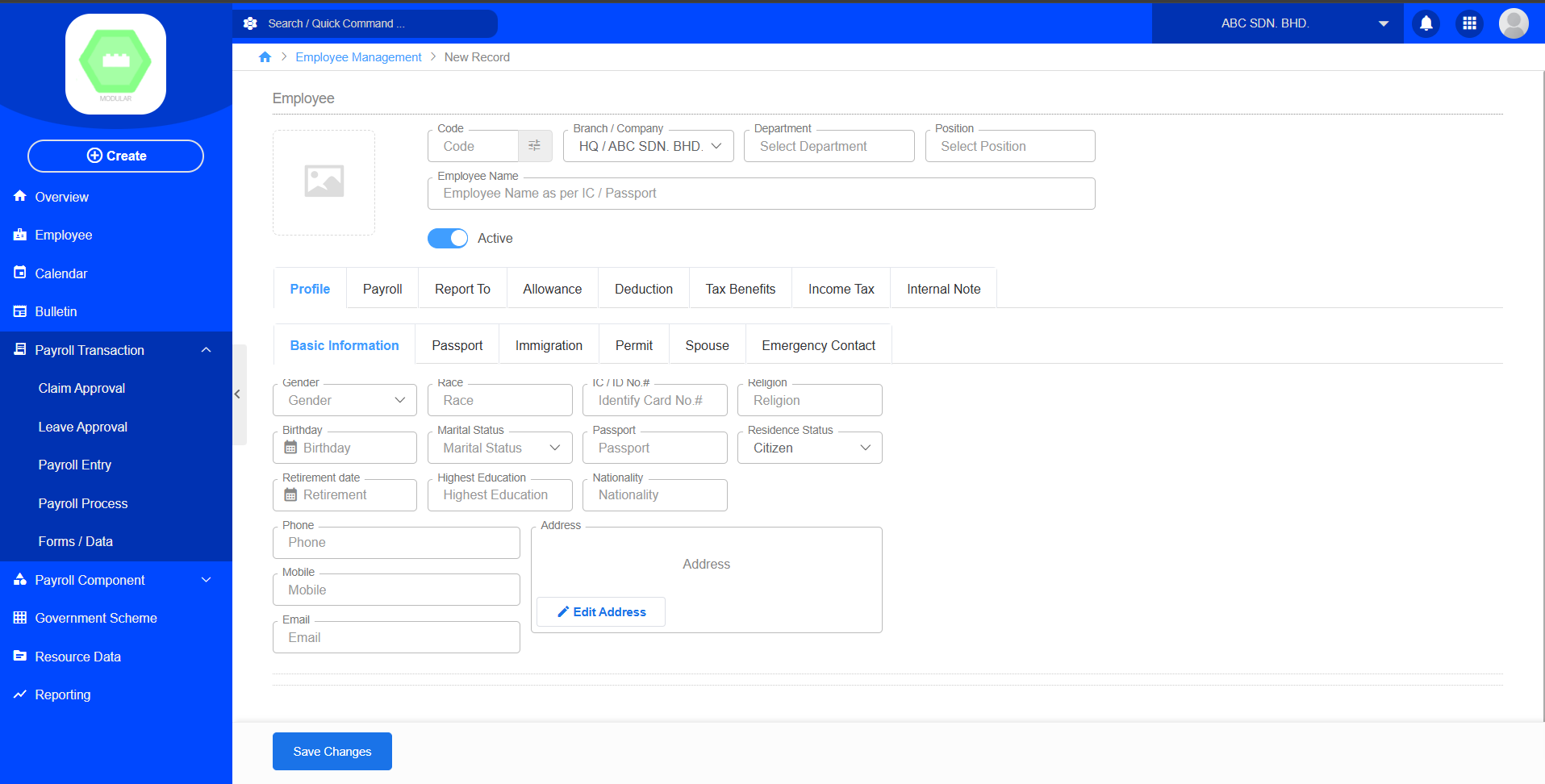
Create a new employee profile for payroll and HR management.
Procedure
- Navigate to Payroll → Employee.
- Click Create.
- Enter the employee's personal information.
- Assign the employee's department, position, and branch.
- Enter employment details such as Join Date and Confirm Date.
- Save the employee record.
Search Employee
Users can search employees using available search criteria, including:
- Employee Code
- Employee Name
- Department
- Position
- Branch
- Employment Status
- Active Status
Searching helps users quickly locate employee records.
Employee Status
Common employee statuses include:
| Status | Description |
|---|---|
| Active | Employee is currently employed. |
| Inactive | Employee account is disabled or inactive. |
| Resigned | Employee has resigned from the company. |
| Terminated | Employee employment has been terminated. |
The available status options may vary depending on the company's ERP configuration.